

This article has been machine-translated from Chinese. The translation may contain inaccuracies or awkward phrasing. If in doubt, please refer to the original Chinese version.
About Front-End Development
Origins, Architecture, Evolution
"Suppose all the information stored on computers everywhere were linked. Suppose l could program my computer to create a space in which everything could be linked to everything."
——Tim Berners-Lee, inventor of the World Wide Web
"Imagine that all the information stored on computers everywhere is interconnected. Then imagine that I could program my computer to create a space where everything can be linked to everything." It already gives a sense of the "Internet of Everything."
The Web was born in early 1989, originally composed of just three technologies:
- HTML
- HTTP
- URL
CSS and JavaScript appeared several years later.
Evolution of Web technology:
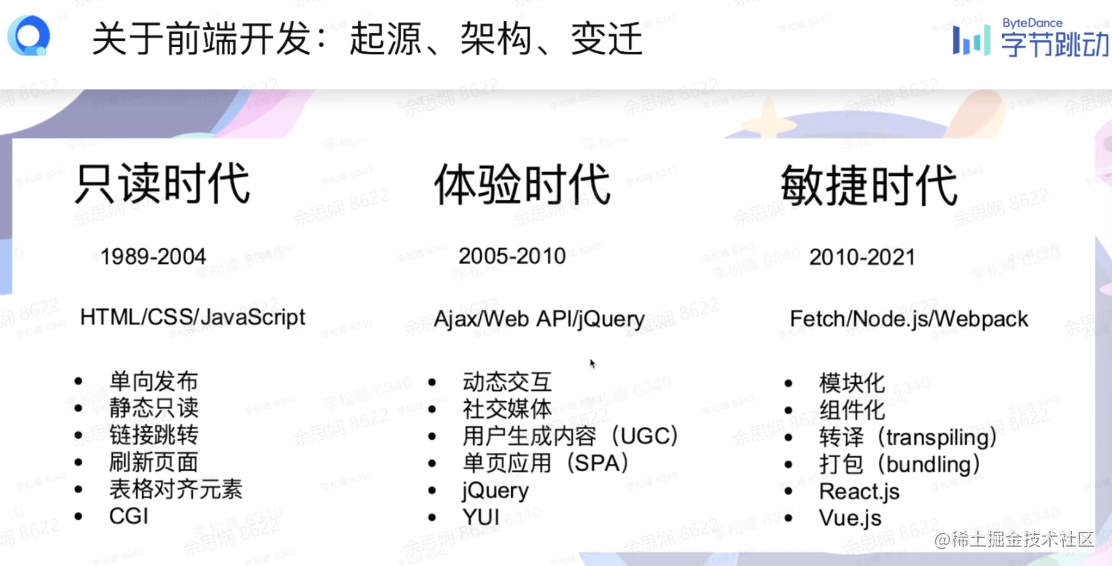
- Read-only era: The client was essentially a static page. Updating the page required sending a network request — there was no way to update the page without refreshing.
- Experience era: The client achieved the leap from static to dynamic, gaining dynamic interaction capabilities. JavaScript could send requests to the server in the background, and the updated content could be displayed on the webpage by modifying the DOM. Google Maps and similar products used this technology at the time.
- Agile era: The current mainstream. User experience is increasingly valued, and front-end development has become modular and componentized. This era saw the emergence of well-known frameworks like React and Vue, as well as bundling tools like Webpack.
Application Domains of Front-End
To Business (Enterprise)
ByteDance's Volcano Engine, public cloud, etc. — large-scale websites that provide various services to enterprises, a massive and profitable domain.
To Customer
The earliest web pages served the purpose of information sharing. Today's consumer-facing websites include e-commerce platforms, online education, mobile H5 pages, and more — all ToC applications.
To Developer
Tools that improve web development efficiency, code editors, and so on.
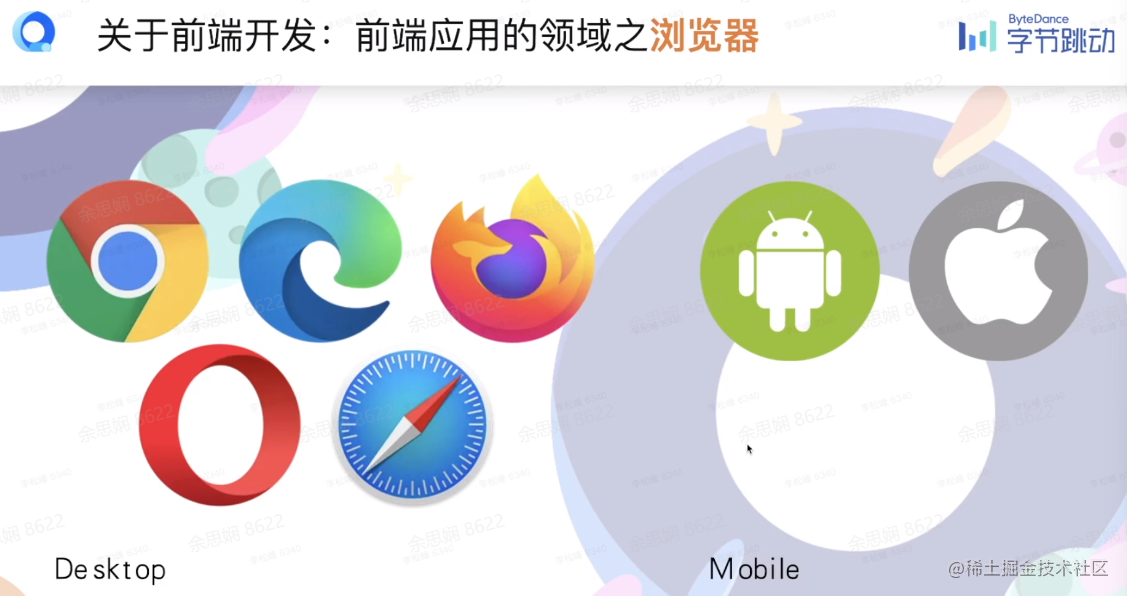
Browsers
Desktop browsers: Chrome, Firefox, Edge, etc.
Mobile browsers: Android, iOS
Terminals and Cross-Platform
Command line / Terminal
Desktop Cross-Platform
- Electron
- NW.js
Mobile Cross-Platform
- React Native
- Flutter
Languages, Frameworks, Tools
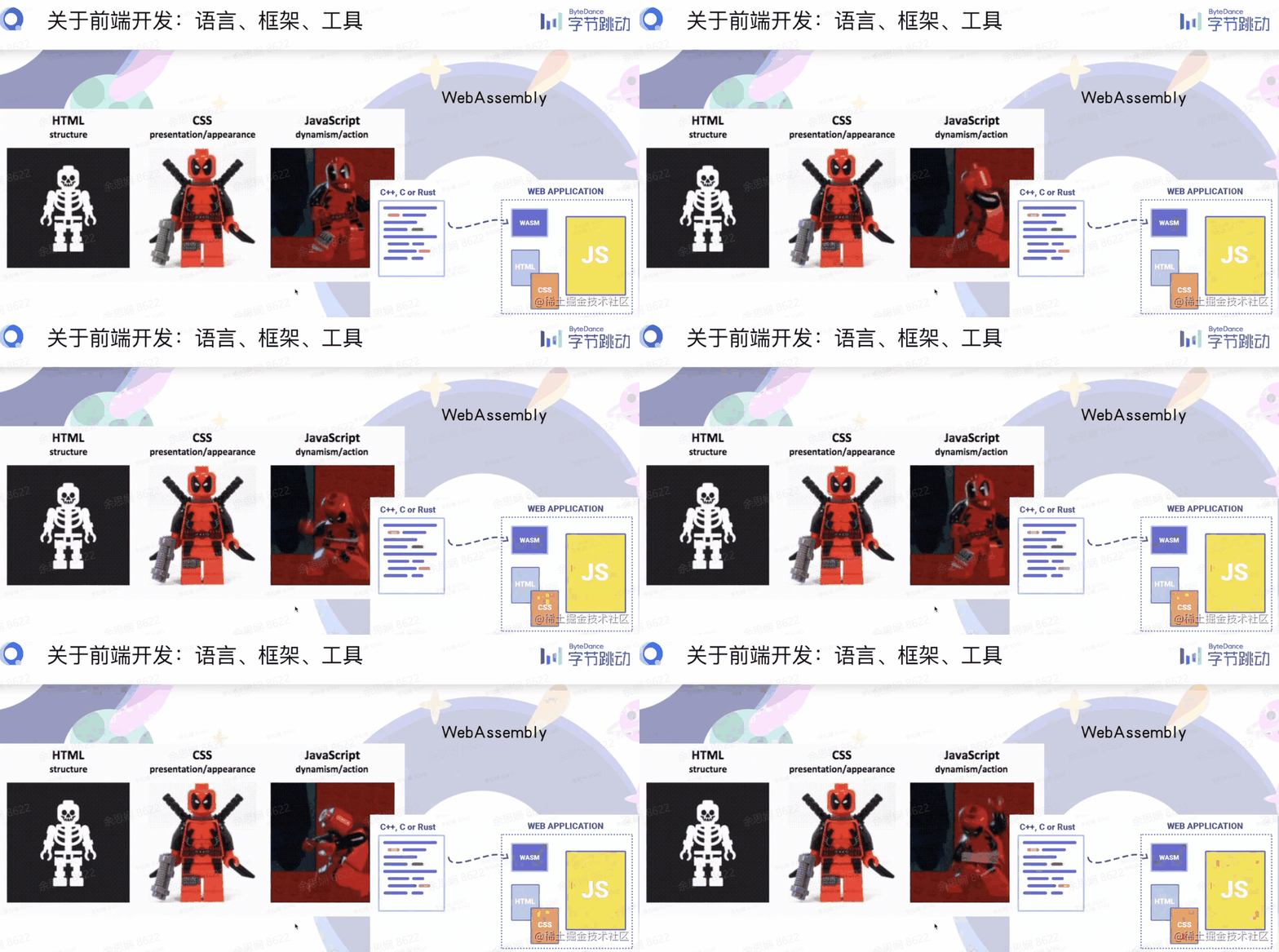
- Core languages — this diagram is clean and clear. Besides the front-end big three, there's also WebAssembly.
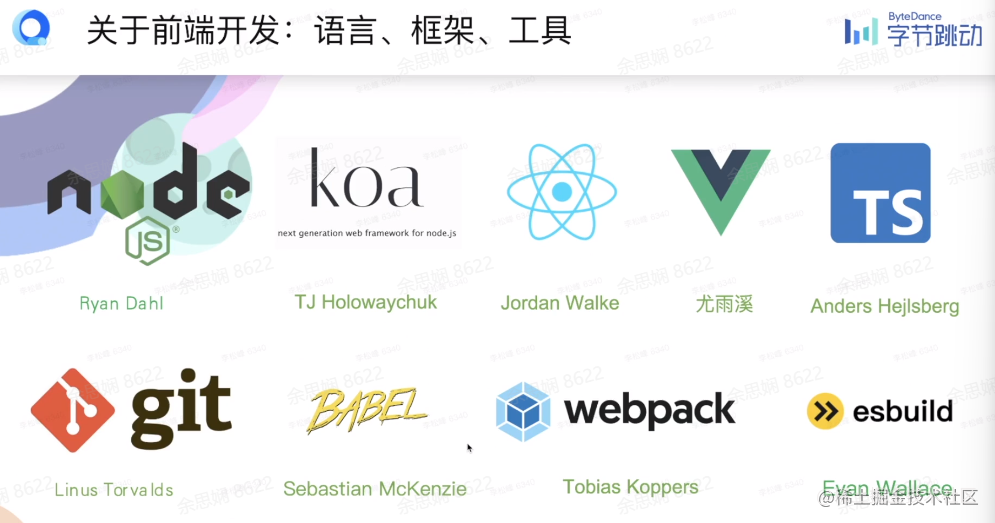
- Frameworks
Browsers, Networks, Servers
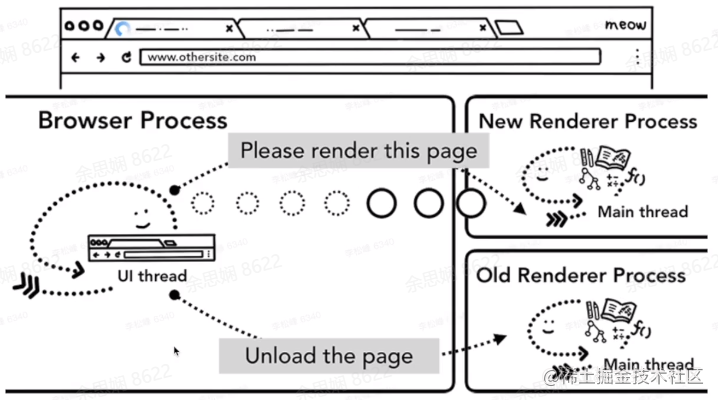
Browsers — recommended articles:
- Original: 4 chapters total Inside look at modern web browser (part 1) | Web | Google Developers
- Translation: Deep Understanding of Modern Browsers
Networks
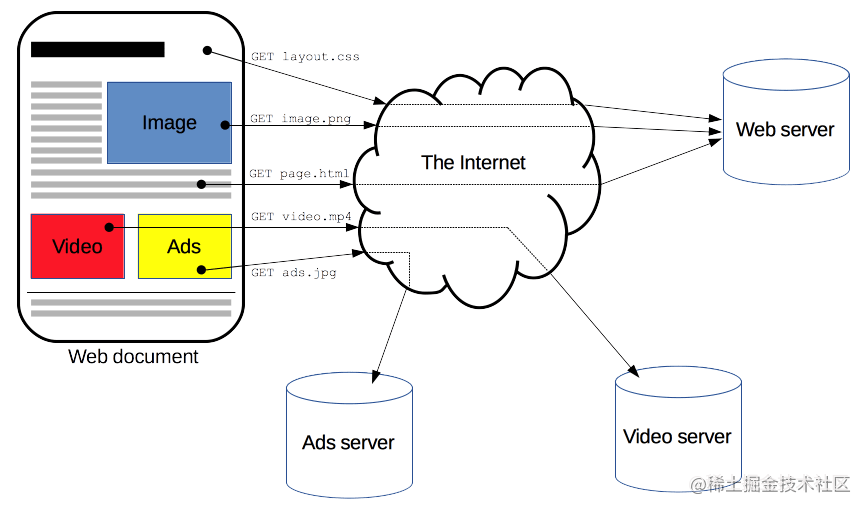
An overview of HTTP - HTTP | MDN (mozilla.org)
Learning Roadmap
Frontend Developer Roadmap: Learn to become a modern frontend developer

About Web Standards
-
W3C: World Wide Web Consortium (Web standards in the conventional sense)
- Official website: https://www.w3.org/
- Github: https://github.com/w3c
- Specification lookup: All Standards and Drafts - W3C
-
Ecma: Ecma International (ECMAScript standardization specification)
- Ecma TC39 official website: Home - Ecma International (ecma-international.org)
- TC39: TC39 – Specifying JavaScript.
- Github: Ecma TC39 (github.com)
- Discourse (discussion group): TC39 - Specifying JavaScript (es.discourse.group)
-
WHATWG: Web Hypertext Application Technology Working Group
- Official website: Web Hypertext Application Technology Working Group (WHATWG)
- Github: WHATWG (github.com)
- Specification lookup: Standards — WHATWG
-
IETF: Internet Engineering Task Force
- Official website: IETF | Internet Engineering Task Force
- Github: Internet Engineering Task Force (IETF) (github.com)
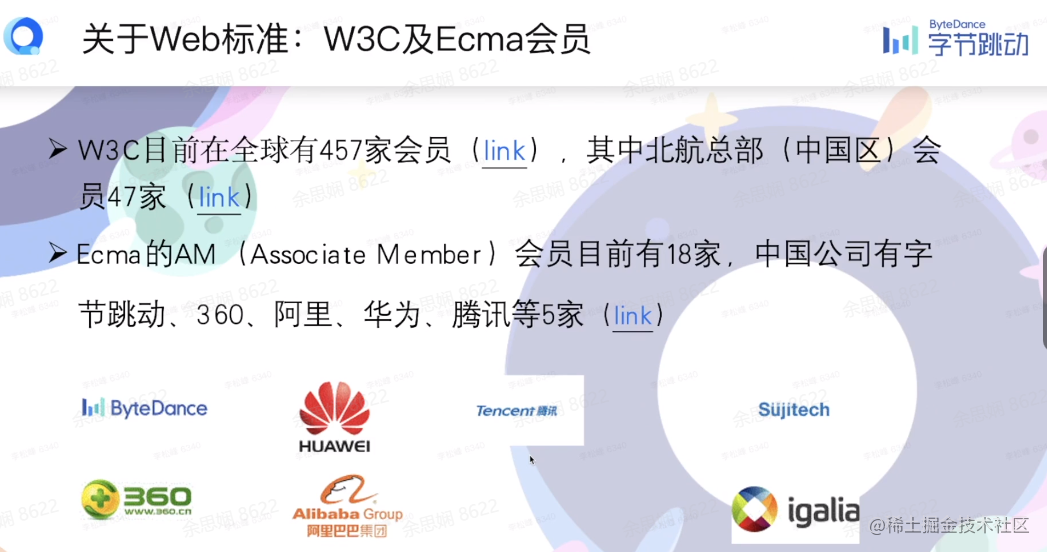
W3C and Ecma Members
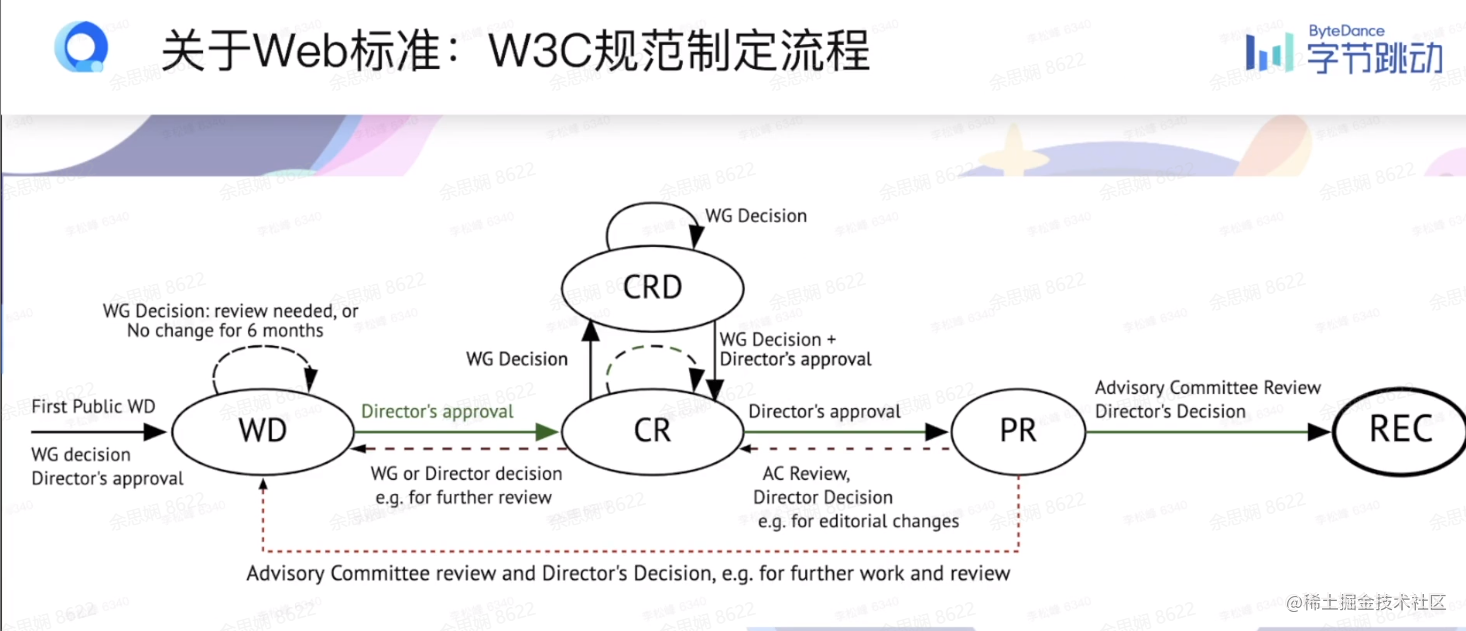
W3C Specification Process
- Explainer demo
- Find the right community/group
- Web IDL for APIs link
- Step-by-step algorithms
- Github,Markdown, respec,bikeshed,etc.
- Get an early review w3ctag/design-reviews
- Write web-platform-tests (WPT) testsl.
Ecma TC39 Specification Process
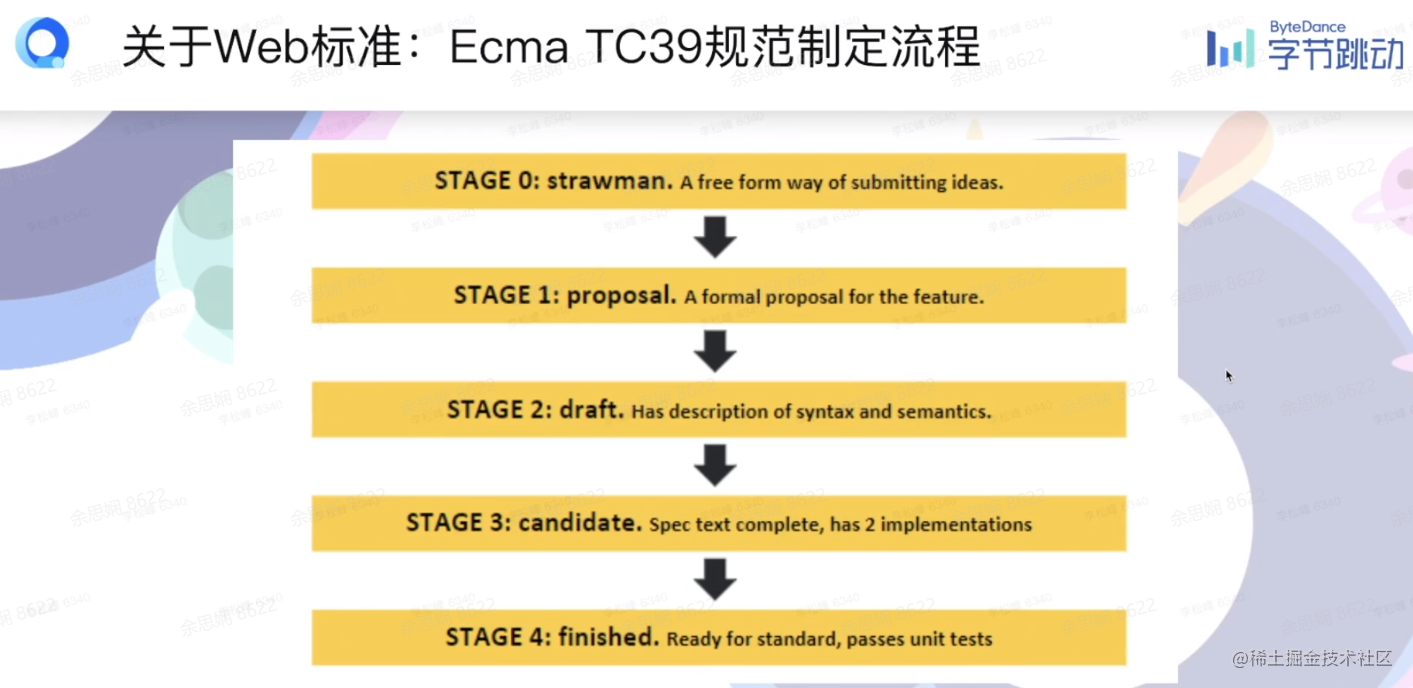
- Championing a proposal at TC39
- How to write a good explainer
- Presenting a Proposal to TC39
- Reading a proposal draft
- Stage 3 Proposal Reviews
- How to experiment with a proposal before Stage 4
- Implementing and shipping TC39 proposals
How to Participate — Follow Meetings
W3C Meetings W3C Technical Plenary / Advisory Committee Meetings Week (known as TPAC) is W3C's annual global technical conference, bringing together members of W3C working groups (working groups, interest groups, community groups, etc.), the Advisory Board (AB), the Technical Architecture Group (TAG), member representatives (AC), specially invited public experts, and global community members for 1-2 weeks of intensive interactive exchanges to deeply explore future open Web platform technology directions.
-
Annual conferences
- AC
- TPAC (Technical Plenary and Advisory Committee)
-
Working group meetings
- Monthly meetings
- Various workshops
Summary
As a front-end engineer, mastering web standards, understanding browsers and networks, and staying up to date with the latest technologies are all very important. The learning roadmap covered in this lesson provides an excellent overview for front-end learning, and the recommended articles gave me a much deeper understanding of browsers. Great lesson!
Most of the content cited in this article comes from Teacher Li Songfeng's course and MDN.
喜欢的话,留下你的评论吧~