

This article has been machine-translated from Chinese. The translation may contain inaccuracies or awkward phrasing. If in doubt, please refer to the original Chinese version.
Key Content of This Lesson
Node.js Use Cases (Why)
-
Front-end Engineering
-
Early libraries like jQuery were included directly on pages. Later, as modularity matured, Node.js gave developers the ability to run code outside the browser, and the front-end gradually became modular.
-
Uglify: UglifyJS
-
Transpile: babeljs, TypeScript
Personal understanding: Transpile converts the latest syntax like ES6 into lower-version syntax for browser compatibility.
-
Other languages joining front-end engineering competition: esbuild, Parcel, prisma, etc.
-
Current status: Node.js is hard to replace
-
-
Web Server Applications
- Gentle learning curve, high development efficiency
- Runtime performance close to common compiled languages
- Rich community ecosystem and mature toolchain (npm, V8 inspector)
- Advantages in scenarios combined with front-end (SSR, isomorphic front-end applications. Both page rendering and backend data fetching/population are done with JavaScript)
- Current status: competition is fierce, Node.js has its unique advantages
-
Electron Cross-Platform Desktop Applications
- Commercial applications: VSCode, Slack, Discord, Zoom
- Efficiency tools within large companies
- Current status: worth considering in most scenarios
Node.js Runtime Architecture (What)
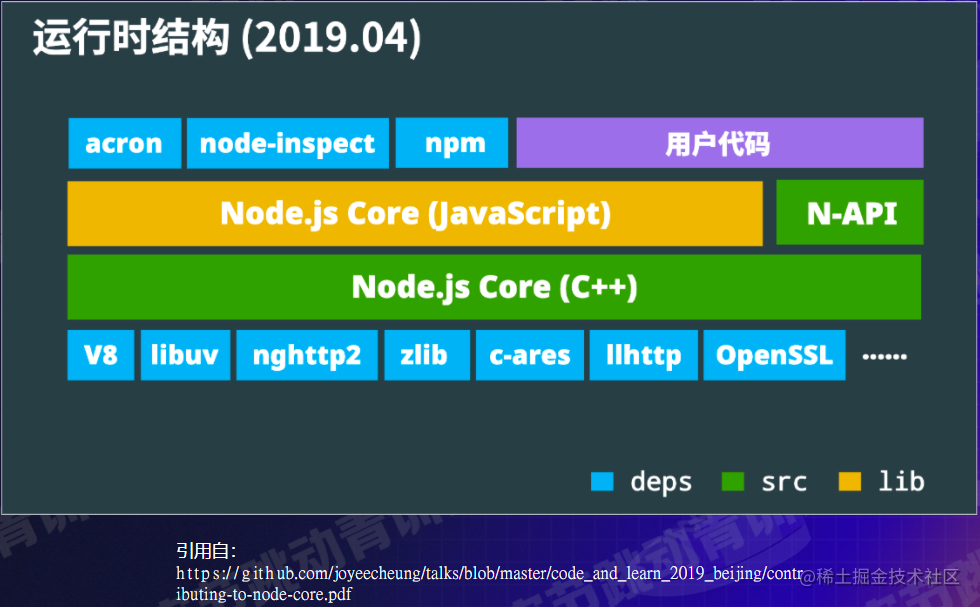
- N-API: Some packages installed via npm in user code
- V8: JavaScript Runtime, diagnostic debugging tools (inspector)
- libuv: eventloop, syscall (system calls)
- Example: when making a request with node-fetch
- The underlying process calls a significant amount of C++ code
Characteristics
-
Asynchronous I/O:
setTimeout(() => { console.log('B'); }); console.log('A');-
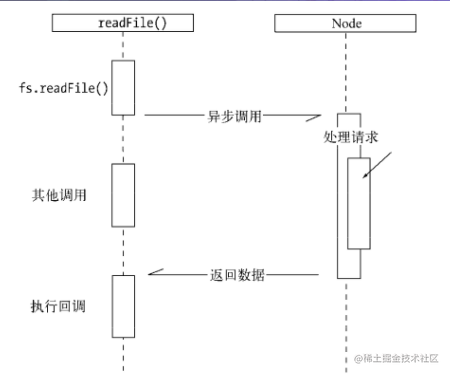
A common scenario: reading files. When Node.js performs I/O operations, it resumes operations after the response returns, rather than blocking the thread and occupying extra memory while waiting. (Less memory usage)
-
-
Single-threaded
-
worker_thread can spawn an independent thread, but the model of each thread doesn’t change much
function fibonacci(num:number):number { if(num === 1 || num === 2) { return 1; } return fibonacci(num-1) + fibonacci(num-2); } fibonacci(42) fibonacci(43) -
JS is single-threaded
- In reality: JS thread + uv thread pool (4 threads) + V8 task thread pool + V8 Inspector thread
-
Advantages: no need to worry about multi-thread state synchronization, which means no locks needed. It can also utilize system resources quite efficiently.
-
Disadvantages: blocking produces more negative effects, async issues, latency-sensitive scenarios need consideration.
- Solutions: multi-process or multi-thread
-
-
Cross-platform (most functions and APIs)
-
Want to use Socket on Linux, but different platforms have different calls? Just:
const net = require('net'); const socket = new net.Socket('/tmp/socket.sock'); -
Node.js cross-platform + JS requires no compilation environment (+ Web cross-platform + diagnostic tools cross-platform)
- = Low development cost (no need to worry about cross-platform issues in most scenarios), low overall learning cost
-
Building an HTTP Server (How)
Installing Node.js
- Mac, Linux: recommend using nvm for multi-version management.
- Windows: recommend nvm4w or the official installer.
- For slow or failed installations, set the installation source:
- NVM_NODEJS_ORG_MIRROR=https://npmmirror.com/mirrors/node nvm install 16
Building HTTP Server + Client, Sending and Receiving GET/POST Requests
- Prerequisites: Node.js installed, open cmd as administrator and navigate to the current file directory
HTTP Server
-
First, write a server.js as follows:
-
createServerdescriptionreq: request, res: response
server.listendescriptionport: the port number to listen on, callback function on success
-
const http = require('http');
const server = http.createServer((req, res) => {
  res.end('hello'); // 响应直接就是hello
});
const port = 3000;
server.listen(port, () => {
  console.log(`server listens on:${port}`); // 监听3000端口
});
-
-
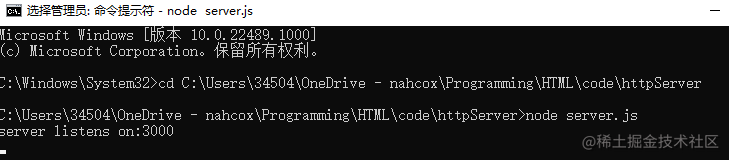
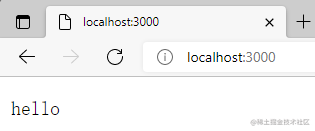
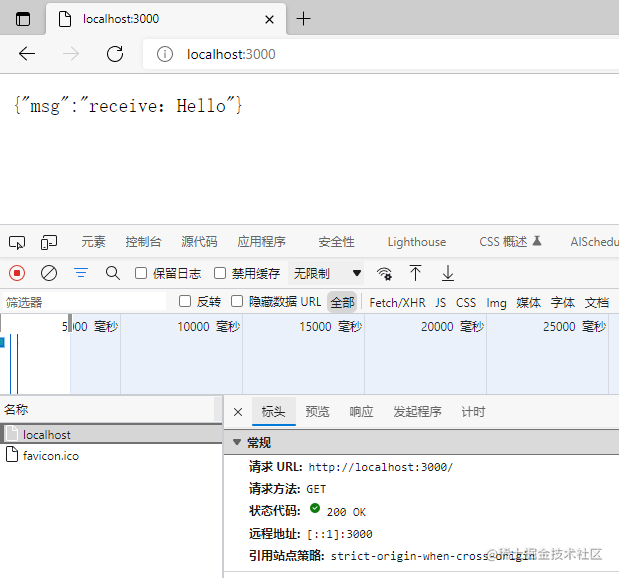
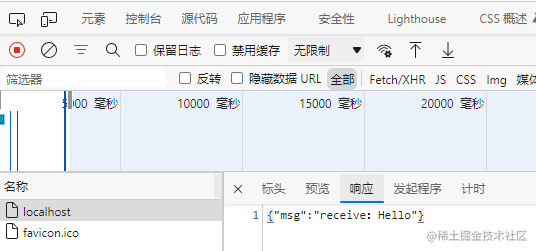
Start with node, then visiting localhost
shows “hello”
- JSON version
const server = http.createServer((req, res) => {
  // receive body from client
  const bufs = []; // 取传的数据
  req.on('data', (data) => {
    bufs.push(data);
  });
  req.on('end', () => {
    const buf = Buffer.concat(bufs).toString('utf-8');
    let msg = 'Hello';
    try {
      reqData = JSON.parse(buf);
      msg = reqData.msg;
    } catch (err) {
      res.end('invalid json');
    }
    // response
    const responseJson = {
      msg: `receive:${msg}`,
    };
    res.setHeader('Content-Type', 'application/json');
    res.end(JSON.stringify(responseJson));
  });
});
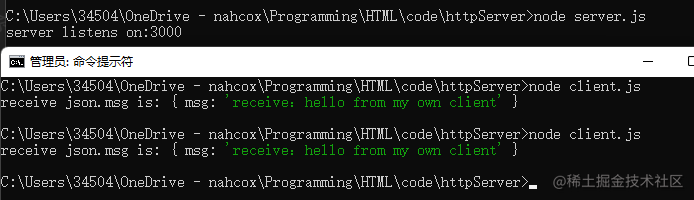
HTTP Client
const http = require('http');
const body = JSON.stringify({ msg: 'hello from my own client' });
// [url] [option] [callback]
const req = http.request(
  'https://127.0.0.1:3000',
  {
    method: 'POST',
    headers: {
      'Content-Type': 'application/json',
      'Content-Length': body.length,
    },
  },
  (res) => {
    // 响应体
    const bufs = [];
    res.on('data', (data) => {
      bufs.push(data);
    });
    res.on('end', () => {
      const buf = Buffer.concat(bufs);
      const receive = JSON.parse(buf);
      console.log('receive json.msg is:', receive);
    });
  },
);
req.end(body);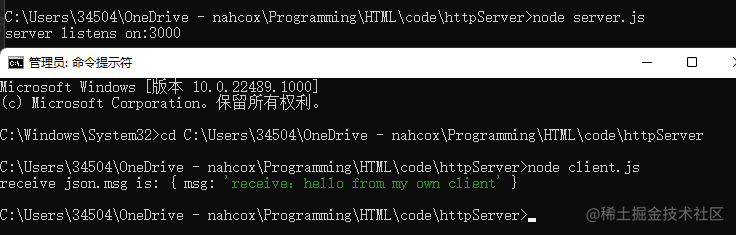
Promisify
The two examples above can be rewritten using Promise + async and await (why?)
When the await keyword is used with async functions, its real advantage becomes clear — in fact, await only works inside async functions. It can be placed before any async, promise-based function. It pauses the code on that line until the promise fulfills, then returns the resulting value. While paused, other code waiting to execute gets a chance to run.
async/awaitmakes your code look synchronous and, in a way, makes it behave more synchronously. Theawaitkeyword blocks subsequent code until the promise completes, just like a synchronous operation. It does allow other tasks to continue running in the meantime, but your own code is blocked.
-
Writing too many callbacks makes them hard to find and maintain
function wait(t) { return new Promise((resolve, reject) => { setTimeout(() => { resolve(); }, t); }); } wait(1000).then(() => { console.log('get called'); }); -
Not all callbacks are suitable for rewriting as Promises
- Suitable for callbacks that are called only once
const server = http.createServer(async (req, res) => {
  // 注意这里的async
  // receive body from client 改成了Promise形式
  const msg = await new Promise((resolve, reject) => {
    //执行完再交给msg
    const bufs = [];
    req.on('data', (data) => {
      bufs.push(data);
    });
    req.on('error', (err) => {
      reject(err);
    });
    req.on('end', () => {
      const buf = Buffer.concat(bufs).toString('utf-8');
      let msg = 'Hello';
      try {
        reqData = JSON.parse(buf);
        msg = reqData.msg;
      } catch (err) {
        //
      }
      resolve(msg);
    });
  });
  // response
  const responseJson = {
    msg: `receive:${msg}`,
  };
  res.setHeader('Content-Type', 'application/json');
  res.end(JSON.stringify(responseJson));
});
Building a Static File Server
Write a simple static service that accepts HTTP requests from users, takes the image URL as the corresponding path on the static file server’s disk, and returns the actual content to the user. In addition to the http module, we also need the fs module and path module.
First, write a simple index.html and place it in the static directory.
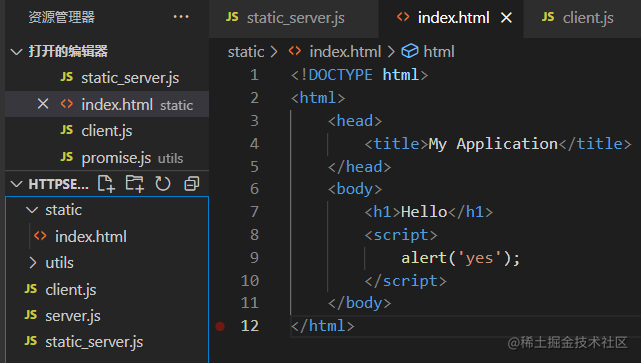
static_server.js
const http = require('http');
const fs = require('fs');
const path = require('path');
const url = require('url');
// __dirname是当前这个文件所在位置, ./为当前文件所在文件夹 folderPath即为static文件夹相对于当前文件路径
const folderPath = path.resolve(__dirname, './static');

const server = http.createServer((req, res) => {
  // 注意这里的async
  // expected https://127.0.0.1:3000/index.html
  const info = url.parse(req.url);

  // static/index.html
  const filepath = path.resolve(folderPath, './' + info.path);
  console.log('filepath', filepath);
  // stream风格的api,其内部内存使用率更好
  const filestream = fs.createReadStream(filepath);
  filestream.pipe(res);
});
const port = 3000;
server.listen(port, () => {
  console.log(`server listens on:${port}`);
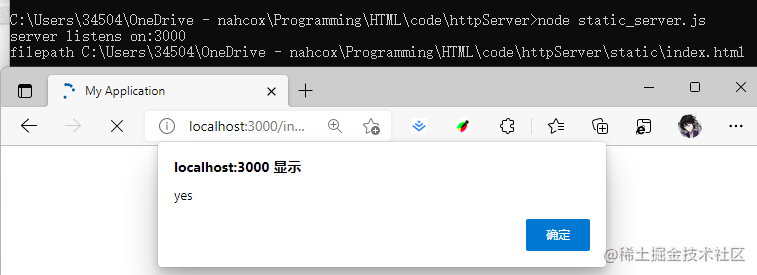
});
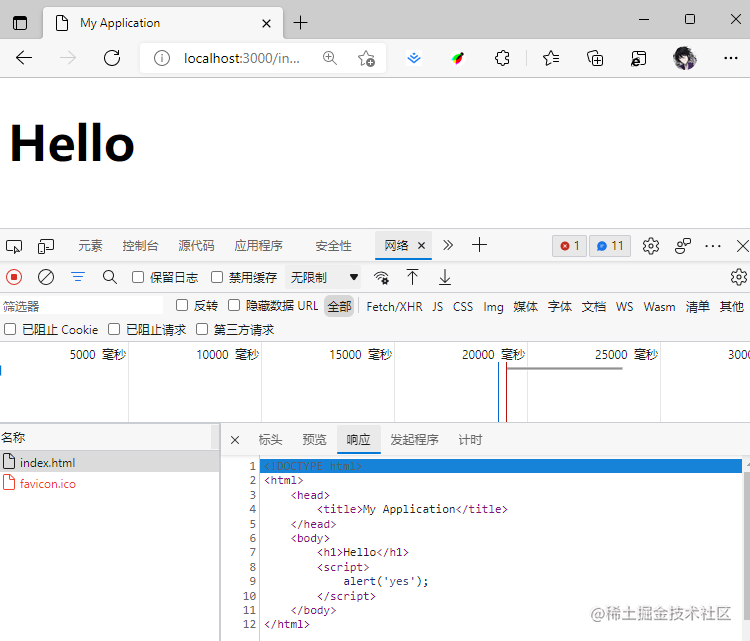
- What’s missing compared to a high-performance, reliable service?
- CDN: caching + acceleration
- Distributed storage, disaster recovery (service continues even if servers go down)
Building a React SSR Service
- What are the characteristics of SSR (Server-Side Rendering)?
- Compared to traditional HTML template engines: avoids rewriting code
- Compared to SPA (Single Page Application): faster first-screen rendering, SEO (Search Engine Optimization) friendly
- Disadvantages:
- Typically lower QPS (Queries Per Second), front-end code must consider server-side rendering scenarios
- More difficult to write, as writing JS also requires considering front-end behavior
Installing React
npm init
npm i react react-dom
Writing an Example
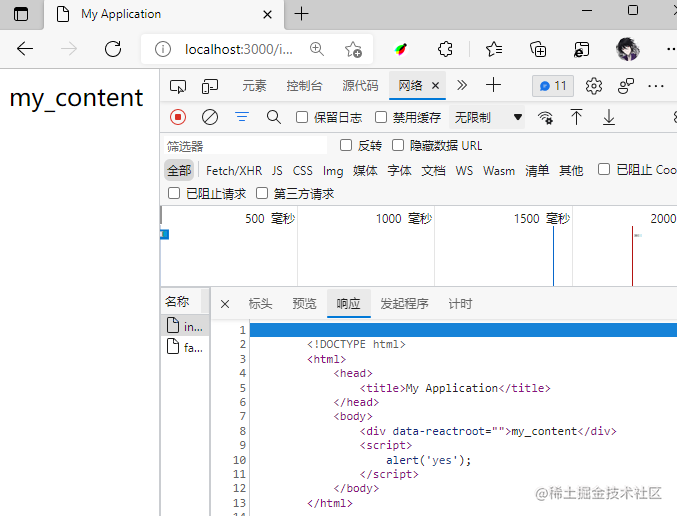
const React = require('react');
const ReactDOMServer = require('react-dom/server');
const http = require('http');
function App(props) {
    return React.createElement('div', {}, props.children || 'Hello');
}
const server = http.createServer((req, res) => {
    res.end(`
        <!DOCTYPE html>
        <html>
            <head>
                <title>My Application</title>
            </head>
            <body>
                ${ReactDOMServer.renderToString(
                    React.createElement(App, {}, 'my_content'))}
                <script>
                    alert('yes');
                </script>
            </body>
        </html>
    `);
})
const port = 3000;
server.listen(port, () => {
    console.log('listening on: ', port);
})
- SSR Challenges
- Need to handle bundled code
- Need to think about front-end code logic when running on the server
- Remove server-side meaningless side effects or reset the environment
Using Inspector for Debugging and Diagnostics
-
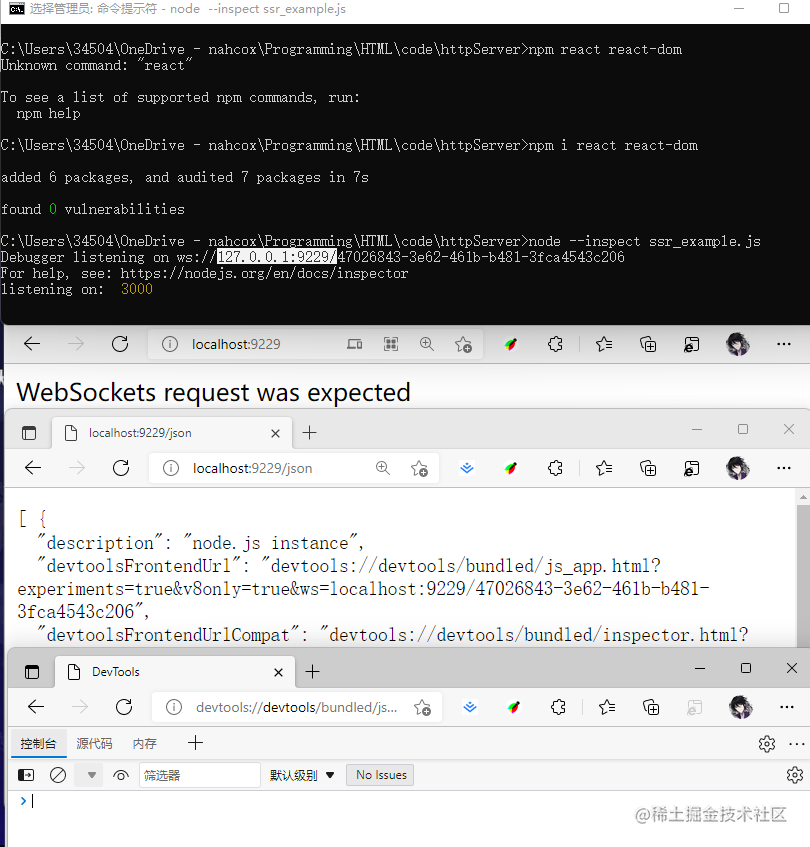
V8 Inspector: out-of-the-box, feature-rich and powerful, consistent with front-end development, cross-platform
node --inspectopen https://localhost:9229/json
-
Scenarios:
- Viewing console.log output
- Breakpoints
- High CPU, infinite loops: cpuprofile
- High memory usage: heapsnapshot
- Performance analysis
Deployment Overview
Once it’s written, how do we deploy to production?
-
Problems deployment needs to solve
-
Daemon process: restart the process when it exits
-
Multi-process: cluster conveniently utilizes multiple processes
-
Record process state for diagnostics
-
-
Container environment
- Usually has health check mechanisms, only need to consider multi-core CPU utilization
Extended Topics
Quickly Understanding Node.js Code
Node.js Core Contribution Guide
- Benefits
- Gradually understand underlying details from a user’s perspective, enabling you to solve more complex problems
- Self-proof, beneficial for career development
- Solve community issues, promote community growth
- Challenges:
- Takes time (real talk)
Compiling Node.js
- Why learn to compile Node.js?
- Understanding: from black box to white box, being able to trace issues when problems occur
- First step toward contributing code
- How to compile
- ./configure && make install
- Demo: adding a custom property to the net module
Diagnostics/Tracing
- Diagnostics is a low-frequency, important, and quite challenging area. It’s an important reference for enterprises evaluating whether they can depend on a language.
- A popular role in the technology consulting industry.
- Challenges:
- Need to understand Node.js internals, operating systems, and various tools
- Requires experience
WASM, NAPI
- Node.js (because of V8) is a natural container for executing WASM code, sharing the same runtime as browser WASM, and Node.js supports WASI.
- NAPI executes C-interface code (C/C++/Rust…) while preserving native code performance.
- A solution for communication between different programming languages.
Summary and Thoughts
This lesson started with an introduction to Node.js, implemented an HTTP Server hands-on project (optimizing callbacks with Promise, and gaining some understanding of SSR), and in the extended topics the instructor also provided some suggestions and further reading. Great stuff~
Most of the content cited in this article comes from Teacher Ouyang Yadong’s lesson and MDN.
喜欢的话,留下你的评论吧~