

This article has been machine-translated from Chinese. The translation may contain inaccuracies or awkward phrasing. If in doubt, please refer to the original Chinese version.
Originally posted on v2ex, original link: https://www.v2ex.com/t/1080451
I originally just wanted to share a few invitation codes on v2ex, but as I kept writing, I realized it was time for a full blog post about my Follow experience.
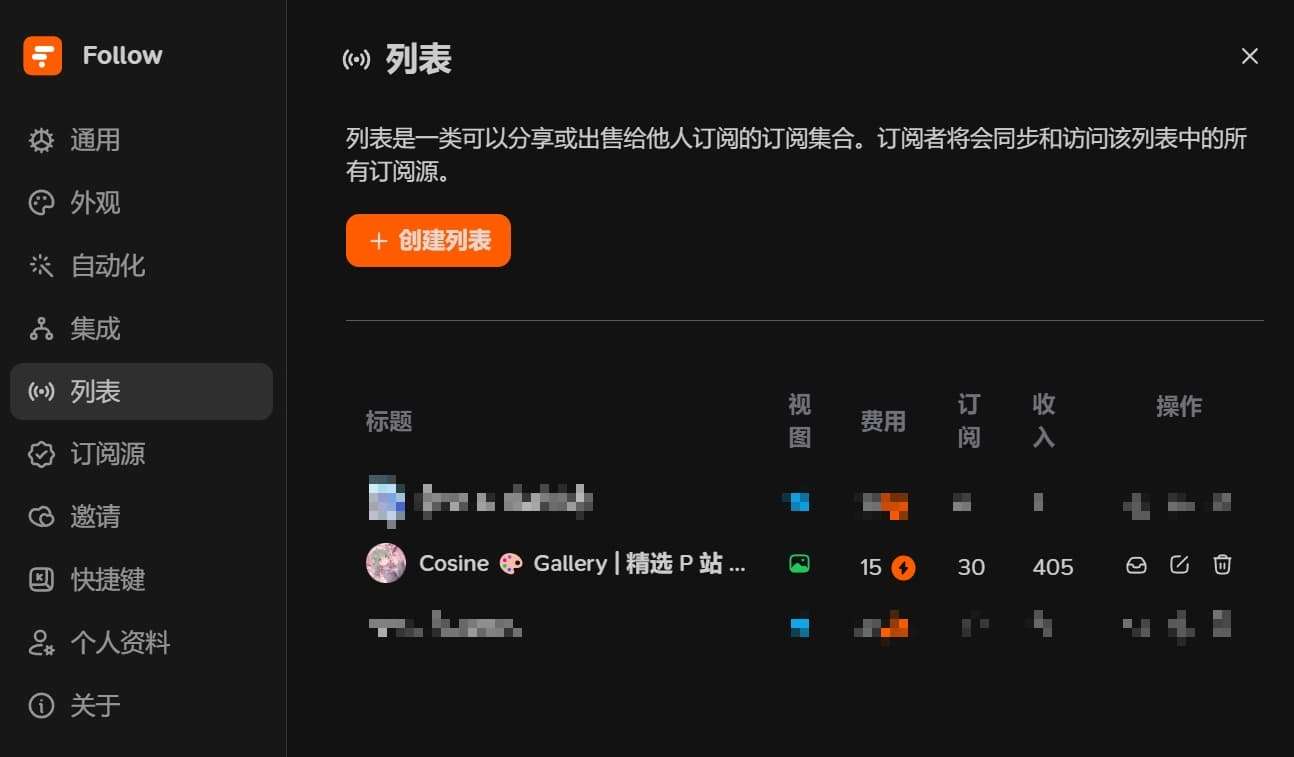
I got into RSS and RSSHub relatively early. I’ve been following Follow since its early days. I’ve used self-hosted tinyRSS, freshRSS, and various other RSS readers, and before Follow I was using inoreader, which was also a great experience. After Follow launched, I excitedly shared many invitation codes — both to my own channel and to friends. Especially when the List feature launched, I happily created an image list, converted all my earnings into invitation codes. The more people using it, the happier I am. To date, I’ve given out 15 invitation codes, used it for 45 days, subscribed to 474 sources, 10 Lists — I’d say that qualifies as heavy usage.
I’ve given out 15 invitation codes so far.
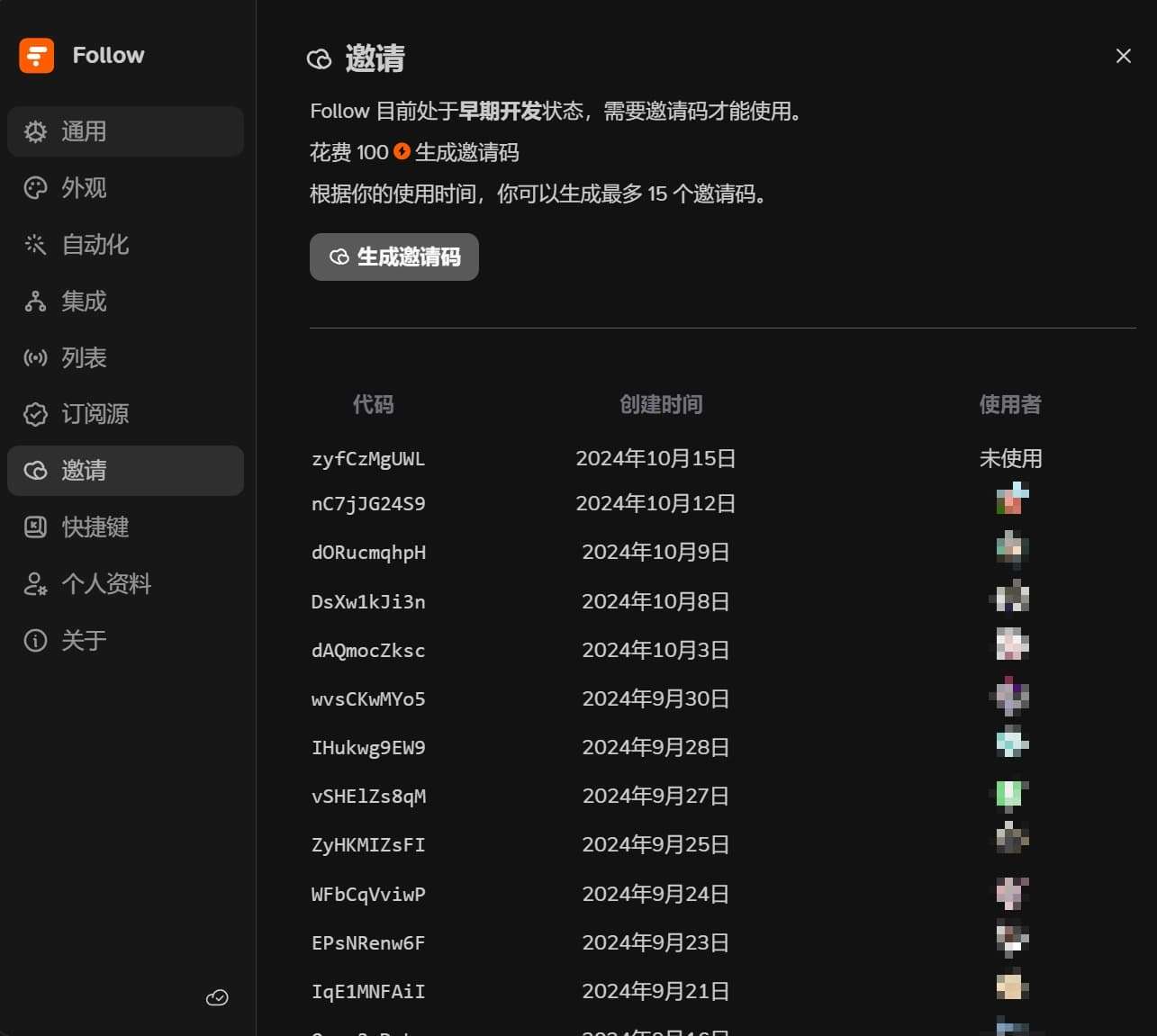
Let me share the noticeable pros, cons, and features:
Highlight Features
Follow’s multi-view plus categorization feature is excellent. While there’s still room for improvement, the ability to aggregate images, videos, audio, social media, and other types of RSS into their respective views is already very appealing. RSS’s charm is something many friends understand — combined with Follow’s List feature, following other users, and Trending, discovering quality RSS sources becomes much easier. Following GitHub project Releases / Stars / Issues also keeps you up to date with project developments. The combination of official RSS sources and Twitter means I never miss content while still being able to mark everything as read with one click.
Delightful Interactions
Follow frequently surprises you with its interactions. What impressed me most initially was its table of contents navigation animation, along with countless other small details. I posted a dedicated tweet praising it early on — here it is again.
The first impression upon opening is how silky smooth the interactions are. The animations feel natural, and if you don’t like animations, you can turn some off in settings. My favorites are the Actions, AI summaries, and the masonry layout for image display www
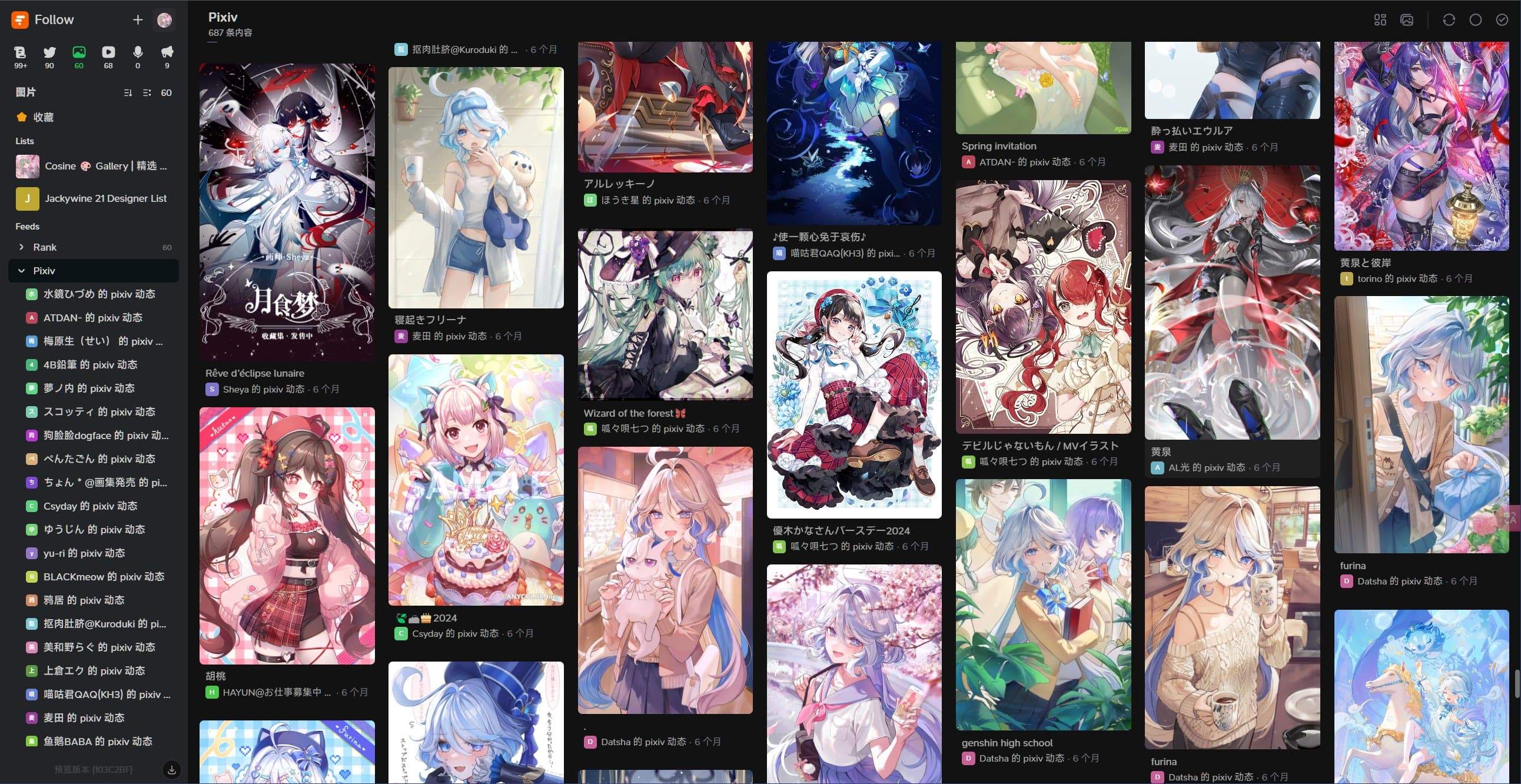
(P1) Pictures collects image-related subscriptions. I used to struggle with following too many talented Pixiv artists — their works would pile up and I’d have to scroll endlessly. This solves my problem hhhh. I can even click through to the original link to give a like w
(P2) The Articles blog reading experience is great too. What surprised me most was the table of contents design — section headings become a progress bar while scrolling. What kind of detail-obsessed design is this?
(P3) Social’s timeline feature is very comfortable. I use it to subscribe to Twitter and TG channels
(P4) Videos lets you subscribe to Bilibili video feeds — perfect for someone like me who can’t organize Bilibili follows
In the article Design Concepts in Follow, the developers elaborate on many of their design philosophies, which is also very much worth reading.
Lists
I tried Follow’s List feature the moment it launched. Despite some initial minor issues, the experience is now very smooth. While perfectionists might find some details needing polish (like sorting), for a product in its early stages, Follow’s current performance has me quite satisfied. While browsing, I’ve also discovered various weekly digest lists, news lists, and quality lists — it feels like there will be more and more channels for discovering great content.
I created an image list myself, using my own self-hosted reverse proxy. When I see artwork I like, I also click through to give the artist a like.
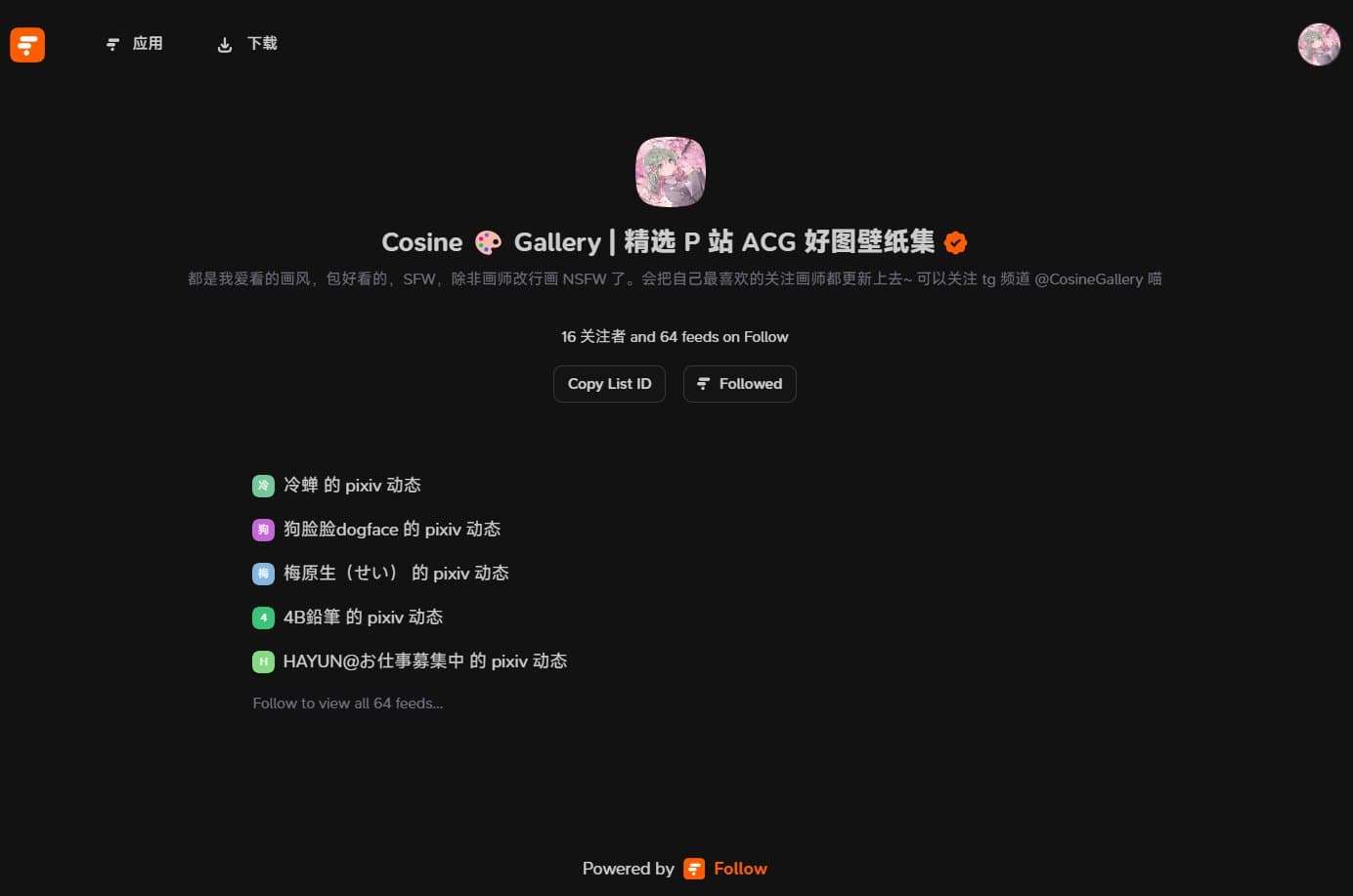
This image list has been well-received by many friends, which makes me happy.
Actions
With Actions, you can filter out noise like retweets and replies on Twitter, block ads you don’t want to see, and set up rules for rewriting, auto-translation, and new content notifications.
For example, here’s an Action that blocks Twitter replies and retweets:
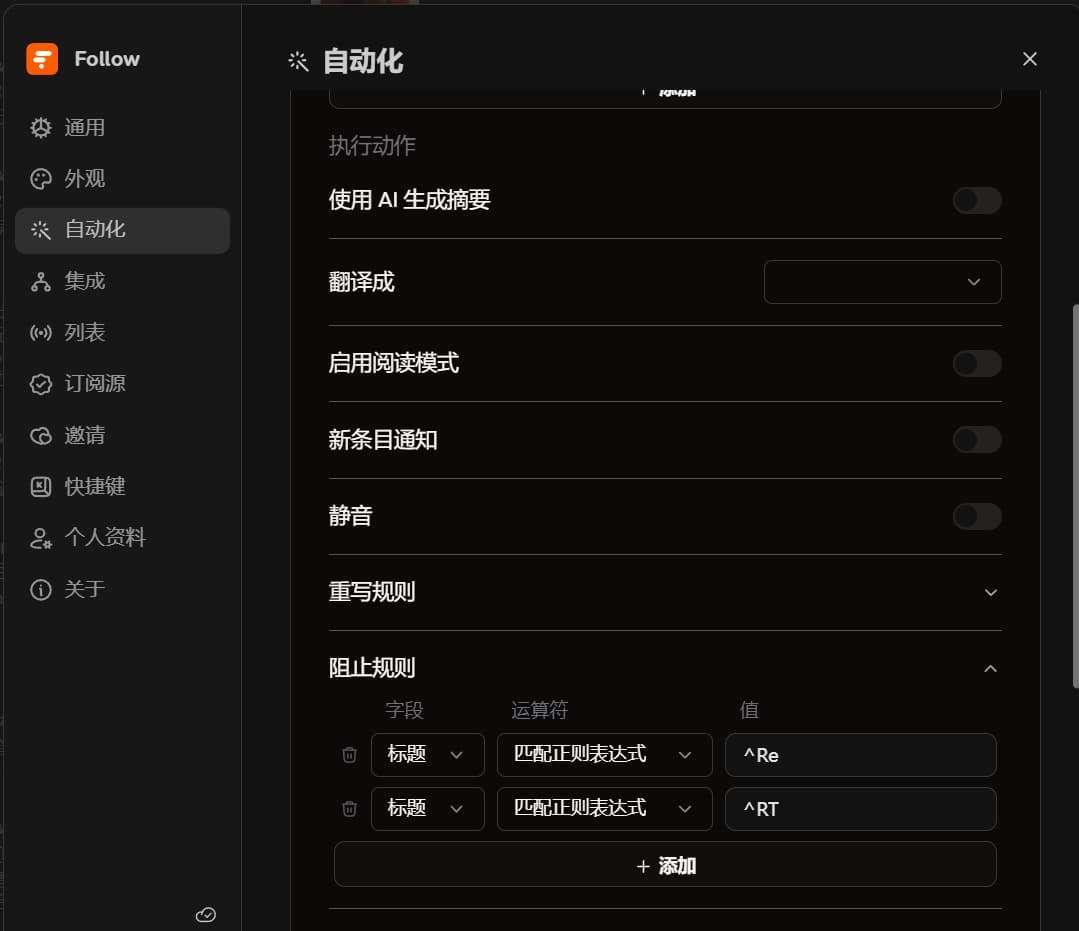
I won’t show the ad-blocking Actions — just use regex: (keyword1|keyword2|keyword3)
Users, Discovery Page, and Trending
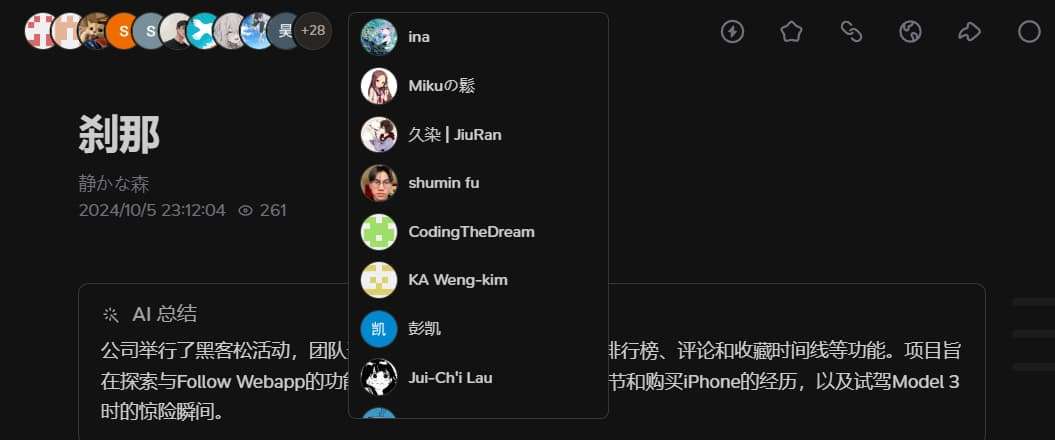
At the top of articles, you can see other users reading the same article. You can click their avatars to peek at their subscription sources, which is a great way to discover quality RSS sources you haven’t subscribed to. It’s a really wonderful idea (if you don’t want to be seen, you can set subscriptions to private).
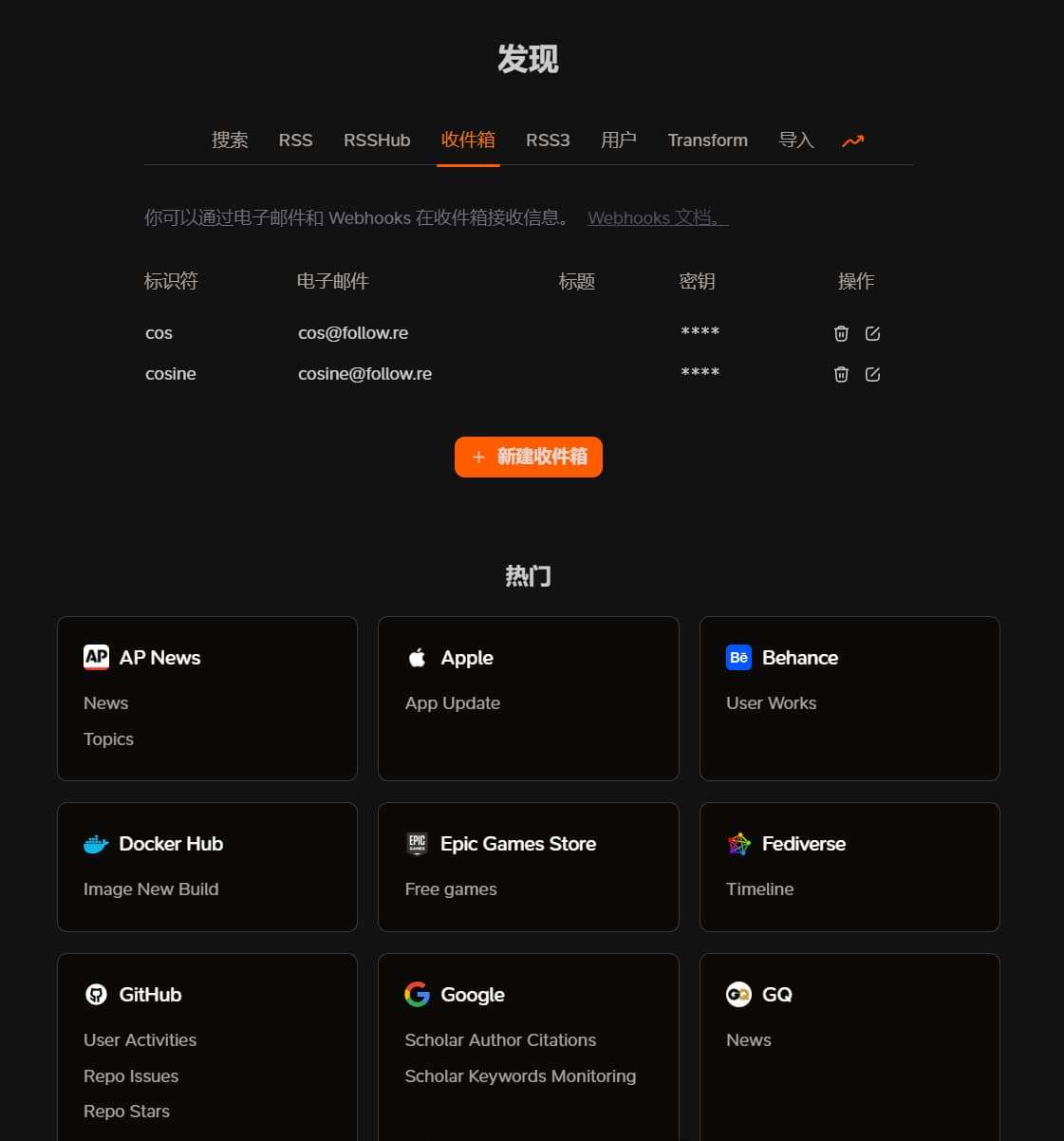
The Discovery page is accessed via the plus sign next to your avatar. This is where you add and search for subscriptions. Recently Follow also added an Inbox feature — once you create an inbox, you can browse it in the article view. You can now receive submissions within Follow.
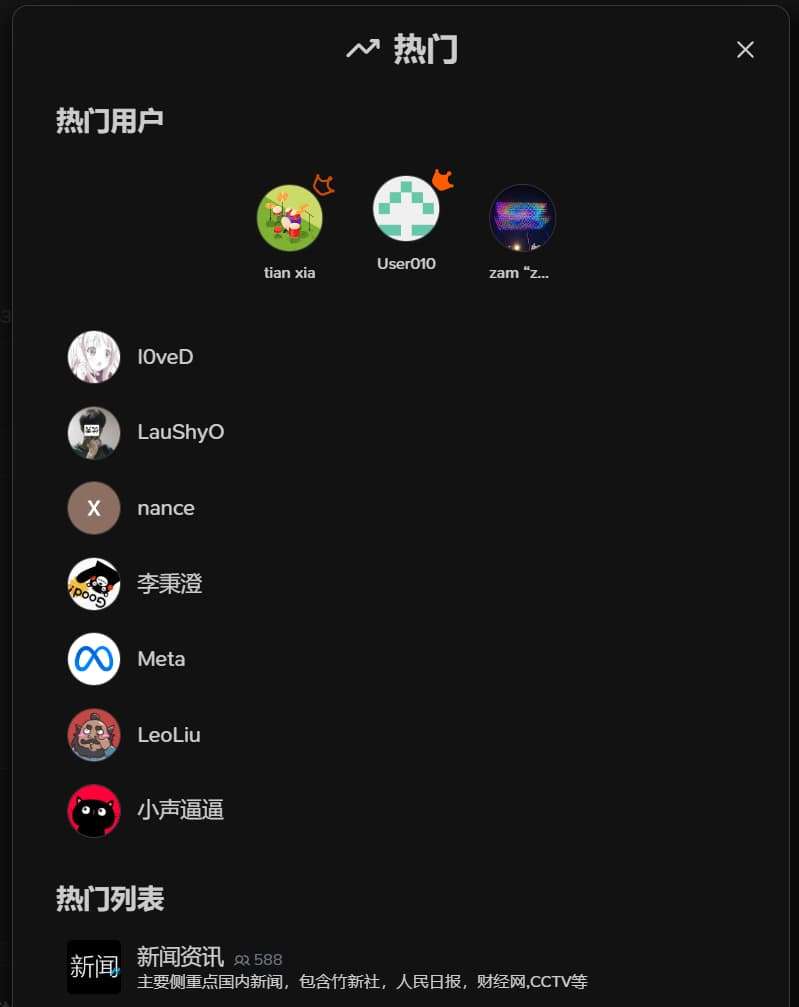
On the Discovery page, the Trending section on the far right shows the hottest RSS sources, lists, and popular users. You can visit user profiles to see their public subscriptions. Looking forward to a random Trending feature in the future.
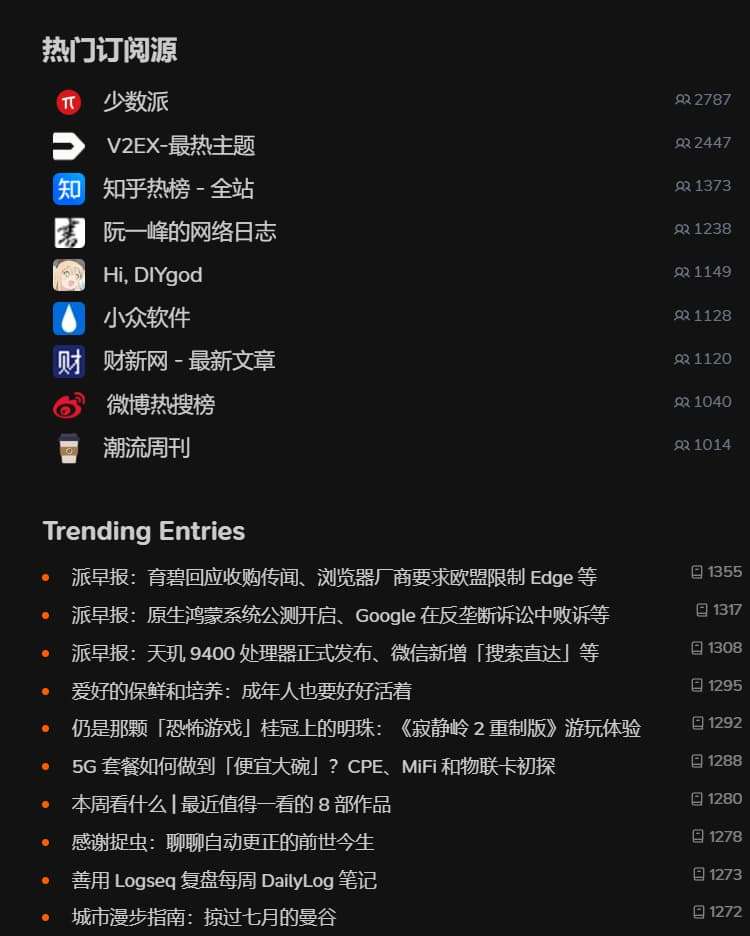
Content Browsing: Views & Preview
For the reading and RSS browsing experience, the Articles view is quite versatile for most RSS content. Let me briefly discuss each view:
Article View
First is the Article view — the default and most commonly used. It’s suitable for reading blogs, articles, news, etc. It supports images, videos, audio, smooth table of contents navigation, a reading progress bar, auto-playing videos, and more.
When reading English blogs, the built-in AI summary combined with a custom auto-translate Action and immersive translation is what I’d call the ultimate combo:
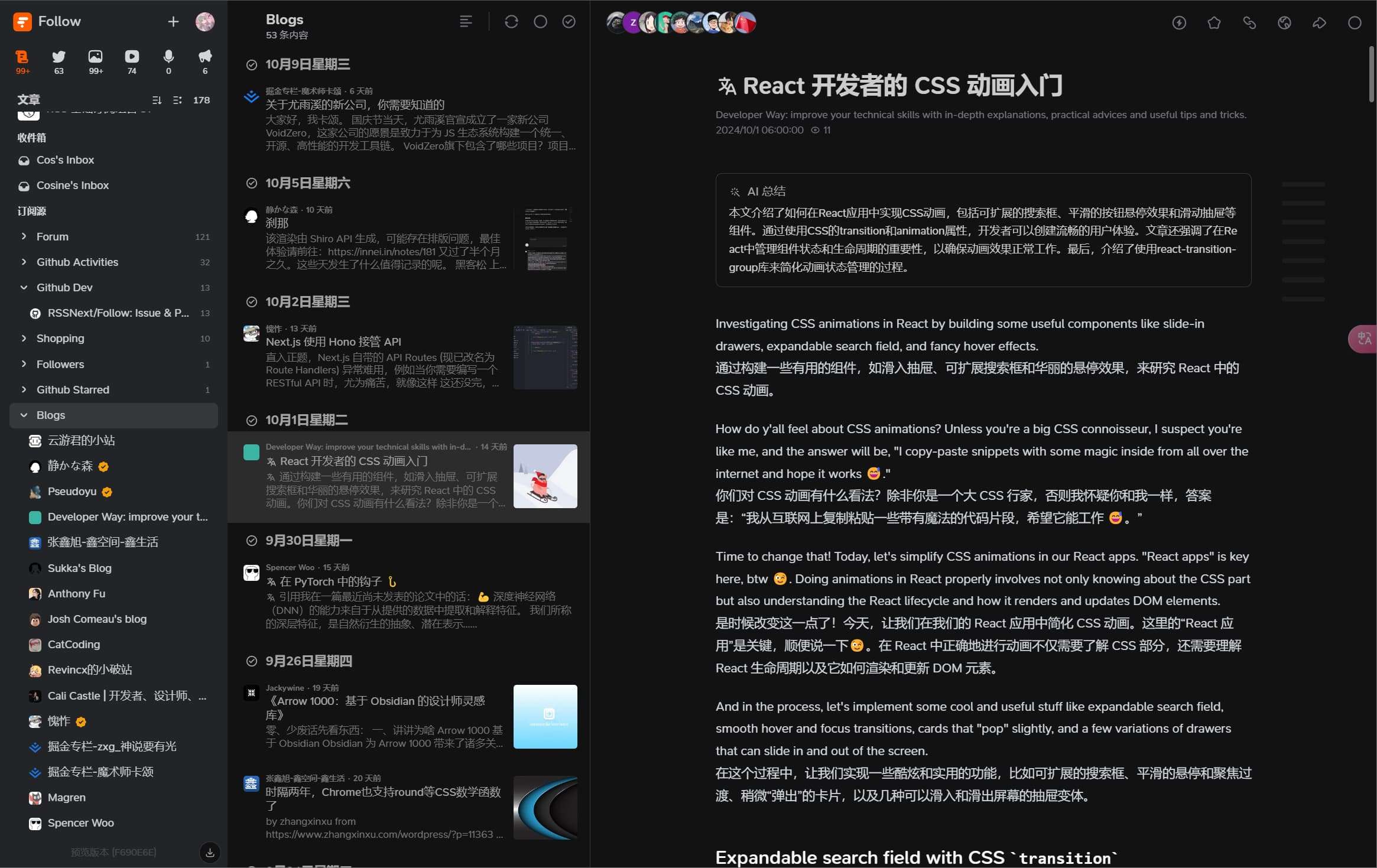
When you find a great article, you can Star it to save it — effectively serving as a “read later” mechanism (I’ve also seen a dedicated “read later” feature being planned in the issues).
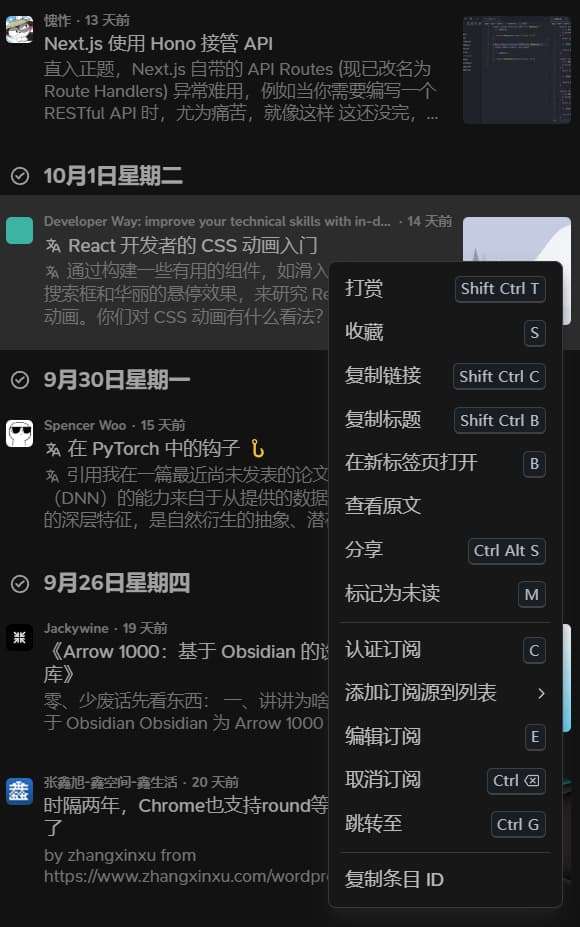
Notice the “Tip” and “Claim Feed” options in the right-click menu? These are unique to Follow. Tips let you support the author, and Claim Feed lets you verify yourself as the RSS source owner. After verification, a verified icon appears, and others can tip you (similar to Bilibili coins).
There are three verification methods. As long as you own the RSS feed, you can always get verified. The current verification methods are shown here:
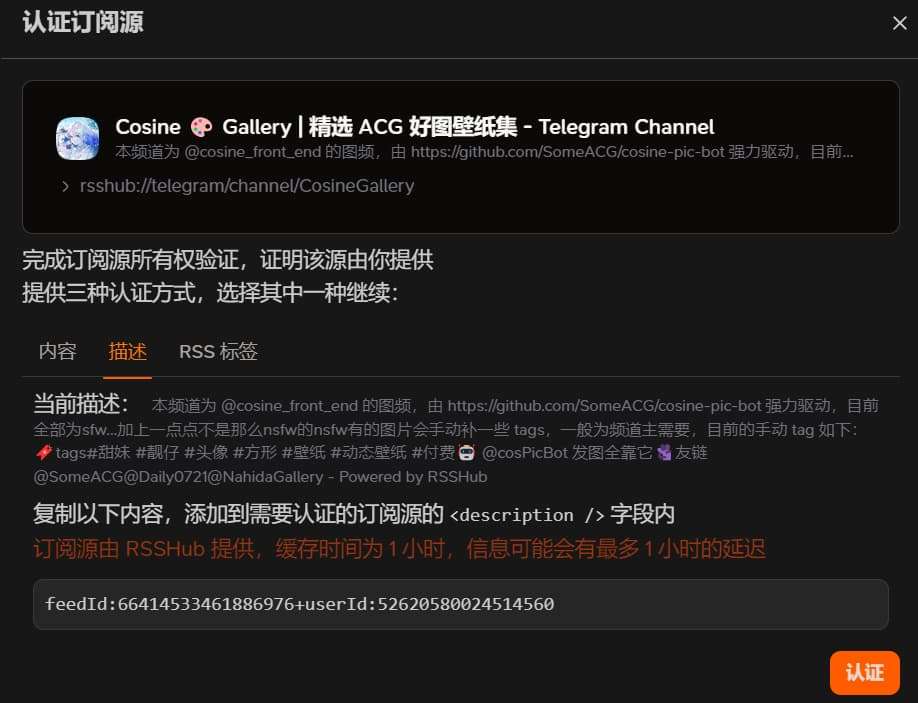
Social View
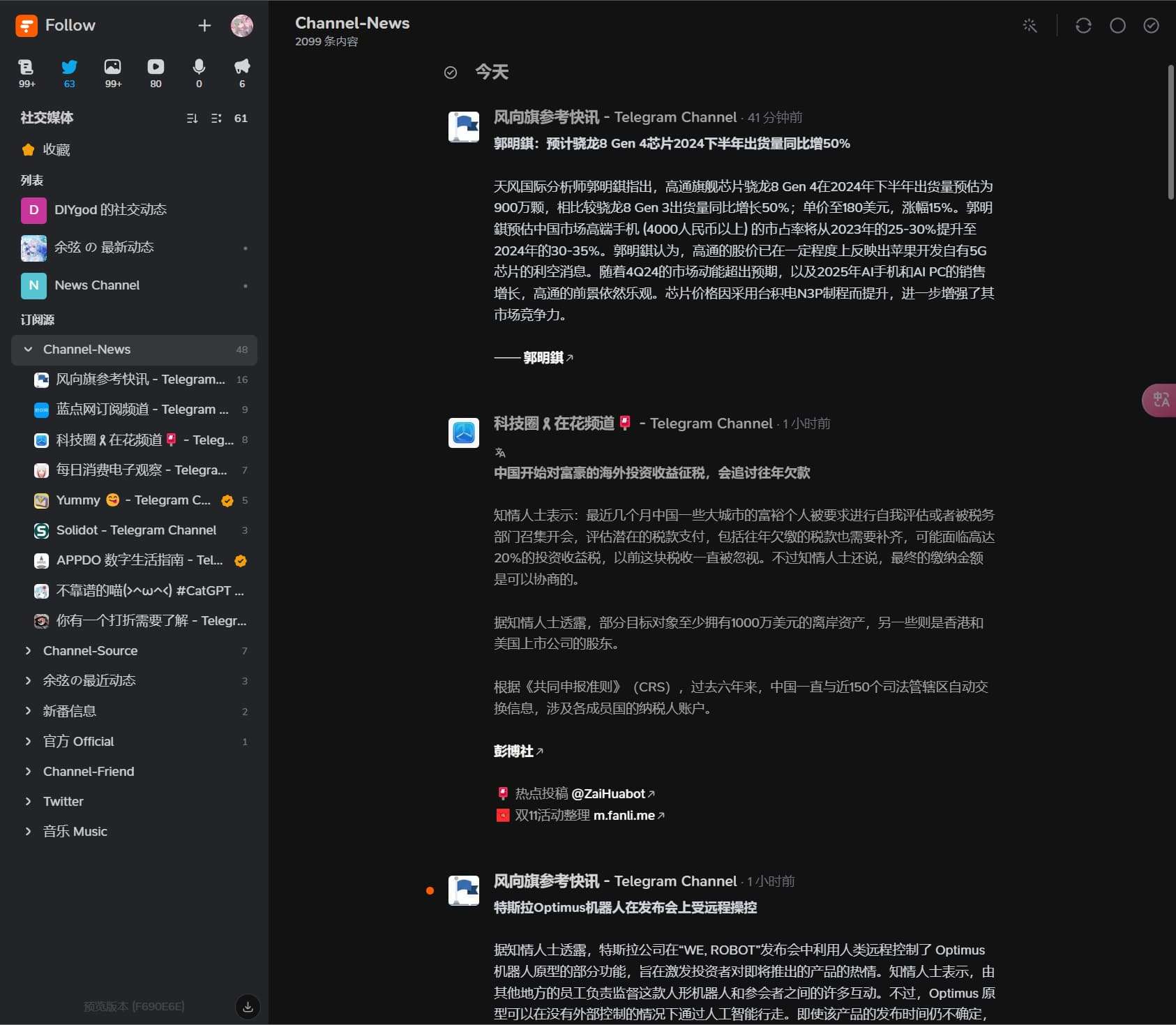
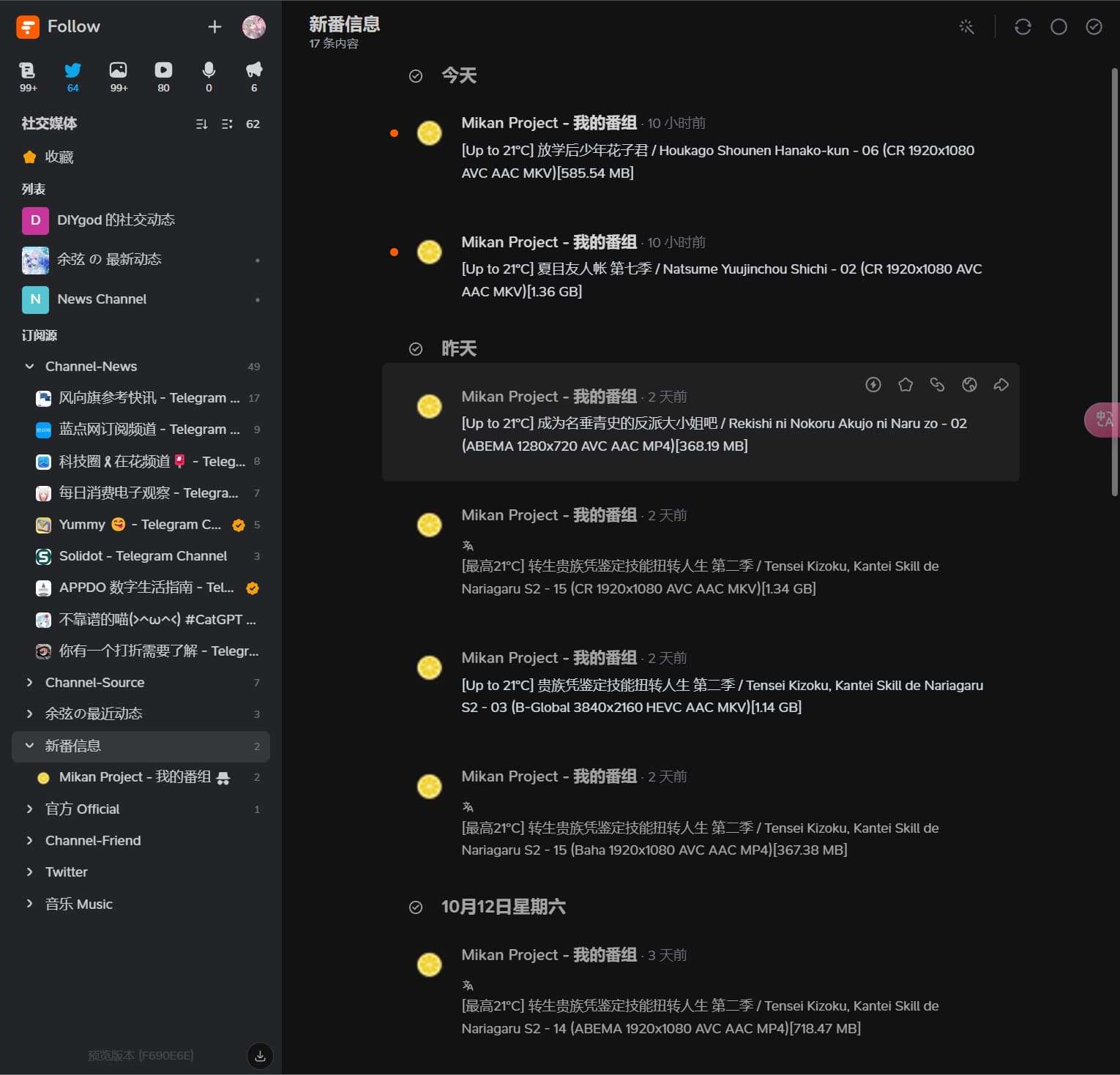
This view is suitable for social RSS content like Twitter, Bilibili updates, etc. It supports videos, audio, images, and displays RSS content in a timeline format.
For example, news channel RSS:
I’ve also found this view suitable for anime update notifications:
Picture View
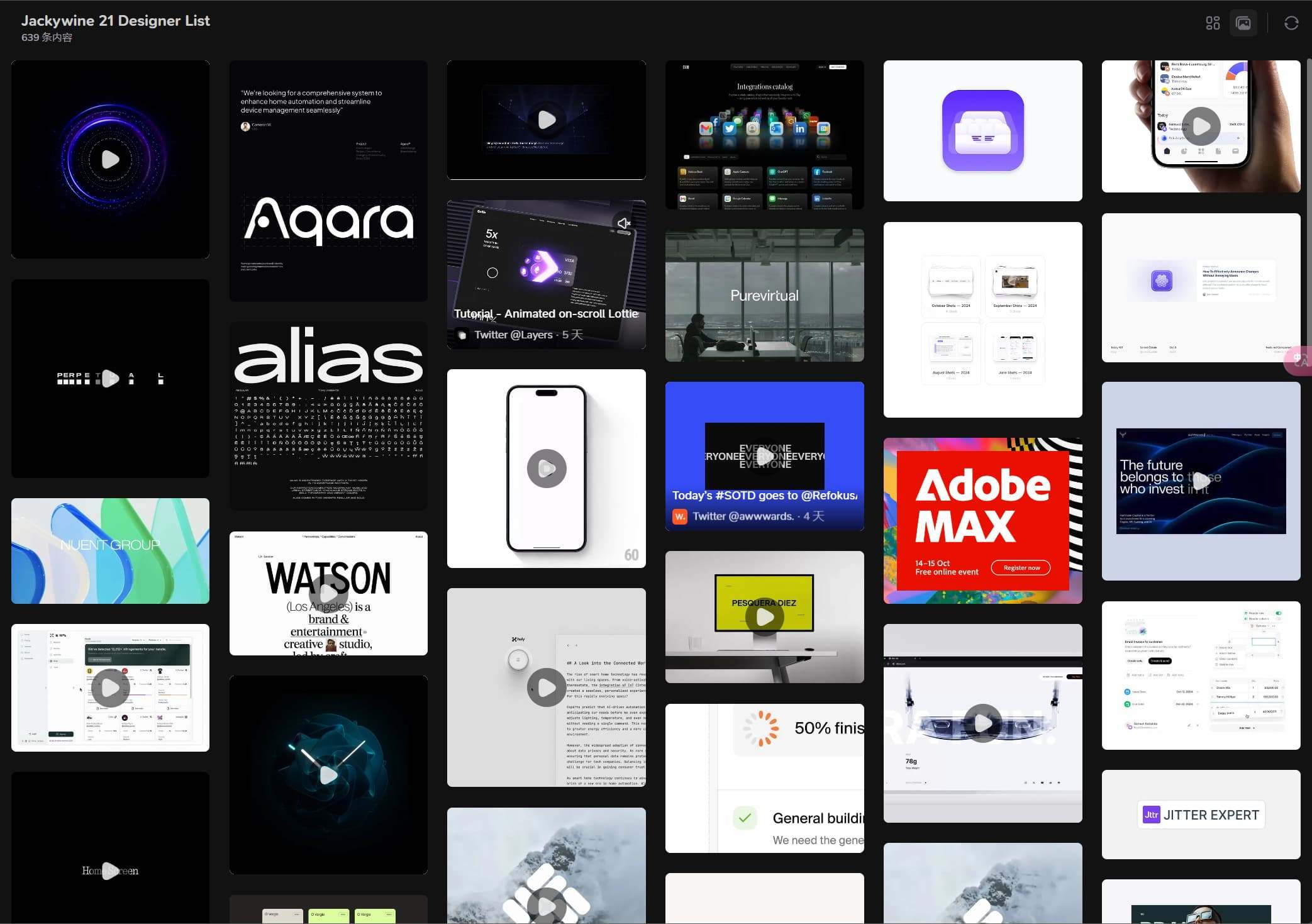
This view is ideal for image-heavy RSS like Pixiv, Unsplash, etc. It supports videos, audio, images, masonry and grid layouts, image viewer, and filtering non-image content. It’s also perfect for designers collecting inspiration — the layout is compact, and hovering or clicking on images reveals the original text information. A typical example is the Jackywine 21 Designer List, a curated list of active designer sources.
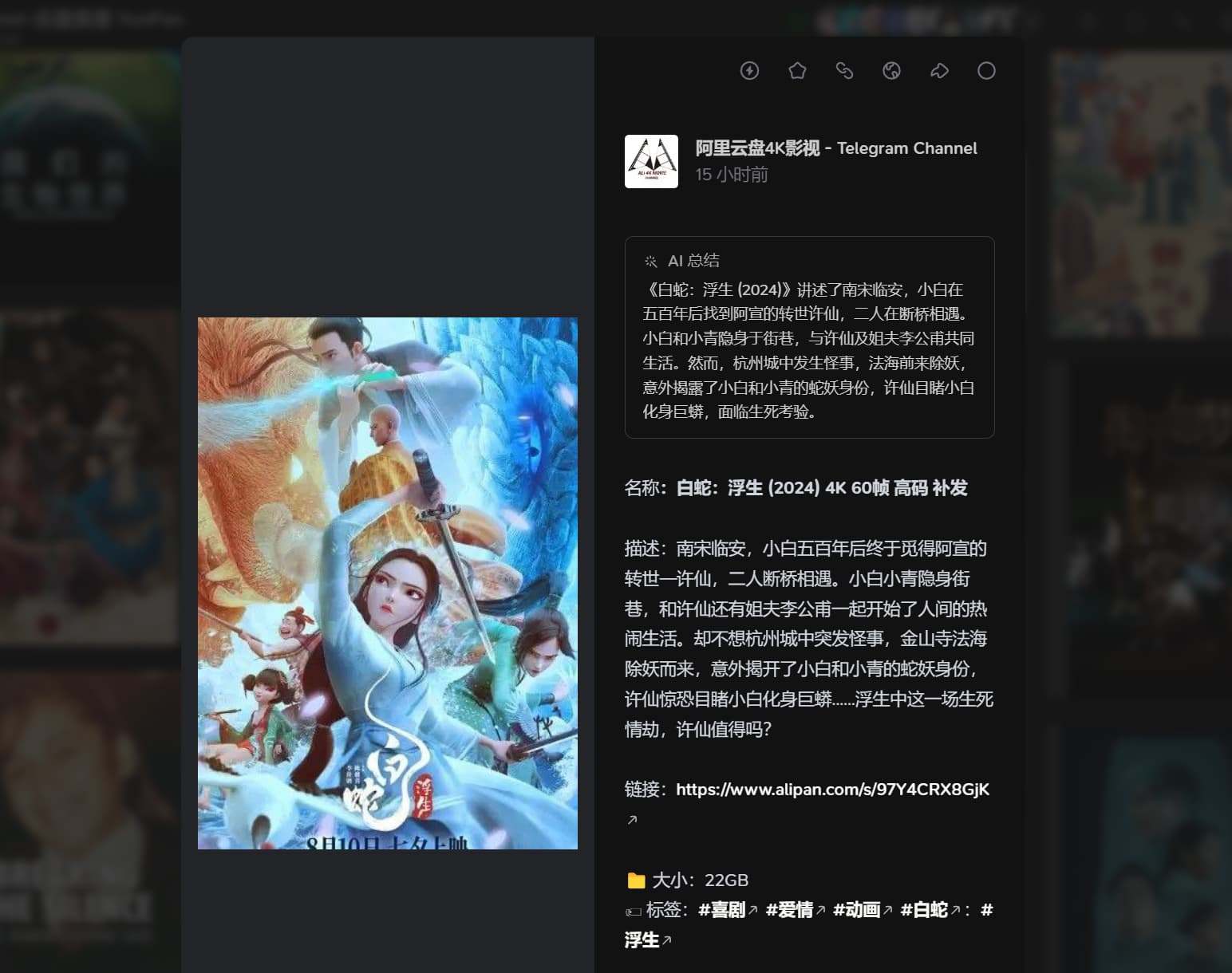
Another use case for this view is subscribing to various resource collection RSS feeds, like cloud storage resource sites, making it convenient to collect various resources with detailed descriptions available when clicked.
Video View
This view is primarily for video RSS sources like YouTube, Bilibili, etc. RSS feeds are displayed in a grid format. You can hover to play directly, though visiting the source site provides better quality and adds to the view count. I like using this view for subscriptions that update frequently and occasionally have content I want to watch, as well as video content I absolutely don’t want to miss. While the original video platforms also have special follow features, content still gets missed.
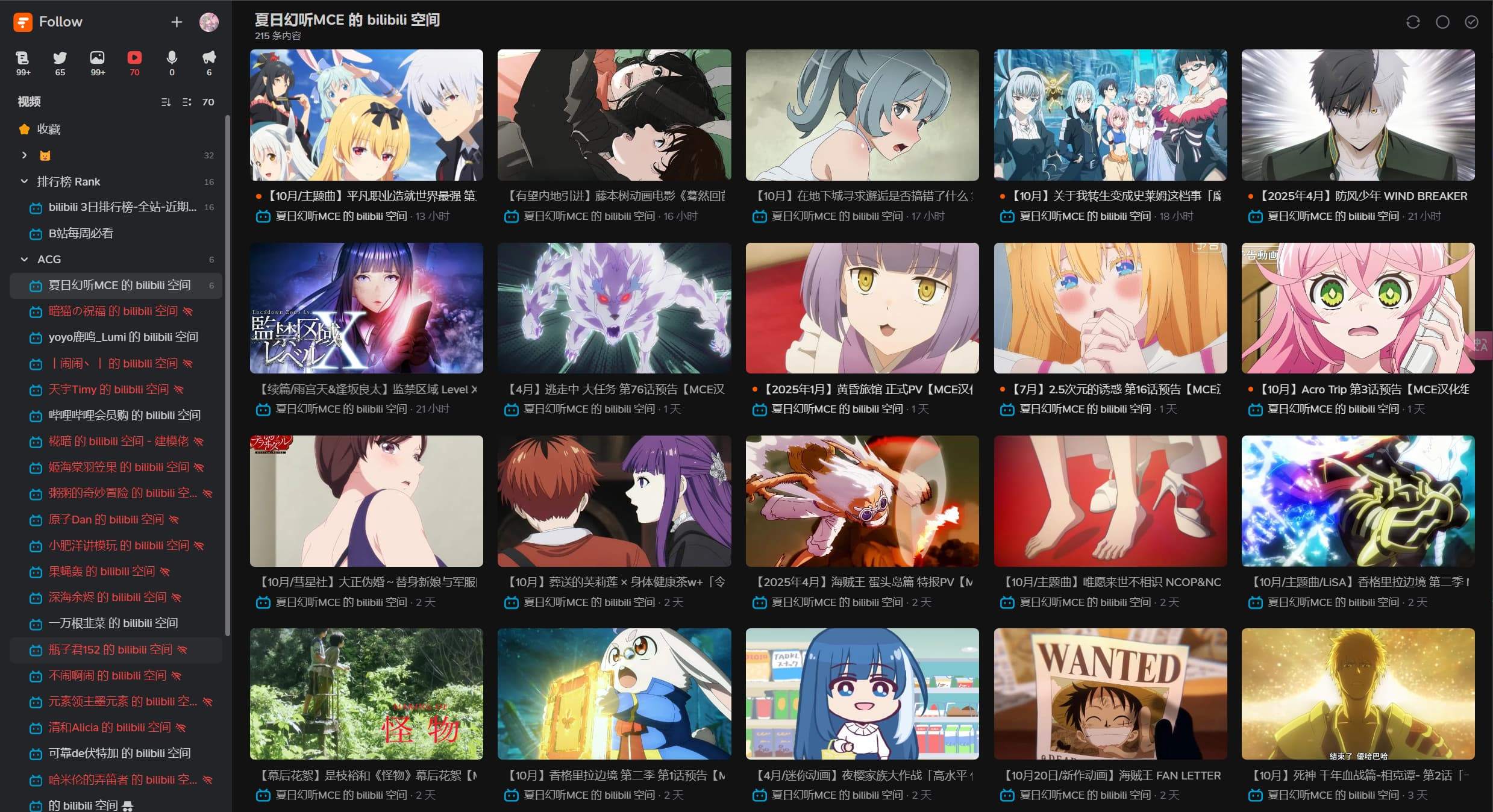
You can see that Bilibili frequently rate-limits, but for once-a-day checking, it’s fine. For particularly important feeds, I use my self-hosted RSSHub.
Audio View
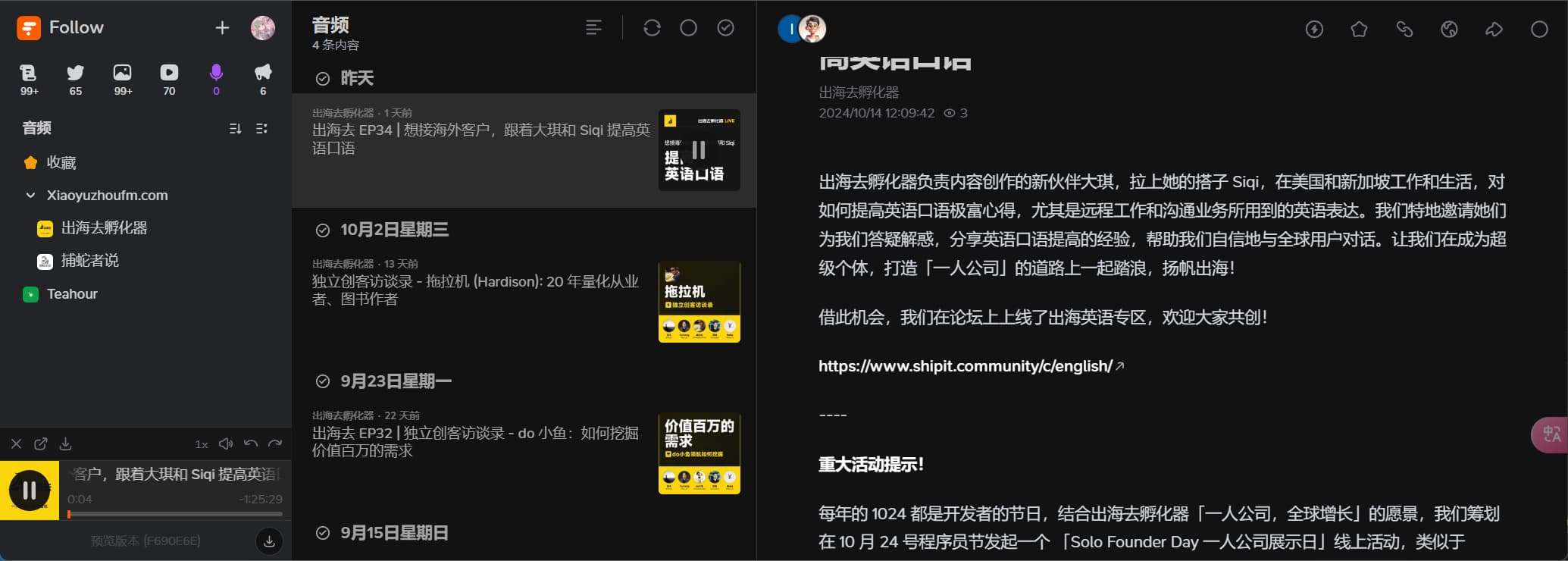
Since I don’t listen to podcasts often, I mainly consume text content. But for those who do listen to podcasts, you can subscribe to podcast sources like Xiaoyuzhou here. The built-in player supports speed adjustment, fast-forward, and rewind.
Notification View
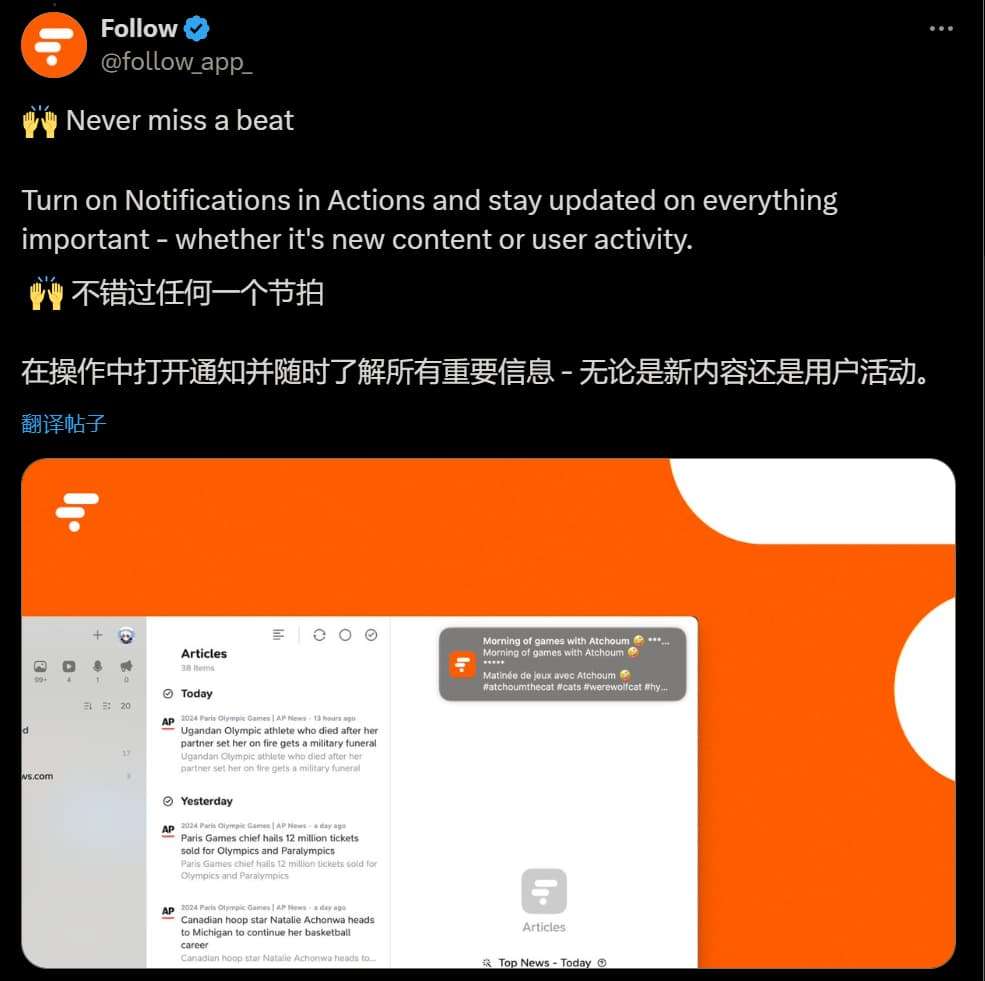
This view has the same layout as the article view. The use case I can think of is setting all RSS feeds in this view to push notifications via Actions.
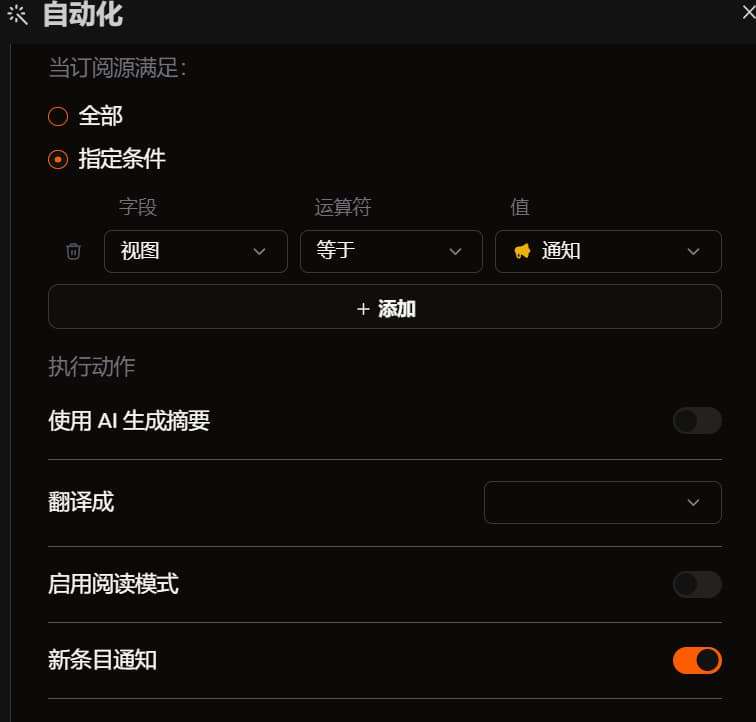
This way, you can subscribe to important RSS feeds in this view — such as framework update blogs, new RSSHub routes, special follows — without having to search through other views.
Areas for Improvement
Now let me discuss some areas for improvement and traditional drawbacks.
- The traditional RSS drawbacks of high latency and frequent rate-limiting on the official instance can be mitigated by self-hosting RSSHub. I’ve seen someone mention changing the official instance’s baseURL in the issues.
- It’s still in early beta, and most developers are Mac users, so the Windows client experience may not be addressed as promptly. However, the web version is very stable.
- Early Follow was accessible on mobile via the web version. I’m not sure why a hard width restriction was later added — below 1024px, it won’t display. They say a mobile app is planned (I personally feel they could relax the restriction a bit — no need to be so strict, which is somewhat disappointing). But since I mostly use it on PC anyway, it’s fine. I think once the app is released, it will be the ultimate experience.
- Features still have room for improvement: more sorting options, filtering, preview views, analytics, cross-platform experience, etc. I see the team is continuously planning these, and the development pace is impressive.
- There’s currently a subscription limit!! I tried importing hundreds of Bilibili follows at once and hit the limit. So be selective and subscribe to quality sources — normal usage is unlikely to reach the limit (inoreader has one too; looking forward to alternative ways to raise the limit in the future).
- Addictive: Since using Follow, I’ve checked in for 45 consecutive days without missing a single one. It’s like an addiction — I feel uncomfortable if I don’t scroll through my feed daily (runs away).
- To be continued…
Conclusion
I recommend reading Reshaping My Information Input System with Follow — many of the sentiments expressed there are also what I wanted to say.
This article would probably have been better published during the public beta, otherwise it might seem like I’m teasing. But I couldn’t wait — good things deserve praise. Follow, please open up the public beta soon~ (And when will the mobile version be ready? That would truly make it perfect.)
喜欢的话,留下你的评论吧~