

This article has been machine-translated from Chinese. The translation may contain inaccuracies or awkward phrasing. If in doubt, please refer to the original Chinese version.
I recently needed OSS storage. After researching domestic and international OSS options with friends, I realized finding a suitable OSS isn’t easy. Domestic options include Alibaba Cloud OSS, Qiniu Cloud, and Tencent Cloud; international ones include Backblaze, Cloudflare R2, etc. After intense discussion, I decided to go with Backblaze + Cloudflare. This wasn’t a difficult decision because Backblaze’s cloud storage pricing is very affordable, while its stability and speed are also excellent. Moreover, data transfer between Backblaze and Cloudflare is free.
Reasons and Introduction
Backblaze offers affordable cloud storage, while Cloudflare provides stable and fast CDN services. Data transfer between them is free. Using PicGo with the S3 plugin makes it easy to upload images to Backblaze.
Backblaze Overview
Backblaze is a company offering cloud storage services. Its B2 Cloud Storage product lets you store large amounts of data at extremely low prices. B2 Cloud Storage costs only 0.01/GB for downloads. If you use Cloudflare’s CDN, download costs are free because Backblaze and Cloudflare are members of the Bandwidth Alliance, with no data transfer fees between them. This way, you can have a high-performance cloud storage space for very little money.
Advantages: Free, stable, and even the paid tier pricing is very affordable
- Generous free tier, affordable paid pricing: 10GB of free storage per month, 1GB of free daily download traffic — more than enough for a personal image host! Beyond that, each additional GB costs only $0.005
- Free download costs with Cloudflare: Because Backblaze and Cloudflare are both Bandwidth Alliance members, data transfer between them is free
- Rich APIs: Backblaze provides extensive APIs for easy integration into your own applications, improving development efficiency and convenience
- Support for multiple upload methods: Besides PicGo, Backblaze supports various upload methods including the official web interface, CLI tools, and third-party clients
- No file type restrictions: Unlike some image hosting services that only store image files, Backblaze has no file type restrictions. Users can store various types of files like videos, documents, audio, etc. (
Some people even use it as cloud storage)
Disadvantages: Uncertain domestic speeds, steep learning curve, uneven risk distribution
- China’s network environment may limit access speeds to foreign cloud storage services, potentially resulting in slower upload and download speeds
- API call limits: but these are lifted once you add a payment card
- Steep learning curve: Using this combination requires manually configuring multiple services, with a certain learning curve
- Uneven risk distribution: Since data storage and CDN services are provided by Backblaze and Cloudflare separately, there’s some risk imbalance — if one service has issues, it may affect the entire image hosting service
Of course, for this internet surfer, it’s more than enough~
Cloudflare Overview
Cloudflare is a company providing global CDN and security services that can make your website faster, more secure, and smarter. Cloudflare has a free plan that gives you unlimited traffic and requests, along with many advanced features like SSL certificates, firewalls, page rules, transform rules, and more. Through Cloudflare, you can bind your Backblaze B2 bucket to your own domain, and set up rules to hide bucket names, remove headers, etc. For example, files.example.com allows you to access your images with your own domain instead of Backblaze B2’s default domain. Cloudflare can also provide caching and optimization for your images, improving loading speed and quality.
PicGo Overview
PicGo is an open-source image upload tool that lets you conveniently upload images to various image hosting services, including Backblaze B2 (via S3 plugin support). PicGo supports Windows, macOS, and Linux. It has a clean interface and rich plugins. You can upload images via keyboard shortcuts, drag-and-drop, clipboard, and more. You can also compress, crop, and watermark images. PicGo automatically generates image URLs and Markdown code for easy image referencing online.
Prerequisites
You’ll need the following:
- A Backblaze account (email registration)
- A Cloudflare account (email registration)
- Your own domain (I’m using an Alibaba Cloud domain that I purchased a while ago)
- PicGo client
If you don’t have these yet, please go register/download/get them first~
For detailed configuration steps, the following two blog posts are what I consider to be quite good and thorough — you can follow them step by step:
- Setting Up a Free Image Hosting with Cloudflare + Backblaze B2 + PicGo
- Using PicGo + CF (Cloudflare) + B2 (Backblaze) as Blog Image Hosting
However, due to updates and other reasons, I’ll mainly discuss a few pitfalls I encountered and areas where the original articles weren’t very clear~
Switching DNS Service to Cloudflare in AliYun Domain Console
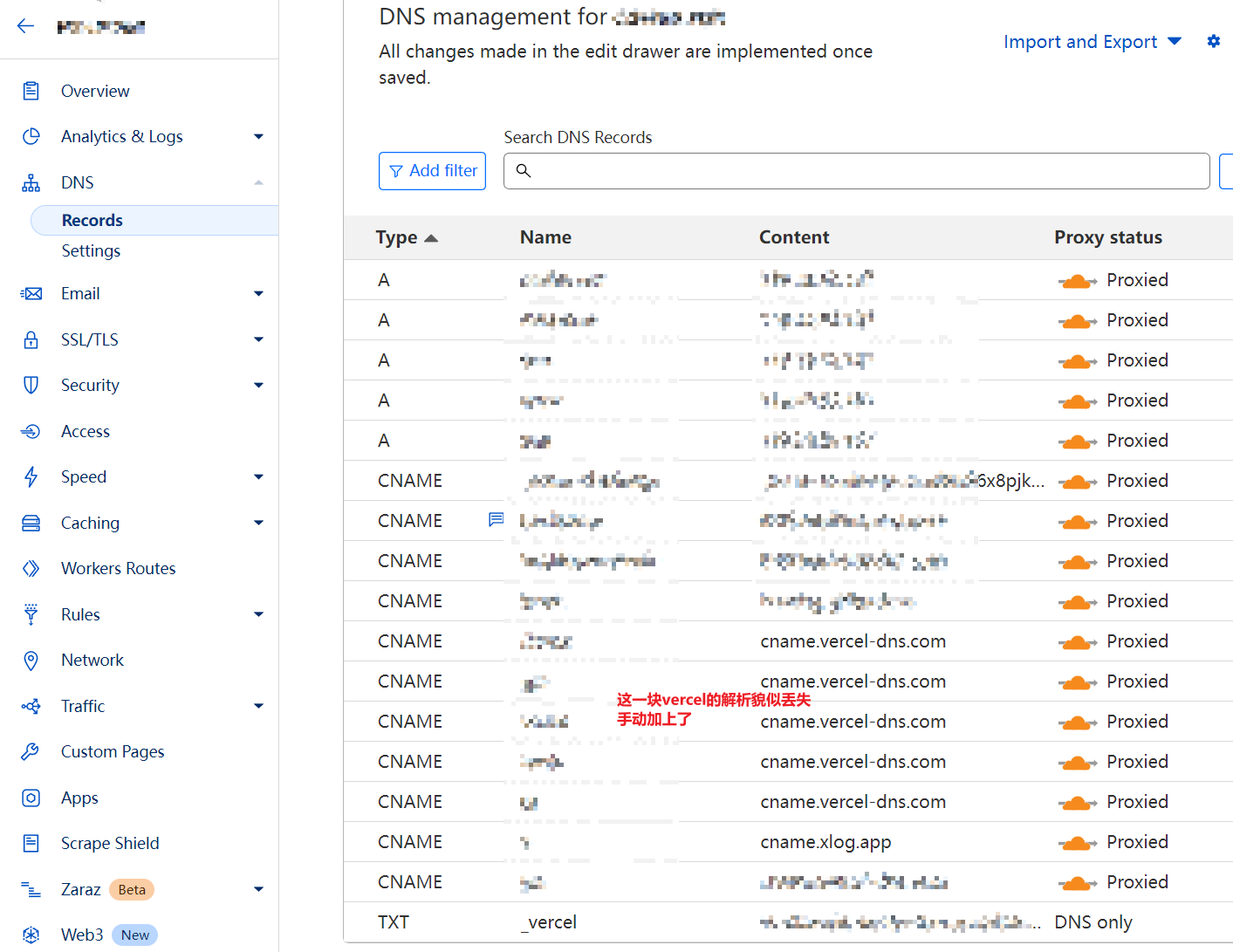
After the transfer, DNS management is done in Cloudflare - DNS - Records~
Changing DNS servers takes some time. After the change is successful, the Alibaba Cloud domain console will show the following:
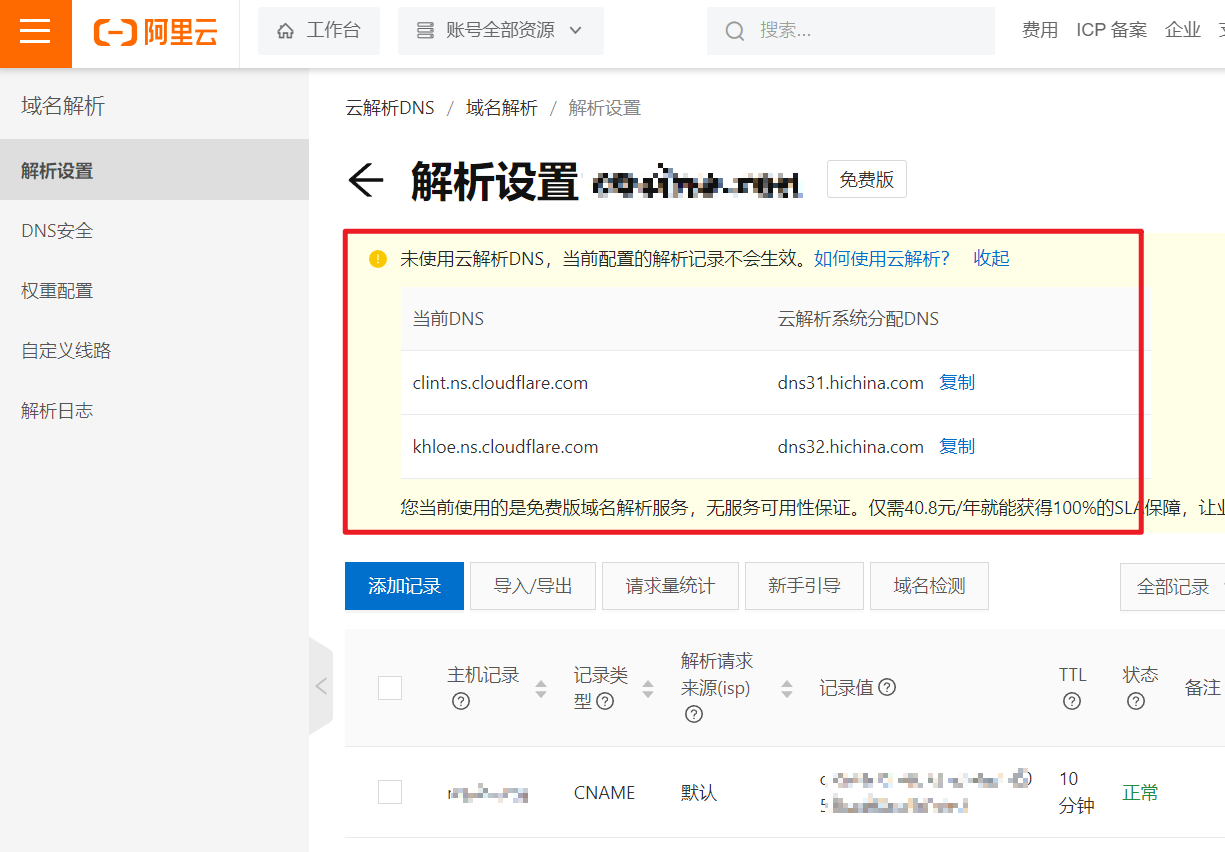
Note that when importing your domain to Cloudflare, I seem to have lost several DNS records. Remember to check after importing — for example, some of my Vercel-related records apparently didn’t import successfully, and I had to manually configure them. If you have similar needs, remember to verify your domain’s DNS records after importing~
Configuring Transform Rules in Cloudflare to Rewrite URLs
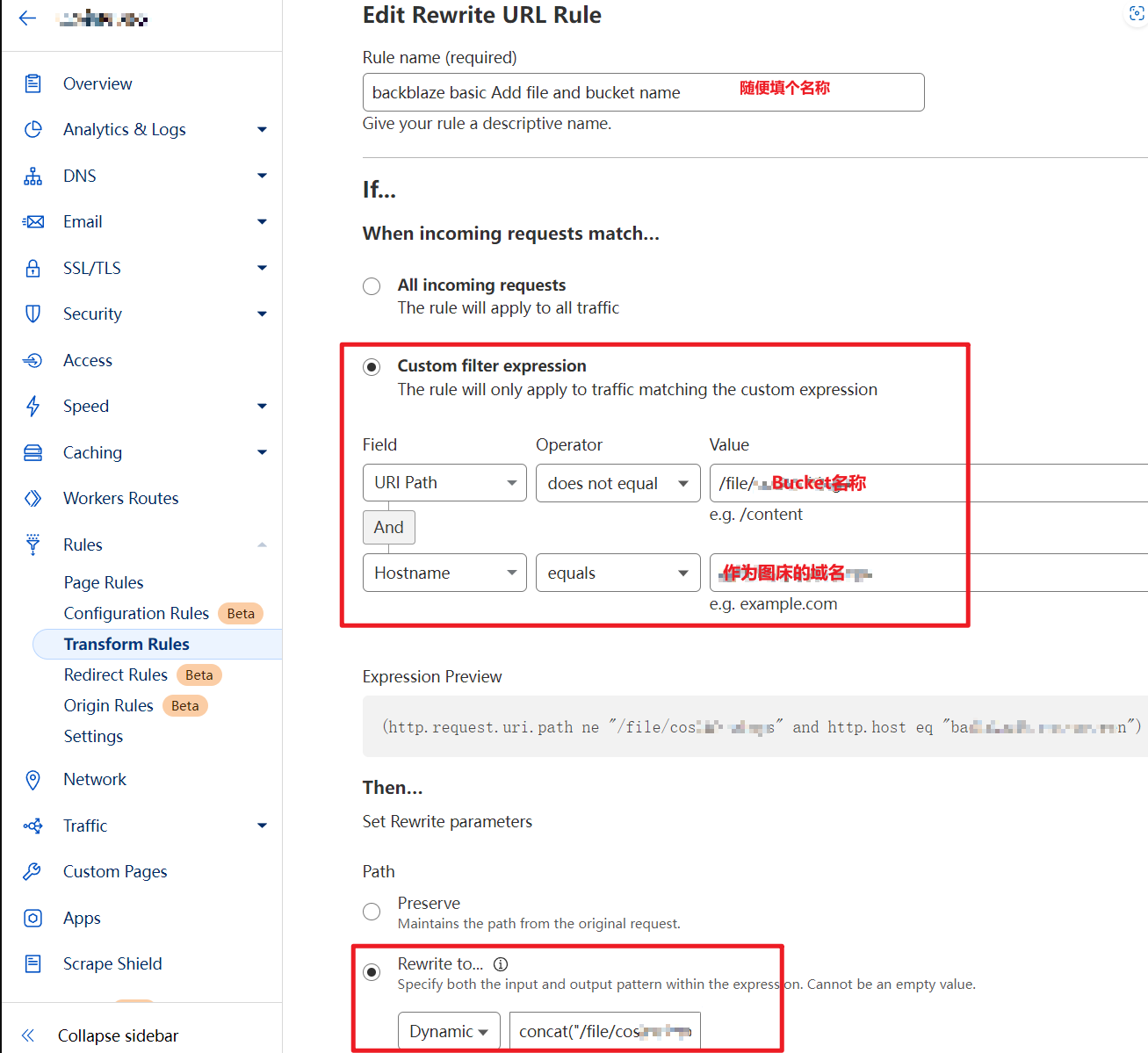
According to the URL rewriting mentioned in Setting Up a Free Image Hosting with Cloudflare + Backblaze B2 + PicGo, when I configured it, I couldn’t simply Edit expression as described in the article. Instead, I needed to do it this way:
-
(http.request.uri.path ne "/file/{bucketName}" and http.host eq "{your custom domain}") -
Path rewrite to
concat("/file/{bucketName}",http.request.uri.path)
This configuration achieves the transformation from example.com/xxx.jpg to example.com/file/{bucketName}/xxx.jpg, which not only hides your bucket name but also shortens the URL~
Configuring Backblaze Upload in PicGo
Following the S3 Plugin Configuration step in the blog post, my configuration kept failing until I found this article: Getting Started with the S3 Compatible API — Backblaze Help
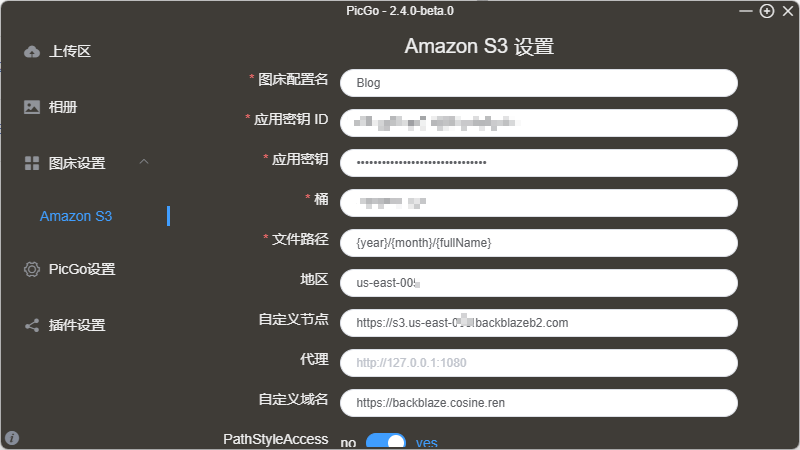
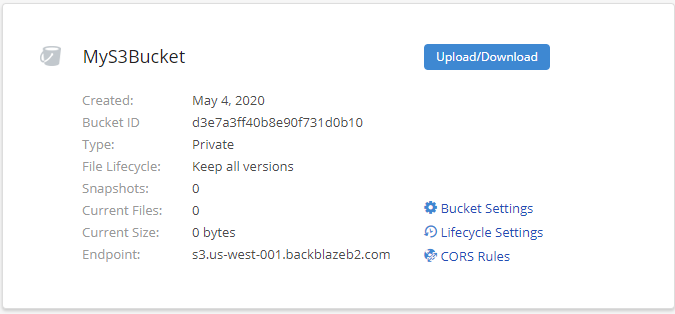
Now everything became clear. Enter the Endpoint as the custom endpoint, and the region is the second part of your S3 Endpoint. For example, the region in the diagram would be us-west-001.
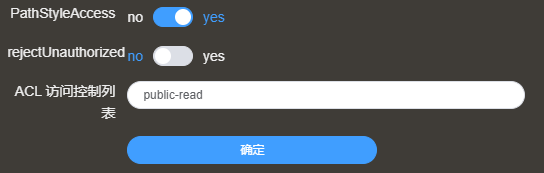
Then you need to enable PathStyleAccess, and leave the public-read setting as is.
Configuration successful~ Hooray~~
By the way, while writing this article using Obsidian, the image hosting was set up using the Image Auto Upload Plugin combined with PicGo. The experience was incredibly smooth.
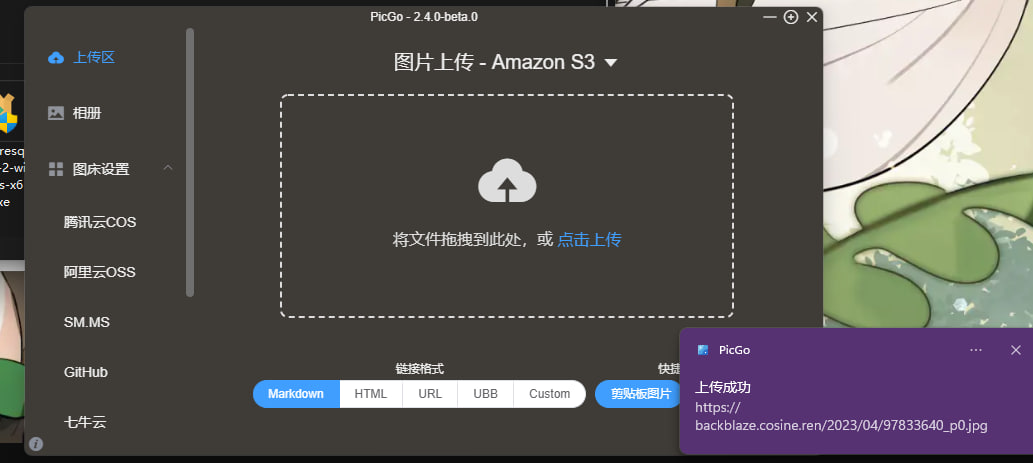
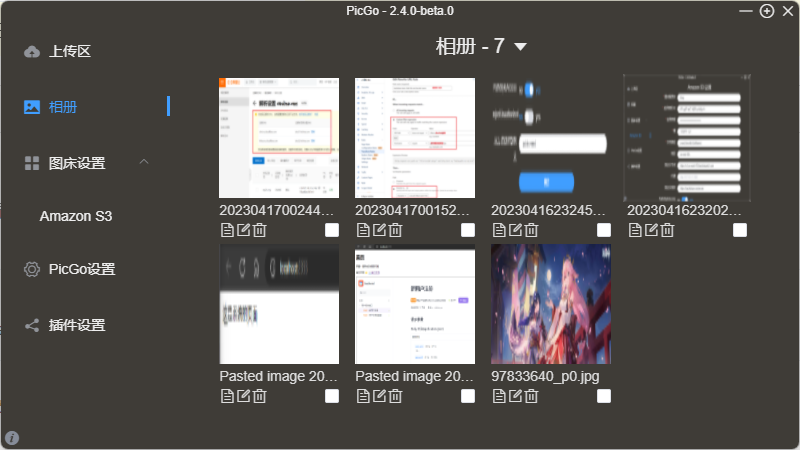
If you’re a Mac user, I recommend using DropShare, which has direct Backblaze support!
That covers the pitfalls I encountered and the solutions. I hope this helps others with similar needs~~
喜欢的话,留下你的评论吧~