

This article has been machine-translated from Chinese. The translation may contain inaccuracies or awkward phrasing. If in doubt, please refer to the original Chinese version.
This issue’s URL: https://blog.cosine.ren/post/weekly-22
This newsletter aims to update every Sunday.
Subscribe to the RSS feed.
WeChat Official Account: FE Bits (前端周周谈 FE Bits). Click the original link to view the full article.
QQ discussion group 598022684 / Discord server
The newsletter content is also open-sourced at fe-bits-weekly. Follow for updates.
Today is January 11, 2026, Sunday.
Year-end review is in progress (still writing?).
I created a Discord server, even though I don’t use Discord much.
I belatedly realized that a Discord server is probably more appropriate and convenient as a public group.
Anyway, anyone who wants to chat or ask questions can join. It’ll serve as the public group linked from various projects going forward.
Then for the blog theme update, I added the Koharu CLI interactive command-line tool, providing blog content backup/restore, theme updates, content generation, and backup management features. The configuration file has also been unified to config/site.yaml.

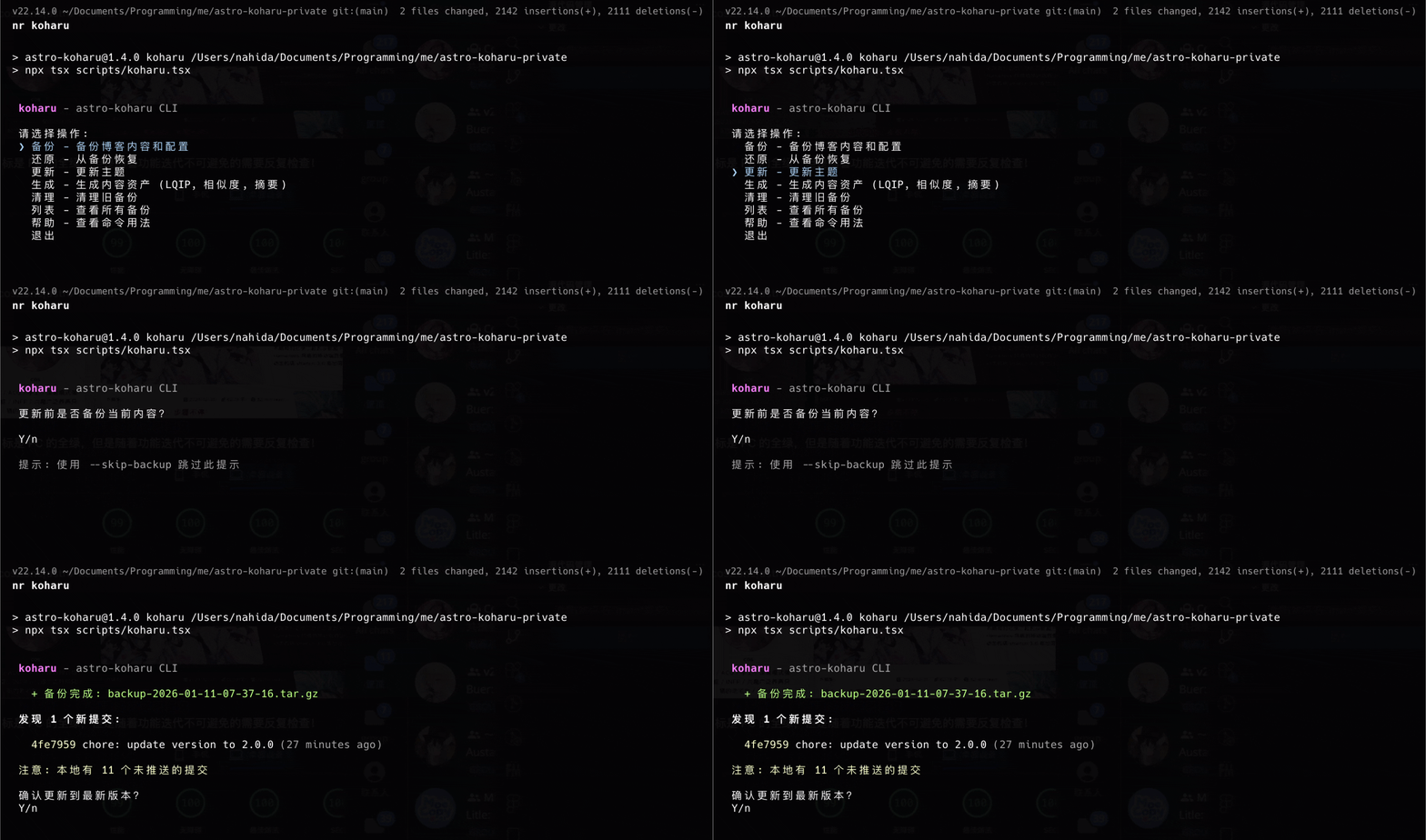
I found it quite interesting and plan to write a blog post about it (implementing a complete interactive Git theme update CLI solution).

Listed on the Astro theme store and posted on V2EX.

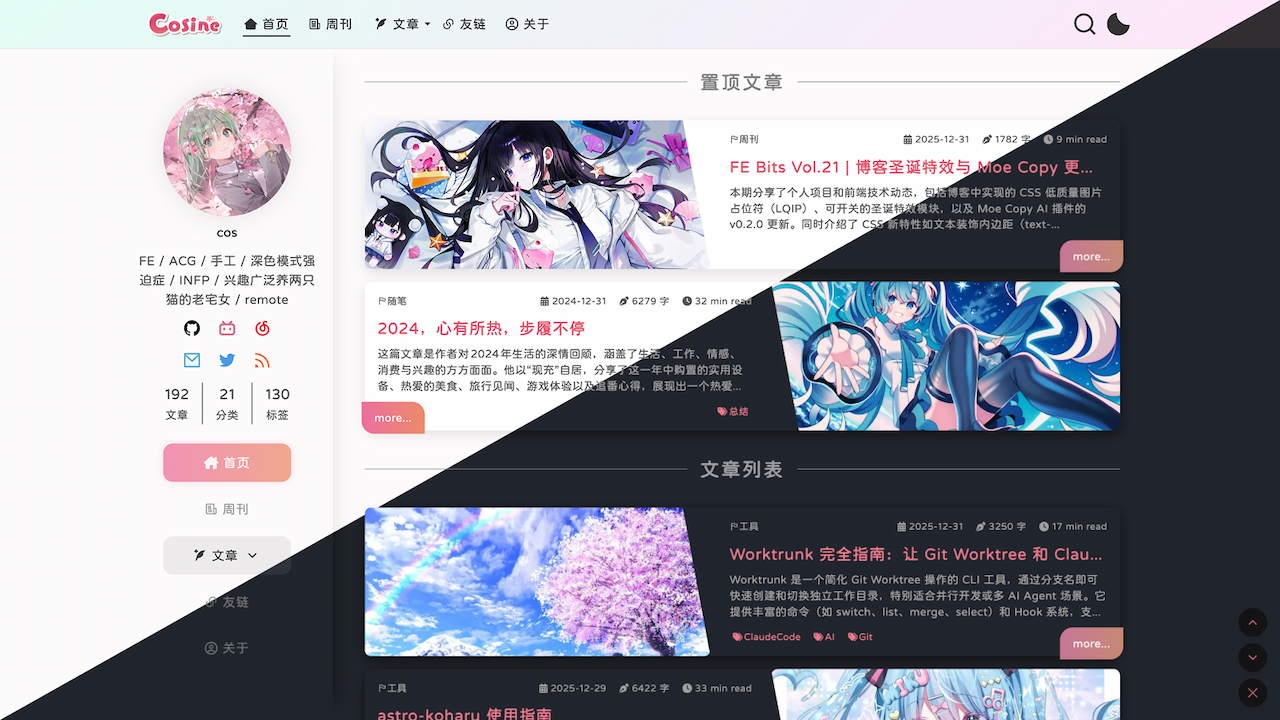


Also, the Moe Copy AI plugin is now on the Firefox Add-ons store (surprisingly, it barely needed any adaptation).

Community Updates
CSS @scope Rule is Now Widely Available
CSS @scope is now supported by all major browsers. This rule lets you select elements within a specific DOM subtree, targeting elements precisely without writing overly specific selectors that are hard to override.
- MDN: @scope - CSS | MDN
- Article: How to @scope CSS Now That It’s Baseline
Usage example:
@scope (.article-body) to (figure) {
  img {
    border: 5px solid black;
    background-color: goldenrod;
  }
}
ViteLand December Recap
What’s New in ViteLand: December 2025 Recap: The ViteLand ecosystem saw a series of important updates in December 2025, covering Vite, Vitest, Rolldown, Oxc, and more.
Oxlint and Oxfmt can now replace traditional tools and are continuously improving. Check out the 2026 roadmap.
Looking forward to the day we can use them extensively in projects!
-
Oxc’s Performance Breakthrough
- Oxlint and Oxfmt provide much faster linting and formatting than ESLint and Prettier (50-100x and 30x faster, respectively).
- Oxlint has reached version 1.0, with new type-aware linting and ESLint-compatible JS plugins.
- Oxfmt added support for embedded languages and experimental import sorting.
- Many projects including Bun, Vue, Preact, date-fns, Inquirer.js, Shopify, Miro, and Airbnb have migrated to Oxc.
- The Oxc team plans to introduce dynamic config support in 2026.
- Oxc continues investing in performance optimization, achieving improvements in semantic analysis performance.
-
Vite Project Updates
- Released multiple Vite 8 beta versions with bug fixes and stability improvements.
- Vite 8 beta provides a second iteration of native plugins, with improved alignment for dynamic import and import glob plugins.
-
Vitest Project Updates
- Added experimental OpenTelemetry support for analyzing test performance bottlenecks.
- Vitest UI, CLI, and VS Code extension support analyzing and breaking down imports to identify dependencies slowing down tests.
- Support for caching transformed files via
experimental.fsCacheto speed up subsequent test runs.
-
Rolldown Project Updates
- Support for manually specifying
tsconfigto use TypeScript project references. - Optimized the default chunking algorithm, reducing the number of generated chunks.
- Provided
postBannerandpostFooteroptions for appending content before and after bundled code. - Plugin
resolveIdhooks support filtering byimporterIdfor improved performance.
- Support for manually specifying
-
Community & Collaboration
- Framer published a case study on improving performance with Rolldown.
- TypeScript.fm and Syntax.fm podcasts discussed ViteLand project updates and predictions.
- Ninja Squad wrote about testing Angular with Vitest browser mode.
- The community produced multiple new tools and migration cases based on Oxc and Rolldown, such as:
oxlint-plugin-complexity: An Oxlint plugin for code complexity linting.Roll(down)phobia: A bundle size analysis tool based on Rolldown.- RSC Explorer: An RSC (React Server Components) tool built with Vite 8 and Rolldown.
- Facetpack: A React Native tool replacing Babel with Oxc.
- MonkeyType: Migrated to Oxlint for faster type-aware linting.
- create-better-t-stack: Migrated from Biome to Oxlint and Oxfmt.
- Ultracite: Provides preset configurations based on Oxc.
- rollipop: A React Native build tool fully based on Rolldown.
Articles & Community Updates
-
Building a toast component: Emil shares the design thinking and technical implementation behind Sonner — incredibly detailed.
-
Bundle Size Investigation: A Step-by-Step Guide to Shrinking JavaScript: A very practical article teaching you how to reduce bundle size by analyzing JavaScript bundle sizes, optimizing import methods, resolving duplicate libraries, and handling transitive dependencies.
-
React Has Changed, Your Hooks Should Too: Current mainstream projects still use React Hooks the traditional way (e.g., overusing useEffect), ignoring React’s evolution in concurrent mode and async data handling. The author argues that the core spirit of modern Hooks is “architectural state and logic management,” emphasizing the use of
useSyncExternalStore,useDeferredValue,useEffectEvent, and other new APIs to optimize performance and testability, encouraging developers to focus more on derived state rather than side effects. -
How AI Coding Agents Hid a Timebomb in Our App: An AI Agent accidentally introduced a hidden, browser-crashing infinite React component tree in an application, while React 19’s
<Activity>component cleverly masked the problem. -
require(esm) in Node.js: implementer’s tales: Joyee Cheung, a core Node.js contributor, has long been working on Node.js support for
require(esm)(loading ES modules with require). In this series, she details the implementation journey and specifics in two parts. -
Beyond the Mouse: Animating with Mobile Accelerometers: Explores how to leverage mobile device accelerometers and motion sensors to add dynamic interaction to web animations, achieving immersive user experiences on mobile that rival desktop mouse interactions. (I actually worked on a similar feature two years ago — also called gyroscope. On iOS, you must request gyroscope permission to use it. Other than that limitation, it’s actually quite comfortable to use.)
-
A first look at the Web Install API: Explores the emerging Web Install API, which has entered Origin Trial in Chromium browsers and shows the most complete functionality in Microsoft Edge beta. This API aims to allow websites to install PWAs (Progressive Web Apps) directly through a simple button click. Related link: The Web Install API is ready for testing
-
Important and CSS Custom Properties: Clarifies the mechanism of
!importantin CSS Custom Properties, pointing out that!importantmodifies the declaration itself rather than its value, helping avoid common misconceptions. -
Building Real-Time ASCII and Dithering Effects with WebGL Shaders: The impressive ASCII art generation site https://efecto.app/ was shared before — this is the author’s detailed technical breakdown.
-
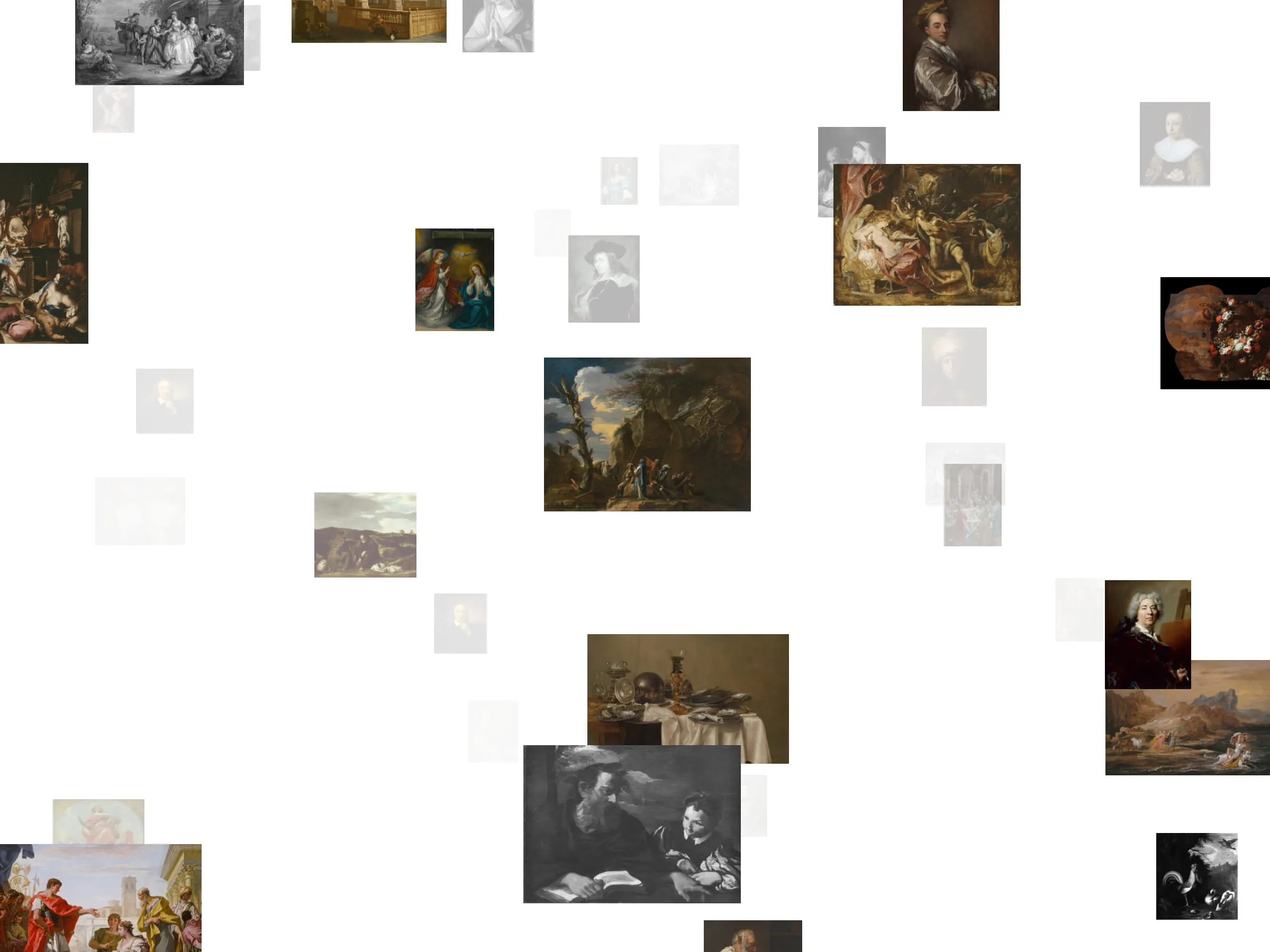
Infinite Canvas: Building a Seamless, Pan-Anywhere Image Space: A very detailed tutorial on building an infinitely pannable image canvas using React Three Fiber, creating a smooth, endlessly explorable image space through chunk rendering and performance-first techniques.
-
Beyond RxJS: A Guide to TanStack Pacer: Covers how to use TanStack Pacer to manage async event timing in frontend applications, optimizing performance while avoiding the complexity of RxJS.
-
6 Fast (Native) Alternatives to VSCode: This article explores VSCode’s performance limitations due to its Electron-based architecture and introduces six fast, efficient alternative editors developed with native languages like C++ and Rust.
-
Programmers and a Clean Home: How to organize a messy Home directory by following the XDG Base Directory Specification (XDG BDS) to better manage config files, data, and cache files.
-
Vitest Browser Mode - The Future of Frontend Testing: Introduces Vitest Browser Mode, which enables frontend component testing in real browser environments.
New Features
-
What’s Important #2: Conditional View Transitions, CSS/SVG Text Effects, Best CSS Bluesky, and More: Reviews important developments, new features, community discussions, and industry trends in the CSS space from late 2025, and looks ahead to 2026.
-
Date is out, Temporal is in: An introduction to Temporal. JavaScript
Temporalis the perfect replacement forDate, having reached Stage 3 in TC39’s standardization process and landing in the latest versions of major browsers like Chrome and Firefox. -
4 CSS Features Every Frontend Developer Should Know in 2026: Introduces four important new CSS features that frontend developers should master in 2026, including
sibling-index(),@container scroll-state(),text-box, andtyped attr().
Tools
-
Found this while building a friends/links feature — quite useful: DiceBear is a powerful avatar library designed to help designers and developers quickly create diverse avatars for projects. It offers various avatar styles from abstract shapes to carefully designed character portraits. Users can generate random avatars, use seeds for deterministic avatar generation, or leverage rich customization options for personalized avatars. DiceBear is available via JavaScript library, HTTPS API, CLI, Figma plugin, and online Playground.
-
Dither Image Online: A free, fast, real-time online dithered image generator — or pixel art style. The effect is super cool!

- Did you know? You can get your GitHub profile picture by appending
.pngto your GitHub profile URL, e.g.,github.com/USERNAMEHERE.png— you can also append.keysto get public keys, or.atomto get a public timeline activity feed. Reference
Fun Sites & CodePen Picks
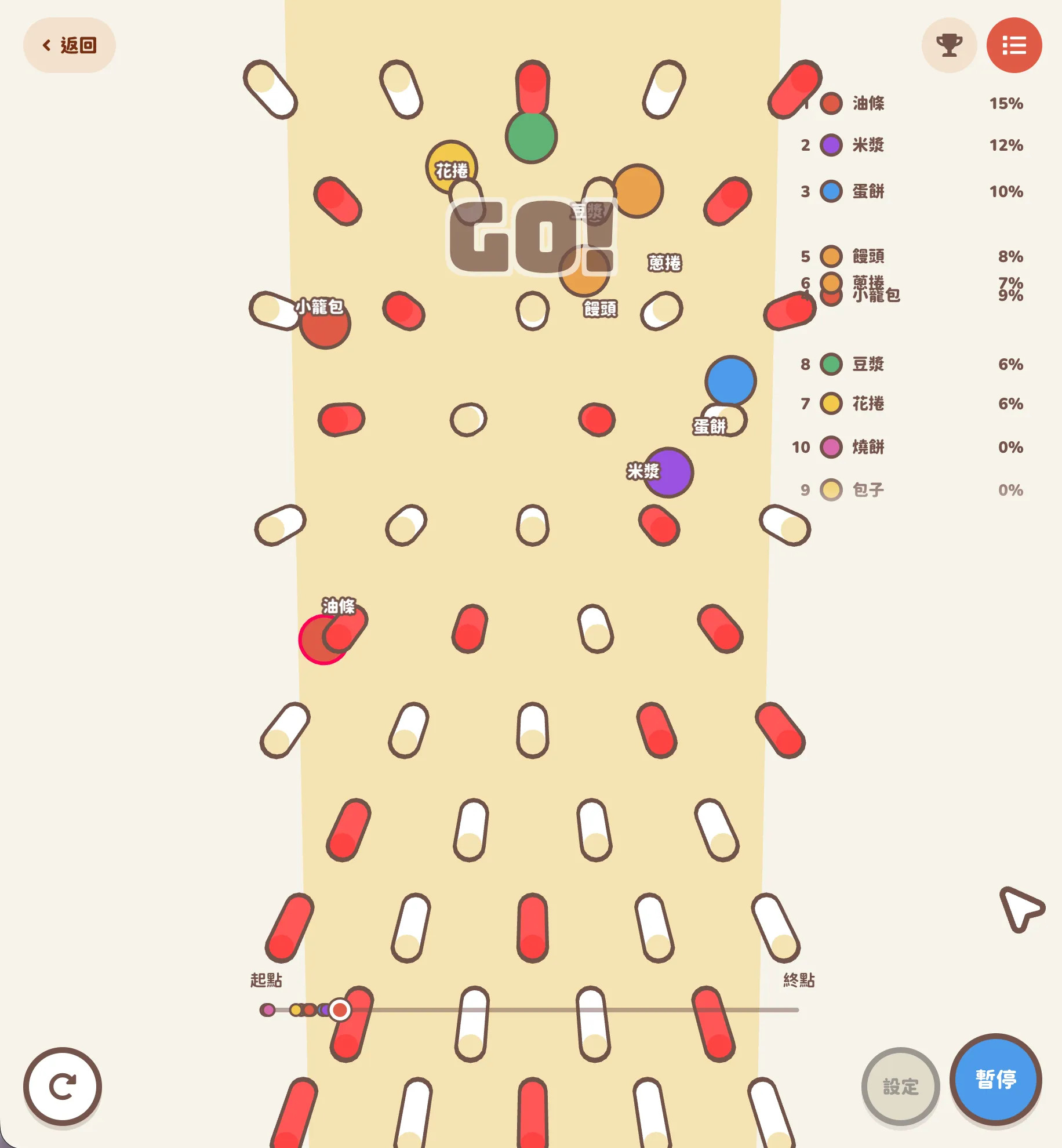
GACHAGO! MarbleRace
A really cute website! The homepage has lots of interesting stuff.
It’s a physics-simulation-based marble pinball lottery tool, inspired by in-game gacha mechanics. It uses physics collision simulation (e.g., red pillars increase bounce) to determine results, making the lottery process more fun and unpredictable.


Author: @Mant0uStudio
Mr. Panda’s Psychologically Safe Portfolio
A very creative scroll-driven portfolio page: Mr. Panda’s Psychologically Safe Portfolio
- Open-sourced at: GitHub - andrewwoan/mr-pandas-psychologically-safe-portfolio
- Technical analysis article: The Increasing Importance of Psychological Safety and Self-Awareness for Creative Work

Pixelated Image Drop Effect
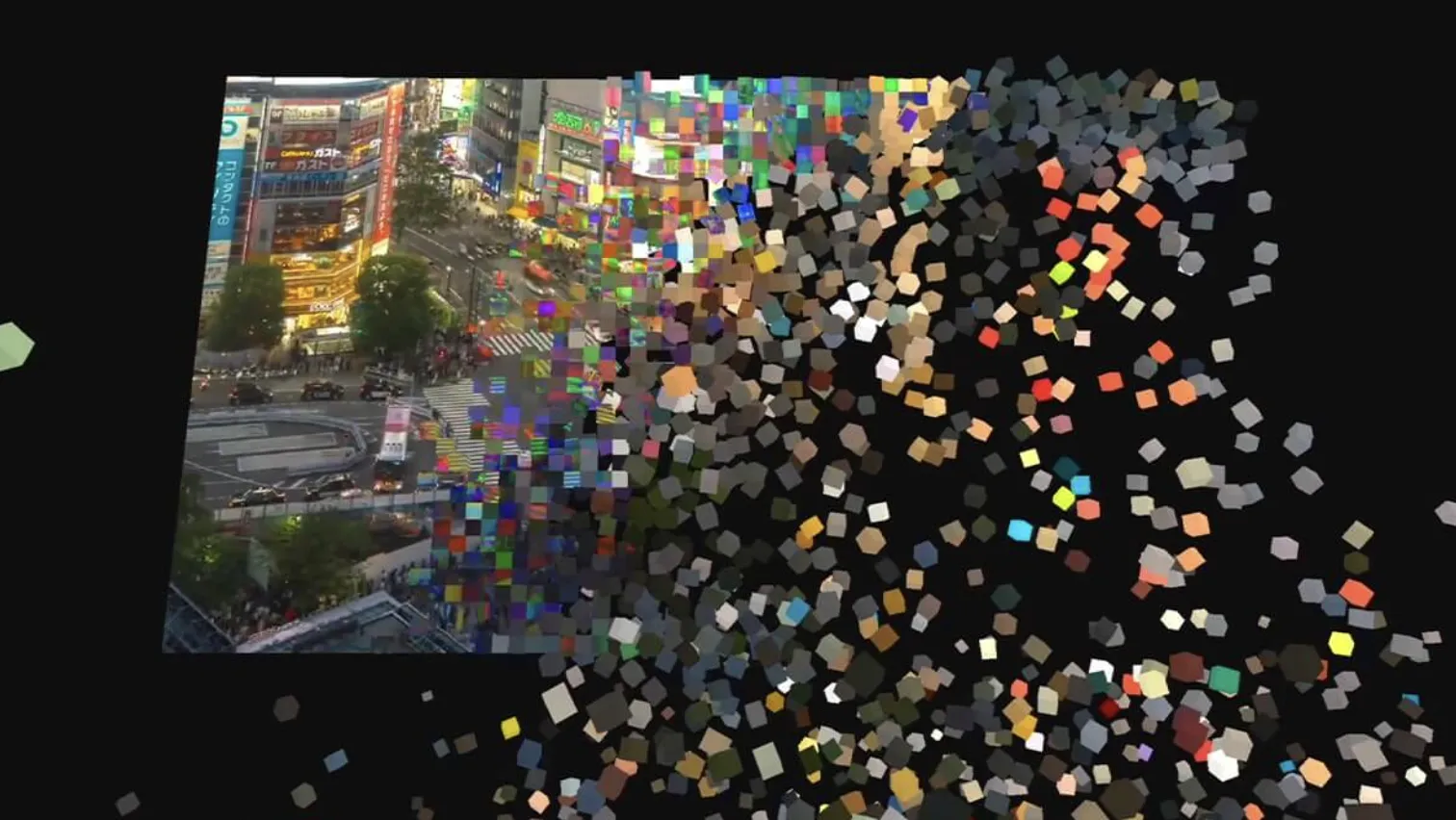
How to Create a Pixel-to-Voxel Video Drop Effect with Three.js and Rapier
This tutorial details how to transform a 2D video stream into dynamic 3D voxel drop effects using Three.js, shaders, and the Rapier physics engine. Starting from the core concepts of pixels and gravity, it walks through building a plane of InstancedMesh and rigid bodies, implementing a ripple morphing effect from tiled pixels to 3D voxels via shaders, and finally simulating ripple progression through JavaScript to activate the physics engine for realistic scattering and recovery. The author also shares technical details, optimization considerations, and future expansion possibilities.
Bongo Cat Codes #2 - Jamming
So cute, I’m smitten!
See the Pen qBOEzQa by carolineartz (@carolineartz) on CodePen.

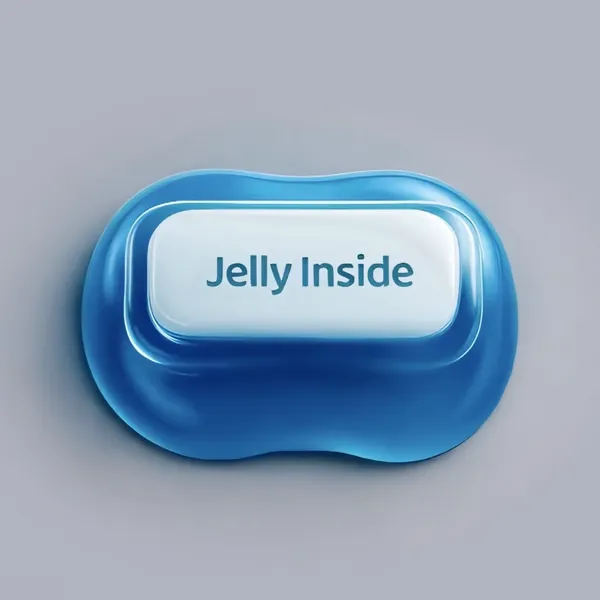
Jelly Squish Button
You’ll want to set aside some time to squish this thing. Either drag the cursor vertically or click the “follow mouse” checkbox to link the squishing effect of this jelly-filled button by Voicu Apostol to mouse movement.
See the Pen LEZYxqM by cerpow (@cerpow) on CodePen.
Such a cute button! I looked into how it works.
This isn’t real 3D jelly — it simulates the jelly squishing effect by rapidly switching between pre-rendered image sequences, similar to how film strips work. It preloads 215 consecutive jelly deformation images recording the complete animation from rest to squished to bouncing back, achieving the effect by switching between different frame images.
Text Border Rotation Animation [CSS & SVG] V2
In this smooth CSS and SVG animation by Fernando Cohen, text fences rotate around the edges of a photo. See what happens when you hover over the photo, and check out his earlier 2022 iteration.
See the Pen OPyapww by designfenix (@designfenix) on CodePen.

I looked into how it works — this is a text rotating along an organic shape border animation effect created with SVG and CSS.
First, SVG Blob shape generation creates organic blob shapes:
<path d="M43.1,-68.5C56.2,-58.6,67.5,-47.3..." />This path data likely comes from tools like Blob Generator.
Then image clipping using clip-path crops a rectangular image into a blob shape, while preserveAspectRatio="xMidYMid slice" ensures the image fills the entire area.
<clipPath id="blobClip">
  <path d="..." transform="translate(100 100)"/>
</clipPath>
<image clip-path="url(#blobClip)" />
Then text path animation using pathLength defines the text path:
<path id="text" d="..." fill="none" stroke="none" pathLength="100" />pathLength="100"normalizes the path length for easier animation calculationsfill="none" stroke="none"makes the path itself invisible, serving only as a text track
Text is arranged along the path:
<text class="text-content">
  <textPath href="#text" startOffset="0%">
    ❤ MADE WITH LOVE ❤ MADE WITH LOVE...
    <animate attributeName="startOffset"
             from="0%" to="100%"
             dur="15s"
             repeatCount="indefinite" />
  </textPath>
</text><textPath>arranges text along a specified pathstartOffsetcontrols the text’s starting position on the path<animate>implements SMIL animation (SVG native animation)
How does the seamless loop work? It uses two text segments: when the first segment moves from 0% to 100%, its tail disappears, while the second segment moves from -100% to 0%, filling the gap. The two segments connect end-to-end, creating a seamless loop.
<!-- First text segment: 0% → 100% -->
<textPath href="#text" startOffset="0%">
  <animate from="0%" to="100%" />
</textPath>

<!-- Second text segment: -100% → 0% -->
<textPath href="#text" startOffset="100%">
  <animate from="-100%" to="0%" />
</textPath>
Finally, the interactive zoom effect is achieved by scaling the clipping area (not the entire SVG) on hover.

Reading Digest
21 Lessons from 14 Years at Google
I read an article recently that I thought was excellent, so I’m listing it separately.
I agree with every single point! Really well written.


Addy Osmani summarized 21 lessons from his 14-year career at Google.
-
Be User-Centric
- True value comes from deeply understanding and solving user problems, not just being passionate about technology itself.
- Gain deep understanding by participating in customer service, talking with users, and observing user pain points.
-
Collaboration and Alignment
- Being “right” matters, but “getting to right together” is the real challenge and where the value lies.
- Avoid being “the smartest person in the room” — create space for others to participate and maintain healthy skepticism of your own views.
- Most “slow” teams are actually “misaligned” teams — unclear on direction, interfaces, or priorities.
-
Action and Delivery
- Pursuit of perfection hinders progress — act first, then refine, then optimize.
- “Bias toward action” brings more clarity than “analysis paralysis” — you can edit an error page, but you can’t edit a blank page.
- AI can help with rapid iteration and feedback.
-
Clarity Over Cleverness
- Code needs to be clear and understandable so others (especially in emergencies) can understand and maintain it.
- Write code for maintainers (including 2 AM you), not for yourself.
-
Innovate Carefully
- Innovation has a cost — spend “innovation tokens” wisely.
- Only innovate where there’s unique value; everywhere else, lean toward mature, reliable technology.
-
Make Value Visible and Advocate
- Great work needs to be seen — code won’t speak for you, but people will.
- Make your impact visible to others, especially when you’re not in the room.
-
Minimize Code
- The “best” code is code you never have to write.
- Before building, think: “What happens if we don’t do this?”
-
Compatibility is Product
- At scale, even bugs become user dependencies.
- API design is really API retirement design — consider compatibility, time, and user experience.
-
Focus on What You Can Control
- In large organizations, many variables are out of your control — focus on your sphere of influence.
- The key to staying sane and effective is focusing on controllable things.
-
The Cost of Abstraction
- Abstractions transfer complexity rather than eliminate it — when things break, you still need to understand the underlying layers.
- Continuously learn “lower-level” knowledge to handle abstraction failures.
-
Teaching is Learning
- Writing and teaching are effective ways to deepen understanding, exposing gaps in your own knowledge.
- Trying to explain things simply is a shortcut to testing and deepening understanding.
-
The Value and Visibility of “Glue” Work
- Documentation, onboarding, cross-team coordination — this “glue” work is crucial but easily overlooked.
- Treat this work as visible impact, not just “being helpful.”
-
Avoid Easy Wins
- If you’re always winning easily, it might mean you’re accumulating “silent resistance.”
- True alignment requires time, understanding, and compromise — not winning arguments.
-
Measurement and Goals
- Any metric that gets quantified will be “gamed.”
- When measuring, focus on both speed and quality/risk, and emphasize trend analysis.
-
Admit the Unknown
- Leaders admitting “I don’t know” creates a safer environment, encouraging team members to ask questions too.
- Curiosity and admitting the unknown drive team learning.
-
Your Network
- Your network is your most important long-term asset — it outlasts any single job.
- Build and maintain your network with curiosity and generosity.
-
Performance Gains Come from Removal
- Many performance improvements come from removing unnecessary work, not adding technical complexity.
- The fastest code is code that never runs.
-
The Nature of Process
- Good process should simplify coordination and reduce failure costs, not create bureaucracy.
- If a process’s value can’t be explained, it’s probably just burden.
-
Time Value
- Later in your career, time becomes more precious than money.
- Consciously weigh time against returns — avoid over-pursuing money at the expense of precious time.
-
The Compound Effect
- Professional skill improvement requires deliberate practice and time accumulation — there are no shortcuts.
- View your career as compound growth, not buying lottery tickets — persistence brings long-term returns.
-
Core Philosophy
- Stay curious, humble, and always remember that work is about people (users and team members).
- An engineer’s career is long enough to learn from mistakes and share experiences.
喜欢的话,留下你的评论吧~