

This article has been machine-translated from Chinese. The translation may contain inaccuracies or awkward phrasing. If in doubt, please refer to the original Chinese version.
This issue’s URL: https://blog.cosine.ren/post/weekly-19 This newsletter aims to be updated every Sunday. Subscribe to this newsletter’s RSS. WeChat public account: FE Bits (前端周周谈 FE Bits). Click the “read original” link to view the original article. QQ discussion group 598022684 for frontend tech & life discussions. Feel free to submit your articles there too — it’s more of a fan group in nature. This newsletter’s article content is also open-sourced at fe-bits-weekly. Feel free to follow along.
Today is December 14, 2025, Sunday.
This week I added backend-free related recommendations and AI summary features to my blog site.
The related recommendations were inspired by this excellent implementation:

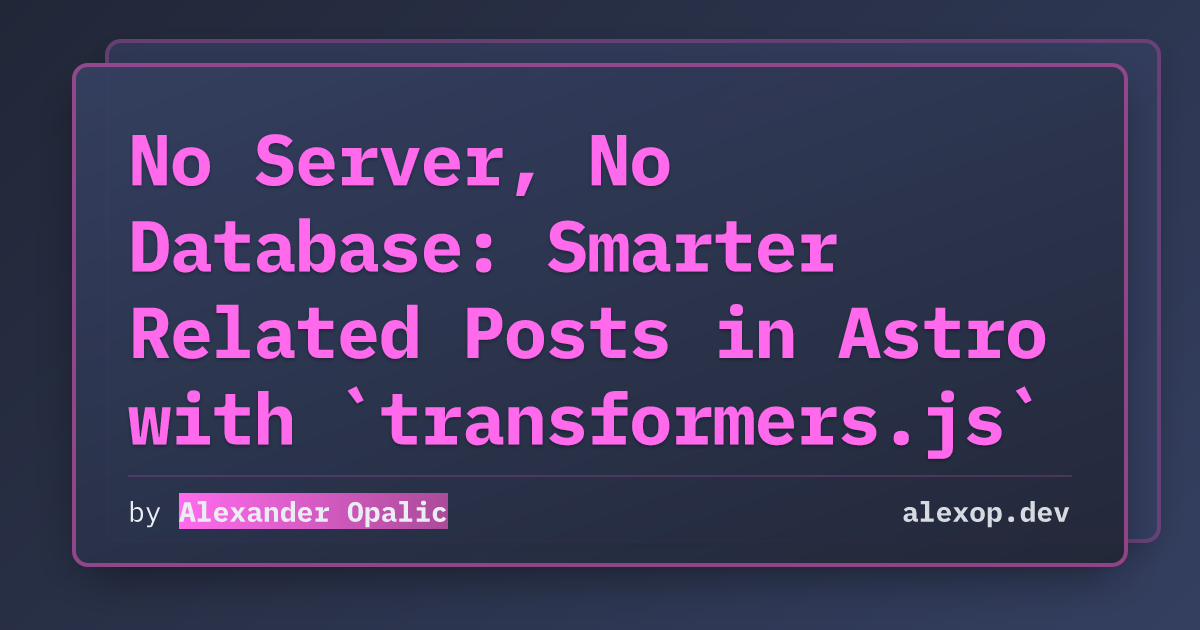
Using transformers.js to compute “semantic similarity” locally, automatically picking the 5 most relevant articles.
Then I implemented my own version with support for excluding specific articles (like newsletters) and an option to include “body content” in the computation:
- Title + description only: Blazingly fast, suitable for large article collections, but not very accurate.
- Including body content: Noticeably better results, just takes a bit longer to generate.
# Using Snowflake/snowflake-arctic-embed-m-v2.0 to compute 168 articles (title + description)
Done! Generated similarities for 168 posts in 4.1s

# Using Snowflake/snowflake-arctic-embed-m-v2.0 to compute 168 articles (title + description + body)
Done! Generated similarities for 168 posts in 219.3s
Quite a speed difference, but I personally prefer the results with body content included — the results are obviously better.
Is there a middle ground? So I decided to add an AI summary feature. Using the xsai SDK with a local LM Studio running the qwen/qwen3-4b-2507 model — fast and great results! With caching for new articles, only the summaries for new articles need to be generated, and the quality is comparable to using full body content!
The article detail page also has a collapsible summary card with a typewriter animation on click (respecting reduced motion preferences).
Everything is run locally at build time and committed to git — zero cost in production. I’ll continue tuning the model and caching later. It was written somewhat hastily.
Feel free to try the new features! I haven’t had the energy to write deployment docs yet, but there’s an unpublished AI-written astro-koharu usage guide that might have some errors or omissions, but the overall configuration is roughly accurate. Stars welcome!



I’m really happy. Squeezing in time to build these things in between everything else makes me super happy.
Ecosystem & Community Updates
- React Router’s take on React Server Components: React Router is adding RSC support.
Did you know React Router is adding React Server Components (RSC) support? While it’s still experimental, it’s very close to official release, and I think React Router’s implementation of RSC is excellent.
- Three.js r182 released: A comprehensive upgrade. Core changes include migration to ESLint 9, introduction of flat config, multiple performance and feature optimizations for WebGLRenderer and WebGPURenderer (such as more efficient shadow mapping, EAC texture support, VSM code refactoring). The node system received significant improvements (supporting more types, optimized caching, introducing float packing/unpacking), along with numerous bug fixes, documentation cleanup, and example updates — overall improving code quality, maintainability, and rendering efficiency.
Some official examples:
-
Deno 2.6: dx is the new npx: Deno 2.6 simplifies package binary execution by introducing
dx(similar tonpx), adds fine-grained permission control and permission proxying, usestsgo(written in Go) to accelerate TypeScript type checking, and supports Wasm source imports. Security improvements includedeno auditand--socket, along with improved dependency management and script approval. -
Microsoft launches the VS Code Insiders Podcast: Created by the official Visual Studio Code team, featuring in-depth interviews with developers, product managers, and community contributors, revealing new features, experimental tools, and AI-driven workflows.
Want to know what’s really going on behind the world’s most popular code editor? The VS Code Insiders Podcast will pull back the curtain, taking you deep into the features, decisions, and people shaping the future of Visual Studio Code.
-
Debug your browser session with Chrome DevTools MCP for your coding agents: Chrome DevTools MCP finally lets your AI coding assistant directly intervene in browser debugging — much smoother now! Great news!
To connect the chrome-devtools-mcp server to a running Chrome instance, use the —autoConnect command-line argument to set up the MCP server.
Note: Until Chrome M144 reaches stable, you must specify —channel=canary
{
  "mcpServers": {
    "chrome-devtools": {
      "command": "npx",
      "args": ["chrome-devtools-mcp@latest", "--autoConnect", "--channel=canary"]
    }
  }
}- Vote for the web features you want to see: Now you can influence which Web features you most want to see through upvoting!
The WebDX community group has introduced a new feature allowing developers to directly “upvote” to express demand for specific Web features, helping browser vendors prioritize development. While more upvotes don’t guarantee direct adoption, developer demand will be an important reference factor in browser vendor decisions.
Have you ever seen a feature you desperately want to use marked in red on Can I Use, and wished you could just poke the browser vendors and say, “Hey, I need this feature!”? Now you can.
The WebDX community group has introduced a new way for you to directly express which Web features matter most to you. You can now upvote features you’d like to see interoperable across major browsers.
Starting today, you can find these integrated upvote features on web.dev, caniuse.com, and webstatus.dev. Other platforms, such as MDN, are also exploring similar integrations.
React Discloses Two New RSC Vulnerabilities During React2Shell Investigation
React discloses two new RSC vulnerabilities during React2Shell investigation: CVE-2025-55184 and CVE-2025-67779 (High severity - Denial of Service) and CVE-2025-55183 (Medium severity - Source code exposure). These flaws can be triggered by malicious HTTP requests, causing infinite server loops or leaking server function internal code. React has fixed these in versions 19.0.3, 19.1.4, and 19.2.3. Affected frameworks and bundlers (such as Next, React-Router, Vite, etc.) also need to be updated accordingly.


- Denial of Service (High severity): CVE-2025-55184 and CVE-2025-67779 (CVSS 7.5) can be triggered by malicious HTTP requests, causing infinite server loops.
- Source code exposure (Medium severity): CVE-2025-55183 (CVSS 5.3) may leak server function internal code. Hardcoded secrets in source code may be exposed; runtime secrets like
process.env.SECRETare not affected.
The official explanation states:
After a major vulnerability disclosure, follow-up vulnerabilities are often discovered. When a major vulnerability is disclosed, researchers carefully examine adjacent code paths, looking for variant exploitation techniques to test whether initial mitigations can be bypassed. This pattern is common across the industry. For example, after Log4Shell, additional CVEs were reported as the community scrutinized the original fixes. Additional disclosures can be frustrating, but this is usually a sign of a healthy response mechanism.
Only secrets in source code can be leaked. Hardcoded secrets in source code may be exposed, but runtime secrets like
process.env.SECRETare not affected. The scope of exposed code is limited to code inside server functions, which may include other functionality depending on the level of inlining support provided by the bundler. Be sure to audit your production bundles.
Next.js users can upgrade using npx fix-react2shell-next.
My first thought when I saw this news was, well:
Shopify Editions Winter 2026
This is the semi-annual release showcasing what new features Shopify has built!
Performance and compatibility might be average, but it has full mobile adaptation. It’s a pure showcase page packed with tons of details, easter eggs, and CSS new features.


Easter egg 1: Click the key, and a new frameless window pops up for unlocking. It likely uses cross-window communication.
There was a similar attempt to implement cross-window particle animation with three.js. I’m guessing it uses the same principle. GitHub repo

Easter egg 2: After unlocking, this window can also scroll along with the original page.

Easter egg 3: Click the hat.

Technical breakdown:
jhey (@jh3yy): This year’s editions page is absolutely incredible — so many brilliant details. Honored to have been part of it, the team did an outstanding job. Beyond the stunning WebGL work, there’s clever use of CSS container queries, counters, transitions/animations, and SVG!
Articles & Videos
-
A series of tricks and techniques I learned doing tiny GLSL demos: The author shares a collection of graphics rendering tricks and insights accumulated while creating tiny GLSL (OpenGL Shading Language) graphics demos within a 512-character limit.
-
Progress on TypeScript 7 - December 2025: The TypeScript team is migrating the compiler and language service to native code (codename Project Corsa), with a preview now available for VS Code. Editor features are complete with significant performance gains. The compiler is nearly fully compatible with 5.9 for type checking and incremental builds, achieving roughly 10x speed improvements. The article also lists differences from 5.9, options slated for deprecation, and the upcoming roadmap — emphasizing that 6.0 will be the last release based on the old codebase, after which all focus shifts to 7.0.
Earlier this year, the TypeScript team announced that we’ve been porting the compiler and language service to native code to take advantage of native code for better raw performance, memory efficiency, and parallelism. This work (codenamed “Project Corsa,” soon to be renamed “TypeScript 7.0”) is a significant engineering effort, but we’ve made tremendous progress over the past few months. We’re excited to share the current state of affairs and show what the all-new TypeScript toolset looks like “for real” today.
-
Do’s and Don’ts of useEffectEvent in React: Learn about React’s new
useEffectEventhook, which lets you access the latest props/state inside an Effect without triggering a re-execution. This article covers use cases, when to use it, when not to, and migration advice. -
Manage a Next.js Monorepo with Prisma: This article demonstrates a complete CRUD pizza ordering system using Next.js with Prisma on Postgres. (A fairly complete end-to-end practice. For small projects this level of full-stack is fine, but for larger projects, be careful with backend choices.)
-
2025 in review: What’s new in web performance?: A casual review of changes and new tools in frontend performance in 2025, covering Core Web Vitals metrics’ cross-browser progress, new Lighthouse and DevTools detection capabilities, browser API evolution (like Scheduler API, soft navigation observation), CrUX and real-time monitoring data refinements, the latest status of image formats (like JPEG XL), and a look ahead at possible directions for 2026 (more AI integration and more complete soft navigation metric support).
-
Using CSS to fix the irradiation illusion: On dark backgrounds, white text appears bolder than black text of the same weight. This phenomenon is called the “irradiation illusion.” This article explains how to use variable fonts’
GRADaxis (grade axis) to adjust perceived text weight without changing the glyph size. -
Tailwind CSS: Targeting Child Elements (when you have to): This article details how to use Tailwind’s Arbitrary Variants and
[&_selector]syntax for child element style control.
CSS New Features
- CSS Wrapped 2025: An annual CSS feature roundup from the Chrome team — see what new tricks your CSS can do next year!


-
Fit width text in 1 line of CSS: The new CSS property
text-growmakes text automatically fill the container width with just one line of CSS — goodbye to complex workarounds. It’s still experimental though. -
Scrollytelling on Steroids With Scroll-State Queries: Use CSS’s new scroll-state queries to make web storytelling as interactive as a game.
-
CSS Scroll-Triggered Animations are coming to Chrome!: Chrome will ship pure CSS scroll-triggered animations in early next year. These are time-based animations triggered at specific scroll offsets, different from existing scroll-driven animations. This feature is expected to officially launch in Chrome 145 and will replace some uses of
IntersectionObserver. -
Introduction to the CSS progress() function: Introduces the new CSS
progress()function, which maps a value within a specified range to a progress value between 0 and 1. Browser support is limited — it’s still in Chrome’s experimental stage.
Tips
Use the scrollbar-gutter CSS property to reserve space for scrollbars, preventing layout shifts when scrollbars appear or disappear.
You can set the scrollbar-gutter property on body (or any other container element) to stable to ensure space is always reserved for the scrollbar, preventing layout shifts.
The scrollbar-gutter property is a relatively new CSS property that’s been supported by all major modern browsers since December 2024. So you can safely use it to progressively enhance your web page’s user experience.


Tools
- remend: Vercel released remend, a new npm package that automatically fixes broken streaming Markdown syntax, especially suitable for LLM and similar applications. Extracted from Vercel’s Streamdown library, which is a drop-in replacement for react-markdown, designed specifically for AI-driven streaming applications. (PS: Simon He’s markstream-vue, a similar solution to Streamdown, is also great!)
React Grab
React Grab: A new tool from Aiden, the creator of React Scan. It lets you “grab” context from your app’s components and feed it to the agent of your choice for detailed modifications.
CLI setup just requires running this command in your project root — it will detect your framework and automatically add the necessary scripts.
npx grab@latest initFor Claude Code setup, the server runs on port 4567 and interfaces with the Claude Agent SDK. Add the following script to your package.json:
{
  "scripts": {
    "dev": "npx @react-grab/claude-code@latest && next dev"
  }
}
Codepen Picks
Neon Sine Wave Effect GLSL
In this GLSL animation by Fabio E Zola, flickering sine waves pulsate. You can pause the animation, take a screenshot, or toggle pixel ratio from the top control panel.

Petals
See the Pen xbVQQGr by rileyjshaw (@rileyjshaw) on CodePen.
Riley Shaw shared a dreamy CSS and JS flower with petals spinning like a kaleidoscope.

Pseudo 3D Rotating Ball Toggle (CSS Only)
See the Pen xbVydXq by alvaromontoro (@alvaromontoro) on CodePen.
Alvaro Montoro cleverly simulates rotation animation by moving dot patterns. This “toggle component is created with HTML and CSS. No images, no JS.”

喜欢的话,留下你的评论吧~