

This article has been machine-translated from Chinese. The translation may contain inaccuracies or awkward phrasing. If in doubt, please refer to the original Chinese version.
I. Experiment Objective
Familiarize with the use of operating system program interfaces. You need to have a virtual machine set up; here we use deepin.
II. Experiment Content
Write a program that uses the system call fork() to create two child processes. When this program runs, there will be one parent process and two child processes active in the system. Let each process display a character on the screen: the parent process displays ‘a’, and the child processes display ‘b’ and ‘c’ respectively.
III. Experiment Code
unistd.h is a built-in header file in Linux/Unix systems that contains function prototypes for many system services, such as read, write, and getpid functions. Its role is equivalent to “windows.h” in Windows operating systems — it provides a unified API interface for users to conveniently call system services.
When the fork function is called in the current process, it creates a child process and returns the child process’s pid. In the child process, fork returns 0. Therefore, the test code can be written as follows:
#include <iostream>
#include <unistd.h>
using namespace std;
int main() {
    pid_t pid = 5;
    int flag = 1;
    pid = fork();
    if(pid < 0)
        cout << "Error in fork!" << endl;
    else if (pid == 0) cout << "I am Child1!Pid is " << pid << ". content:b" << endl;
    else {
        cout << "I am Parent!Pid is " << pid << ". content:a" << endl;
        pid_t pid2 = fork();
        if (pid2 == 0) cout << "I am Child2!Pid is " << pid2 << ". content:c" << endl;
    }
    cout << "over." << endl;
    return 0;
}
IV. Runtime Result Screenshots
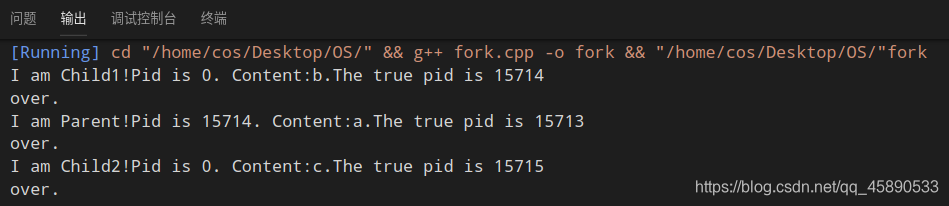
First run
Second run
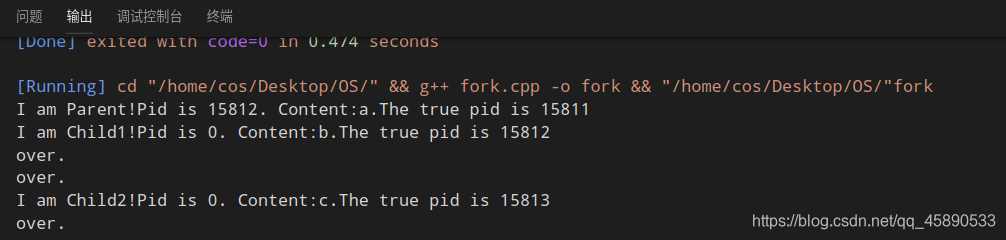
As we can see, the three processes execute independently of each other, and the results exhibit non-reproducibility.
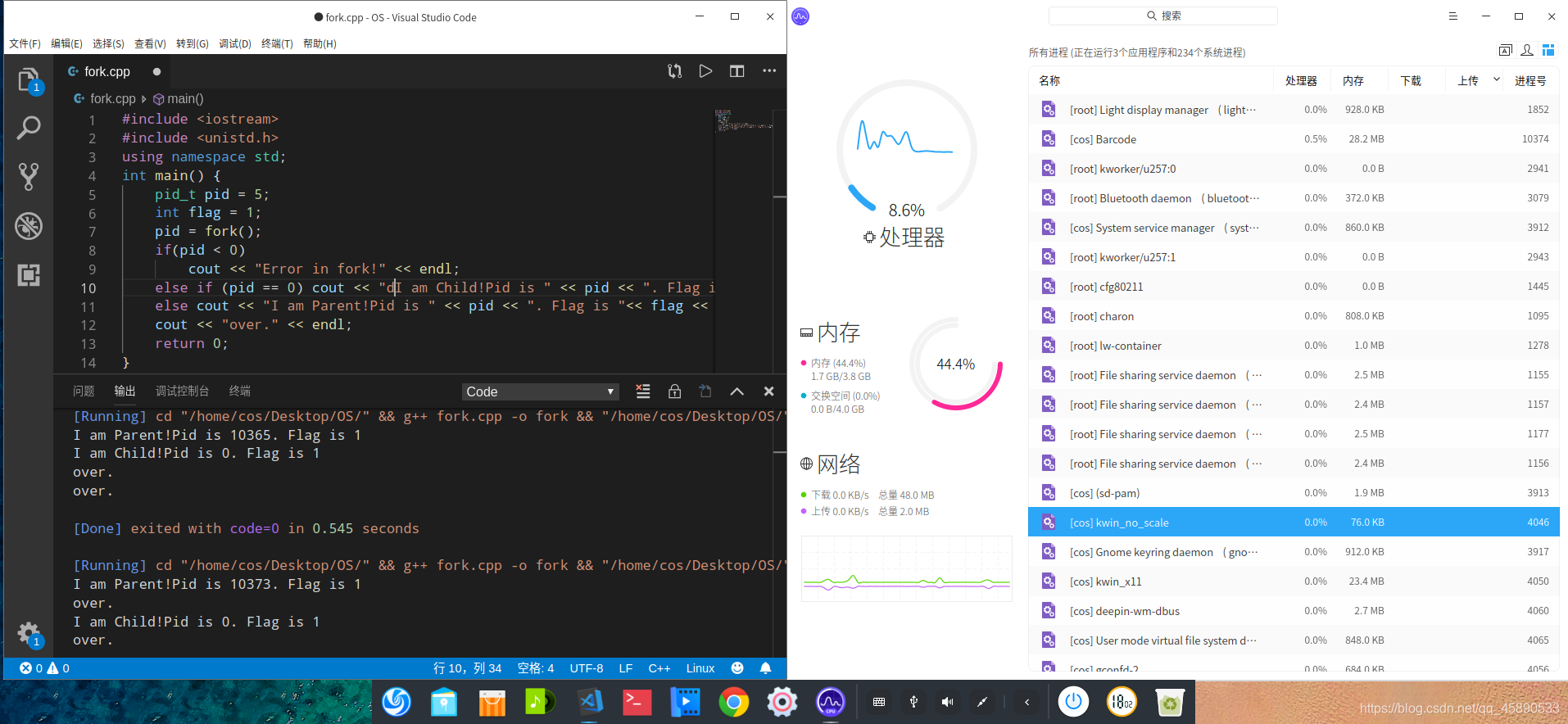
After adding an I/O blocking line, opening the task manager to check process IDs confirms that there are indeed three processes running.
喜欢的话,留下你的评论吧~