

This article has been machine-translated from Chinese. The translation may contain inaccuracies or awkward phrasing. If in doubt, please refer to the original Chinese version.
Original post URL:

It’s been nearly 4 months since I wrote My Claude Code Usage Notes back in August. After this period of heavy use, it’s time to share some new experiences.
This will be short and somewhat scattered — mainly for the sake of keeping a record.
Usage Data Overview
Statistics tool used: opcode
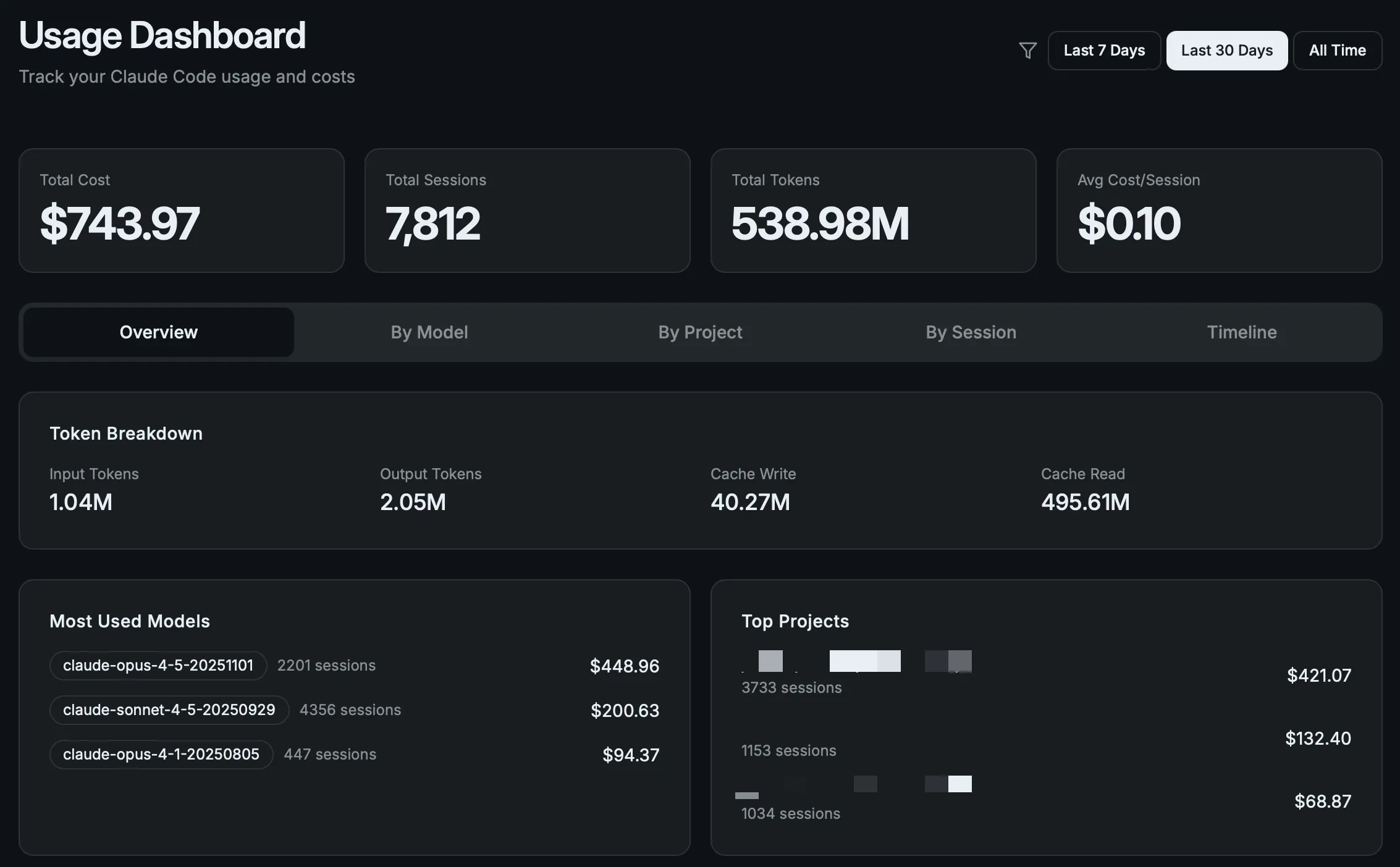
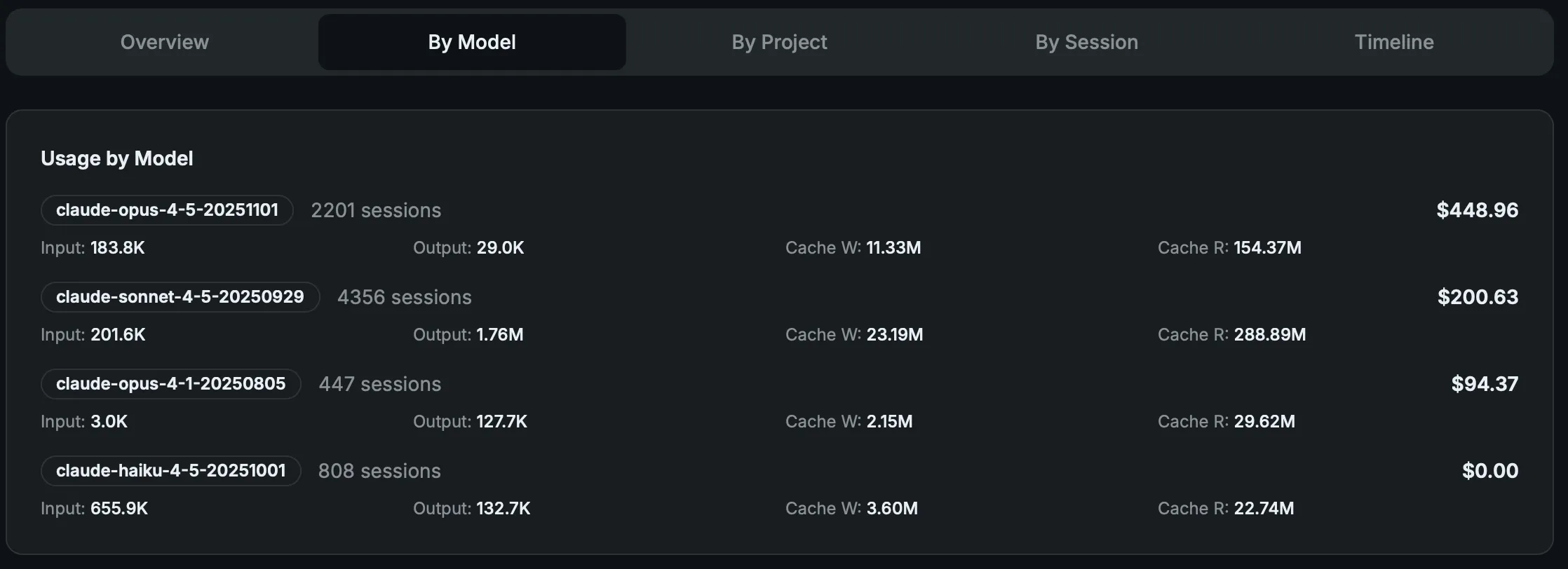
As the data shows, **I consumed 100 Claude Code Max subscription, allowing a few of us frontend and backend engineers to try building a “relatively complex” native Swift audio/video app from scratch. The app is now close to being published.
Usage Experience
Initially, I was very worried about getting my account banned, since social media was flooded with stories about account bans. But over these 4 months, my account has been perfectly fine. Even if it were banned, Anthropic would issue a refund, and you could simply register a new account to continue.
As for my usage experience, it boils down to this:
The assistive value brought by the $100/month Claude Code Max far exceeds the price itself. Even if my company stops reimbursing it, I would continue subscribing at my own expense.
The $743 in tokens I burned through in the last 30 days were all used with purpose and planning. The results have been very satisfying.
While using the Claude Code CLI, I’ve also been subscribing to Cursor (annual fee previously reimbursed by the company) and subscribed to Codex for 3 months. There was a period where Claude Code did feel like it went through a “dumbed-down phase,” but after they fixed the bug, the experience improved. Since Claude Opus 4.5 was released, it has rarely let me down (of course, for tasks I know it can’t handle, I don’t force it).
I didn’t spend much time with Codex. Experience-wise, the Codex CLI felt quite good, but it was too slow, and the $20 tier hits rate limits very easily. While “slow and steady wins the race,” most work still gets done with CC.
Claude used to have similar issues, but after Sonnet and Opus 4.5 came out, it achieved both speed and quality — in most cases I don’t need to modify anything, and in the minority of cases, I only need minor tweaks. That eliminates any reason to use Codex.
In comparison, Cursor’s greatest strength remains its Tab completion. I rarely use its Agent anymore.
My Workflow
Skills
Skills are dynamically loadable collections of instructions, scripts, and resources for Claude, designed to improve performance on specific tasks. They help Claude repeatedly execute standardized tasks such as documentation, data analysis, or task automation.
Official articles: What are Skills, How to use them in Claude, and How to create custom Skills A more comprehensive resource: Agent Skills - Claude Code Docs
You can register a GitHub repository as a Claude Code plugin marketplace by running the following commands in Claude Code:
# Register https://github.com/anthropics/skills as a plugin marketplace
/plugin marketplace add anthropics/skills
# Install document-skills
/plugin install document-skills@anthropic-agent-skills
After installing a plugin, you can use it simply by mentioning the skill. For example, if you have the document-skills plugin installed, you can ask Claude Code to do something like: “Use the PDF skill to extract form fields from path/to/some-file.pdf.”
Creating Custom Skills
Simply include a SKILL.md file with YAML frontmatter and task instructions. The frontmatter requires two fields: name (unique identifier) and description (functionality and usage instructions). The official template-skill provides example templates to help quickly generate custom skill structures.
You can also use this to create new skills: claude-code/plugins/plugin-dev
/plugin marketplace add anthropics/claude-code
/plugin install plugin-dev@claude-code-plugins
Trigger phrases: “create a skill”, “add a skill to plugin”, “write a new skill”, “improve skill description”, “organize skill content”
This plugin-dev skill can be used to create various things for Claude Code, not limited to configuring Hooks, MCP, plugin structures, configurations, commands, Agents, and Skills.
What Can You Use Them For?
The official Skills examples are listed here, and you can choose based on your needs:
- algorithmic-art: Create generative art using p5.js
- brand-guidelines: Apply Anthropic’s official brand colors and fonts to anything that needs the Anthropic look and feel. Use this when you need brand colors, style guides, visual formatting, or company design standards.
- canvas-design: Apply design principles to create beautiful visual works in .png and .pdf formats. Use this skill when users request posters, artwork, designs, or other static creations.
- doc-coauthoring: Guide users through a structured document collaboration workflow. Suitable for writing documents, proposals, technical specs, decision documents, or similar structured content. The goal is to produce a document that is genuinely useful to readers.
- …
The Skill I use most is the frontend design skill. Now you can use Claude Code’s Skill to supplement its frontend design capabilities. In Claude Code, use these two commands:
/plugin marketplace add anthropics/claude-code
# Install frontend-design skill
/plugin install frontend-design@claude-code-plugins
Other official Claude Code Skills can be found at claude-code/plugins.
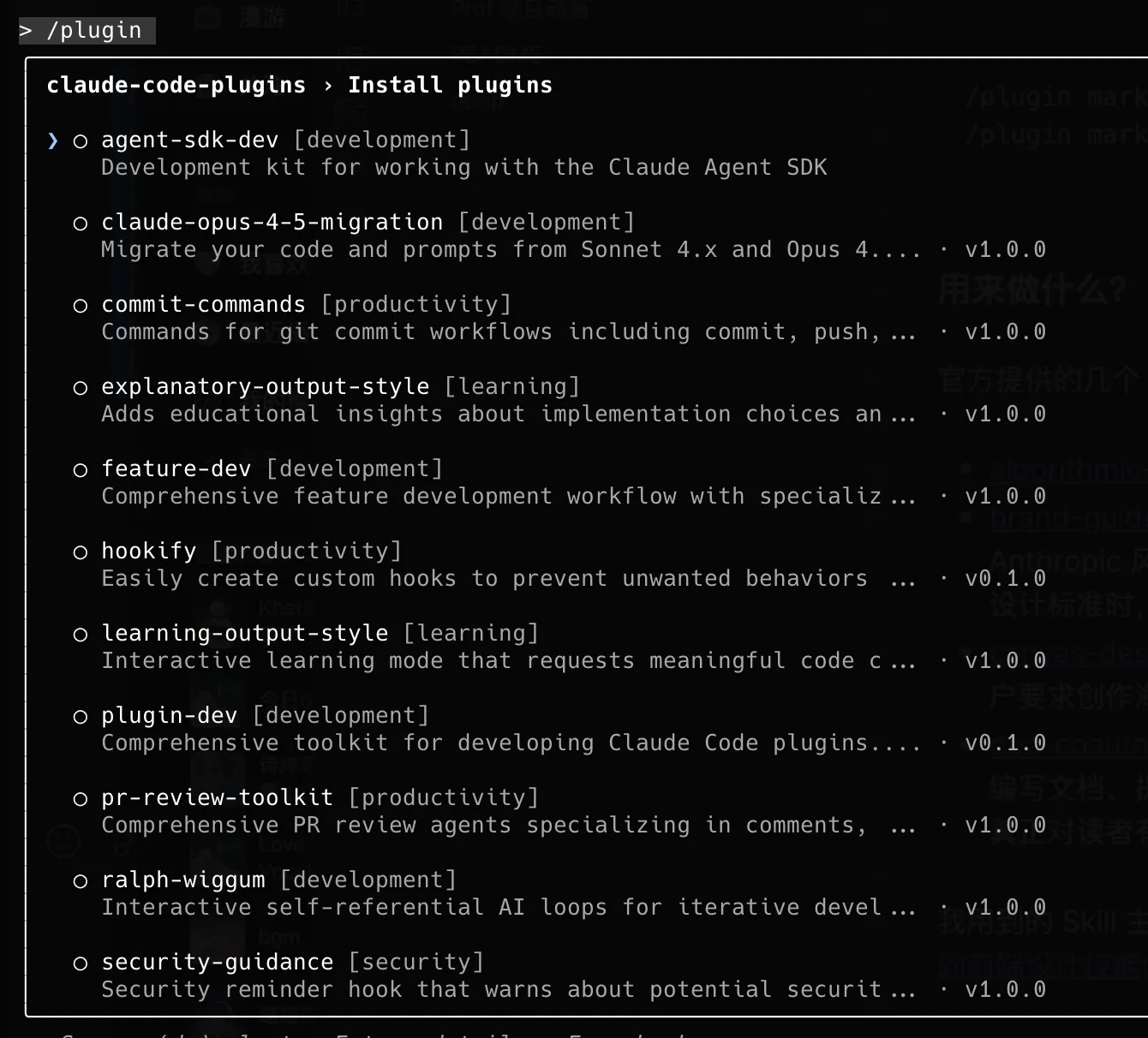
I won’t go into more detail for now.
Learning Projects
- Using Claude Code’s Plan Mode, with a blog project as an example, here’s the Plan Mode workflow:
> I need to study this project, understand its overall structure and core implementation. Output a series of md documents in the docs folder for my reference.Plan Mode will ask you some questions and continue planning after you respond:
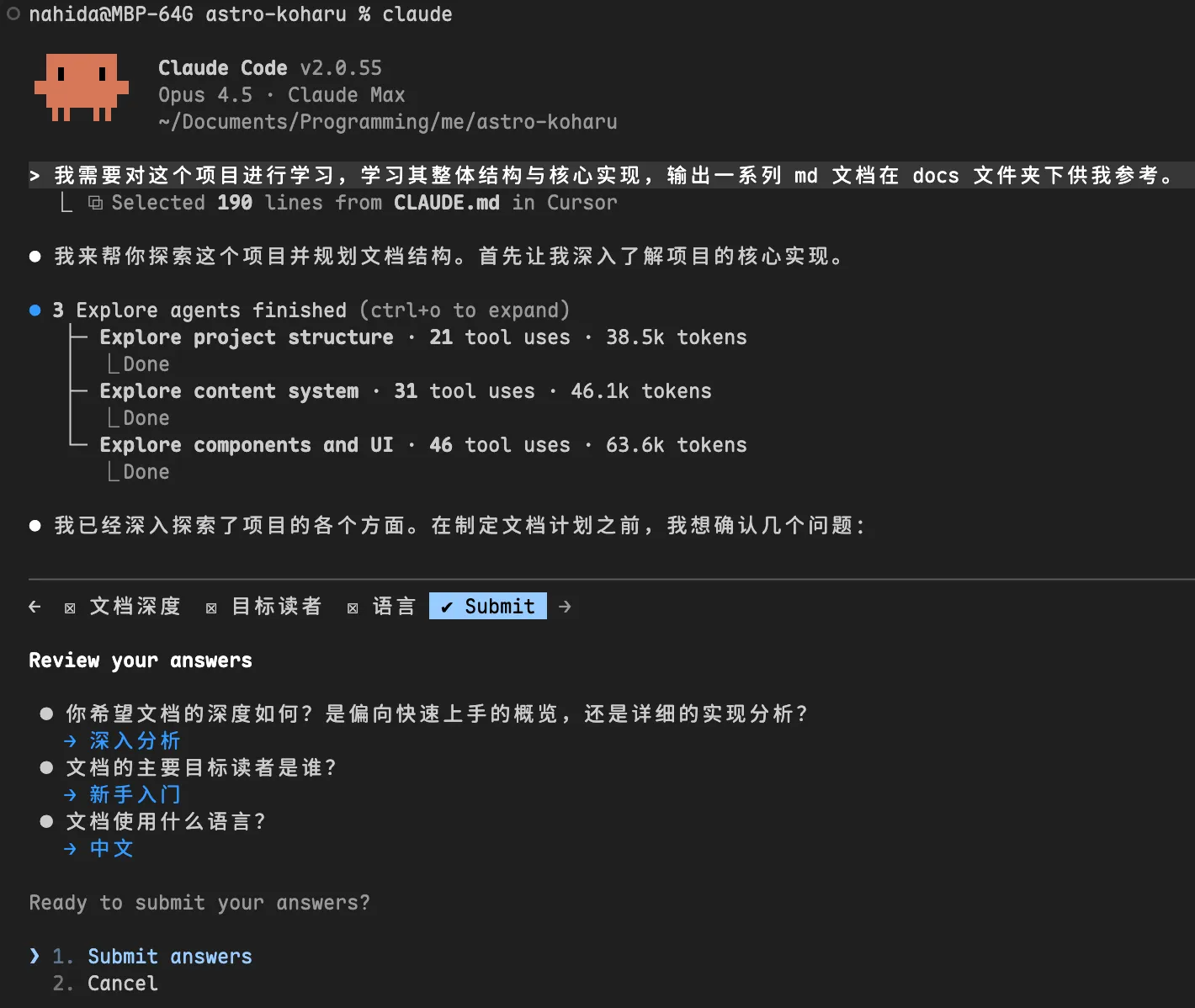
After confirmation, it will follow up with additional questions:
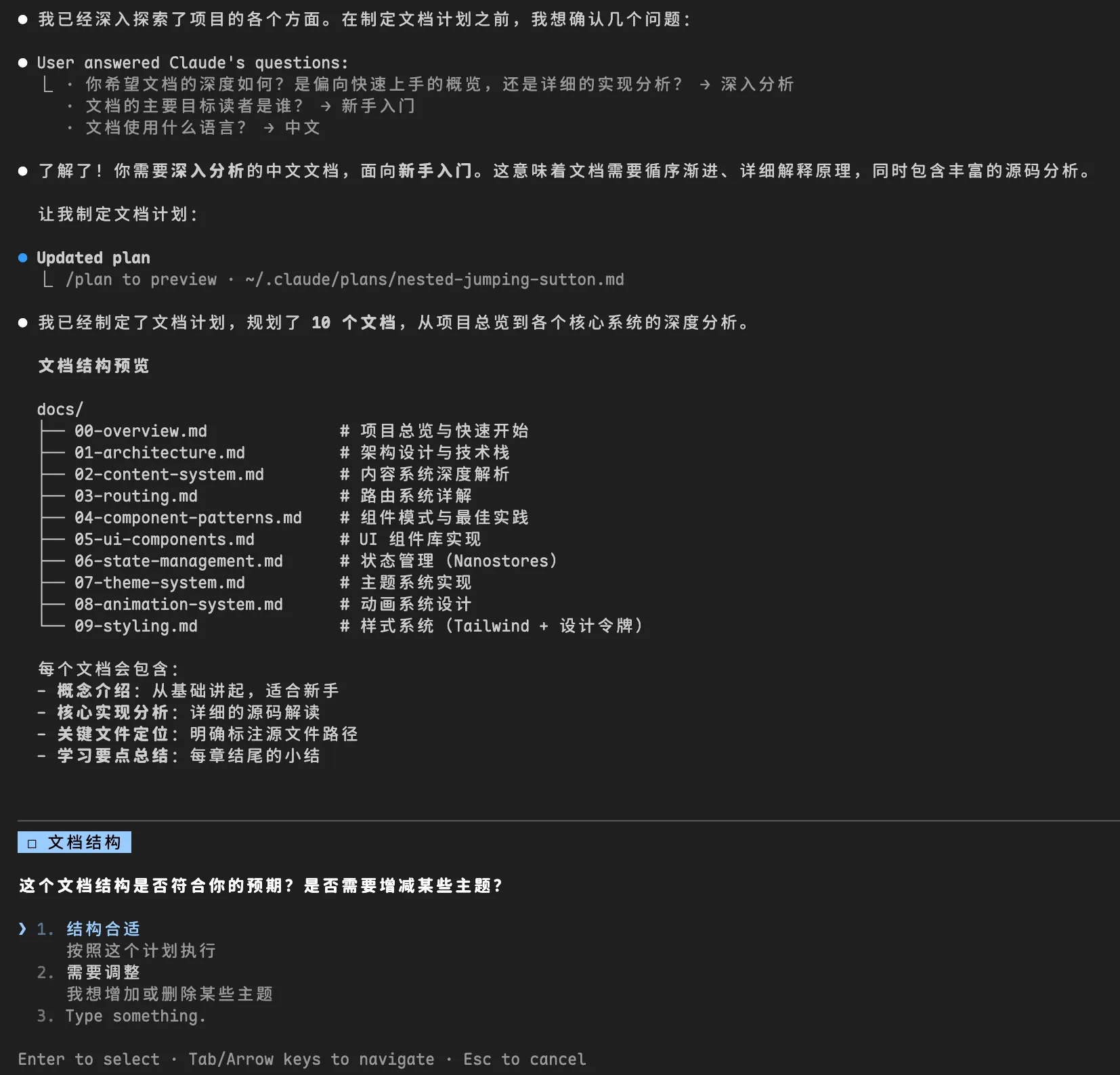
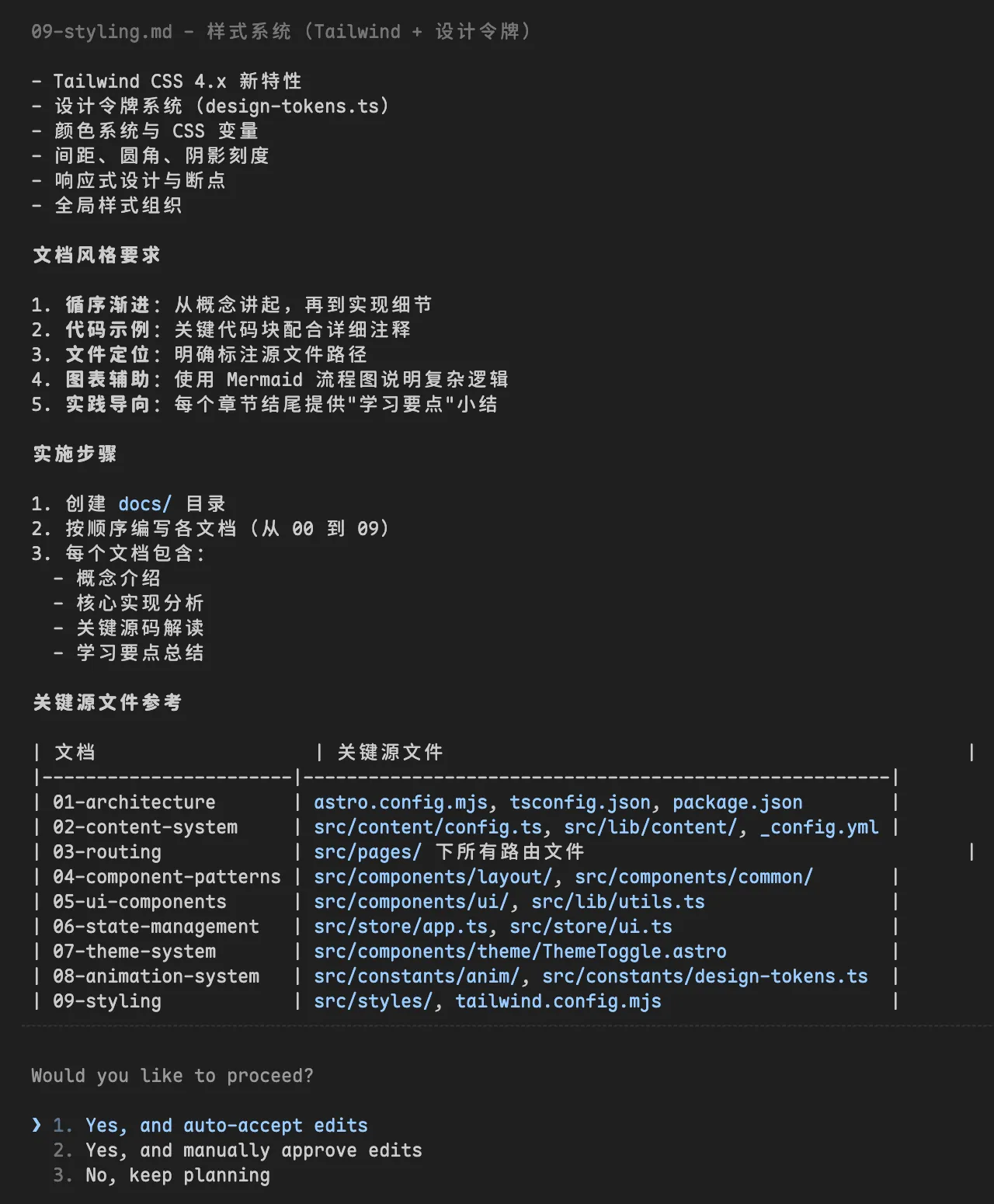
Finally, it asks whether you want to auto-accept changes or manually approve each edit. With git managing things, auto-accept is the way to go.
Claude Code really loves drawing these ASCII diagrams. You can also specify in your CLAUDE.md that it shouldn’t draw them.
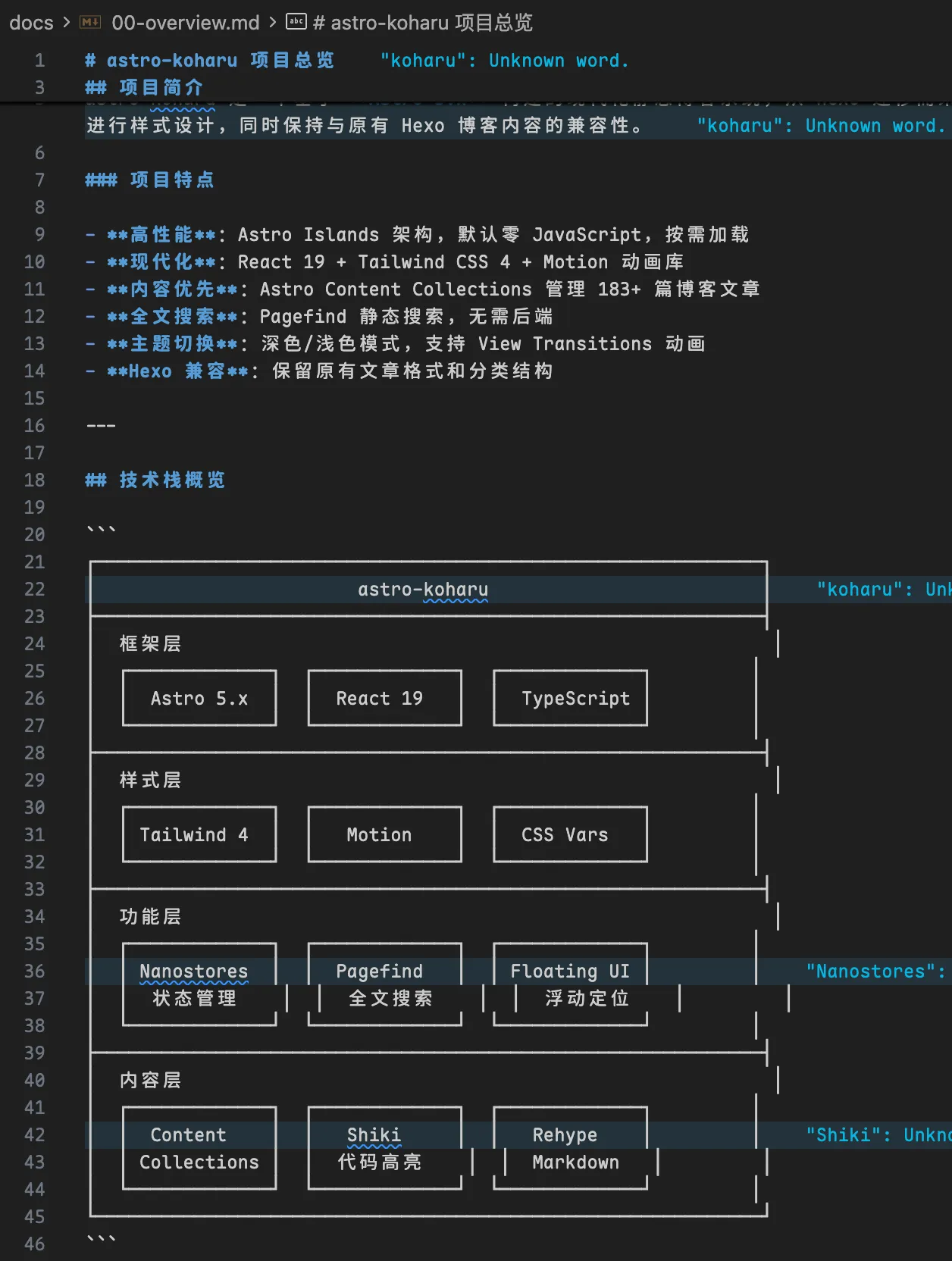
The example documentation generated can be viewed here. Note that this is just an example — the project itself is constantly evolving, and this documentation is only suitable for initial onboarding and learning.
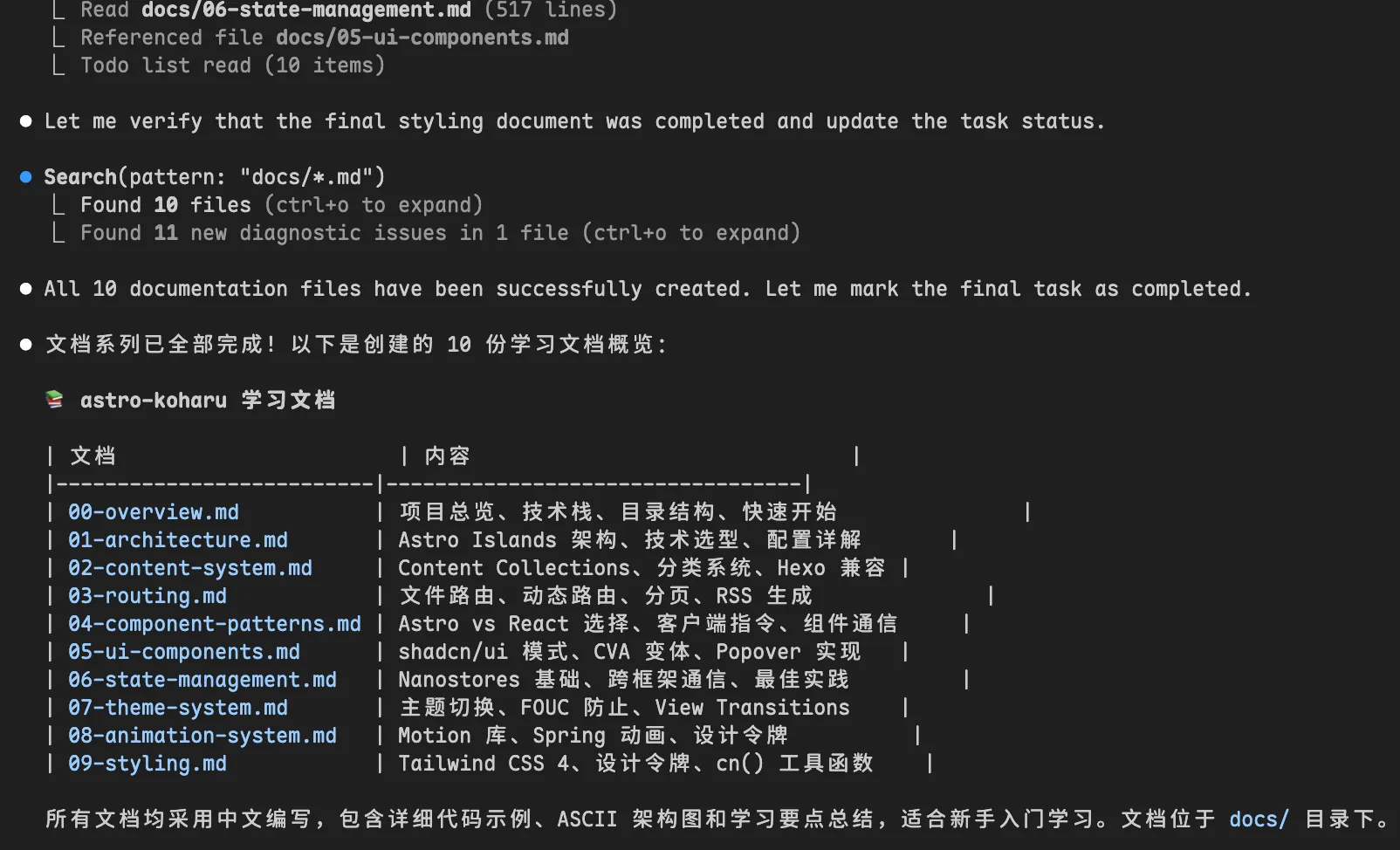
As for the quality of the generated documentation, while there are some errors and omissions, and it frequently uses various ASCII diagrams, I think it’s sufficient for getting to know a new project. (Of course, don’t blindly trust everything — when in doubt, always refer to the actual code.)
Building New Features from Scratch
- Use Claude Code’s Plan Mode to have the model output only a “change plan (which files, change points, expected diff)” without writing code first.
- Claude Code’s Plan Mode generates the plan and asks about areas you may not have explained clearly.
- After supplementing and reviewing the plan, have it generate code according to the plan, then run it locally for compilation and minimal testing.
- Ask the model to self-review again: list potential failure scenarios, edge cases, and suggested test cases.
- Make minor adjustments and polish the integration, then commit.
# Using Claude Sonnet 4.5
> @docs/overview/10-markdown-system.md Start optimizing. I have the following requirements: [Image #1]
  1. Optimize inline code `` syntax
  2. Optimize code blocks ```, add a copy button, mimic Mac window style with three dots on the left + language display, fullscreen preview and copy button on the right
  3. Optimize heading styles, center-align the # after headings, add a subtle small H3/H4 label before headings to indicate the heading level
  4. Optimize list styles (unordered and ordered)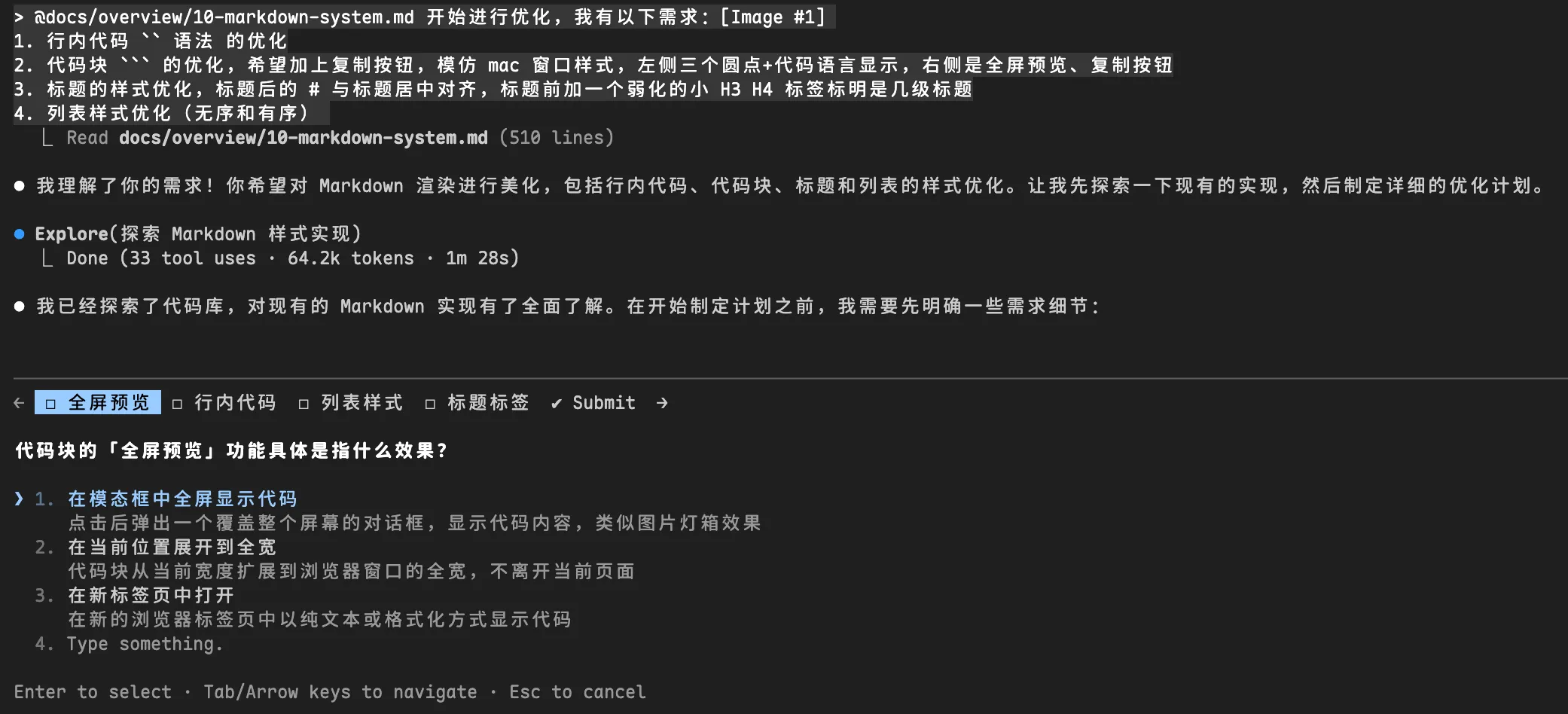
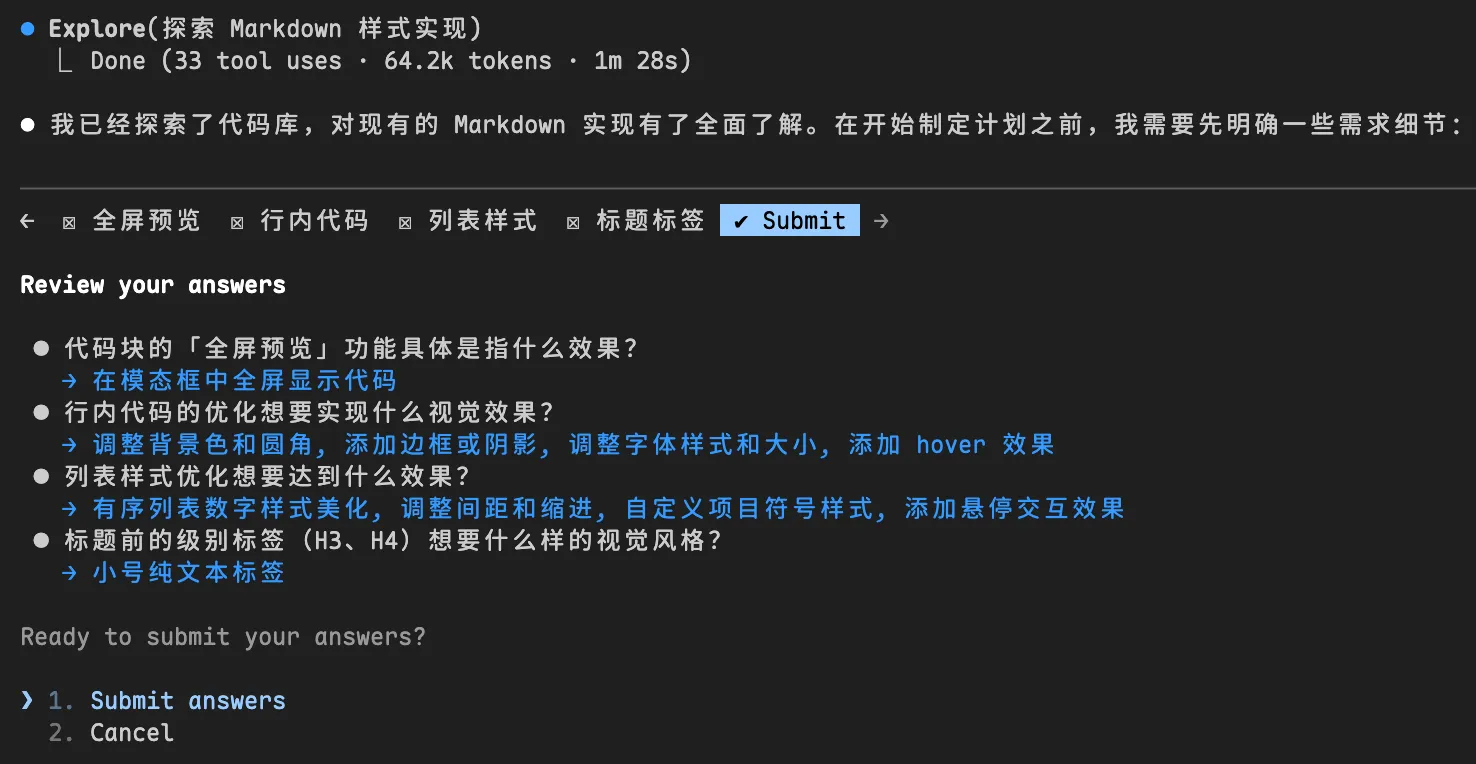
Bugfix
I’ll skip the examples for these — it’s basically a one-liner most of the time, though some require more human intervention.
- Feed it the error log / minimal reproduction project.
- Have the model list “hypothesis checklist for root cause, verification steps, and minimal fix approach.”
- Implement and self-review.
Refactoring / Migration
- Similarly, use Plan Mode to describe the refactoring requirements, and have it generate documentation plans, etc.
- Have the model write a codemod first and test-run it on a small portion.
- Observe the diff, define split points and boundaries for easy rollback at any time.
- Proceed in batches with regression testing.
Model and Tool Selection and Switching
There are many good models available, and cost and use case need to be considered. Here’s my baseline for choosing models:
- Important architectural design / major refactoring: Use a strong model (quality first).
- Batch generation of tests / examples: Use a cheaper model (cost first).
- Reading logs / writing small scripts / summaries: Use a faster model (speed first).
- Smaller models can use Plan Mode to first produce a “change plan + acceptance test cases” PRD for spec-driven development, while larger models handle the implementation.
Happy
I’ve recently been trying happy, and it’s quite useful — you can access Claude Code on your home computer or server from your phone or tablet anytime, anywhere, to write code.
I decided to try it after seeing this tweet:


Ernest Hemingway used a clever trick in his writing. He would stop mid-sentence, or stop when he knew what was coming next. This made it much easier to start writing the next day. He didn’t need to think about where to begin. The idea is simple: maintain your momentum by having a clear next step ready.
As a developer, I’ve heard about leaving unfinished work for the next morning. But this productivity technique never worked for me. Setting up a meaningful task takes 10 to 20 minutes, which is too long for improvisation. Especially when I’ve already stayed up late, the last thing I want to do is spend another 20 minutes preparing for tomorrow’s work.
Now, with Claude Code and MCP tools (for JIRA or Linear), everything has changed. Instead of scrolling through Reddit or Instagram, I can lie in bed and run custom bedtime tasks. I’ve set up a
~/.claude/agents/bedtime.mdfile to find simple tasks — ones I can start tonight and finish tomorrow.I describe the feature I want or the problem I’m thinking about. Then I spend about 5 minutes planning with Claude. We come up with an implementation plan I’m happy with. Once I approve it, Claude gets to work. I plug in my phone and go to sleep.
I wake up to a notification from Happy: “4 files pending review, 237 lines added.” This small thing gives me a great start to the day.
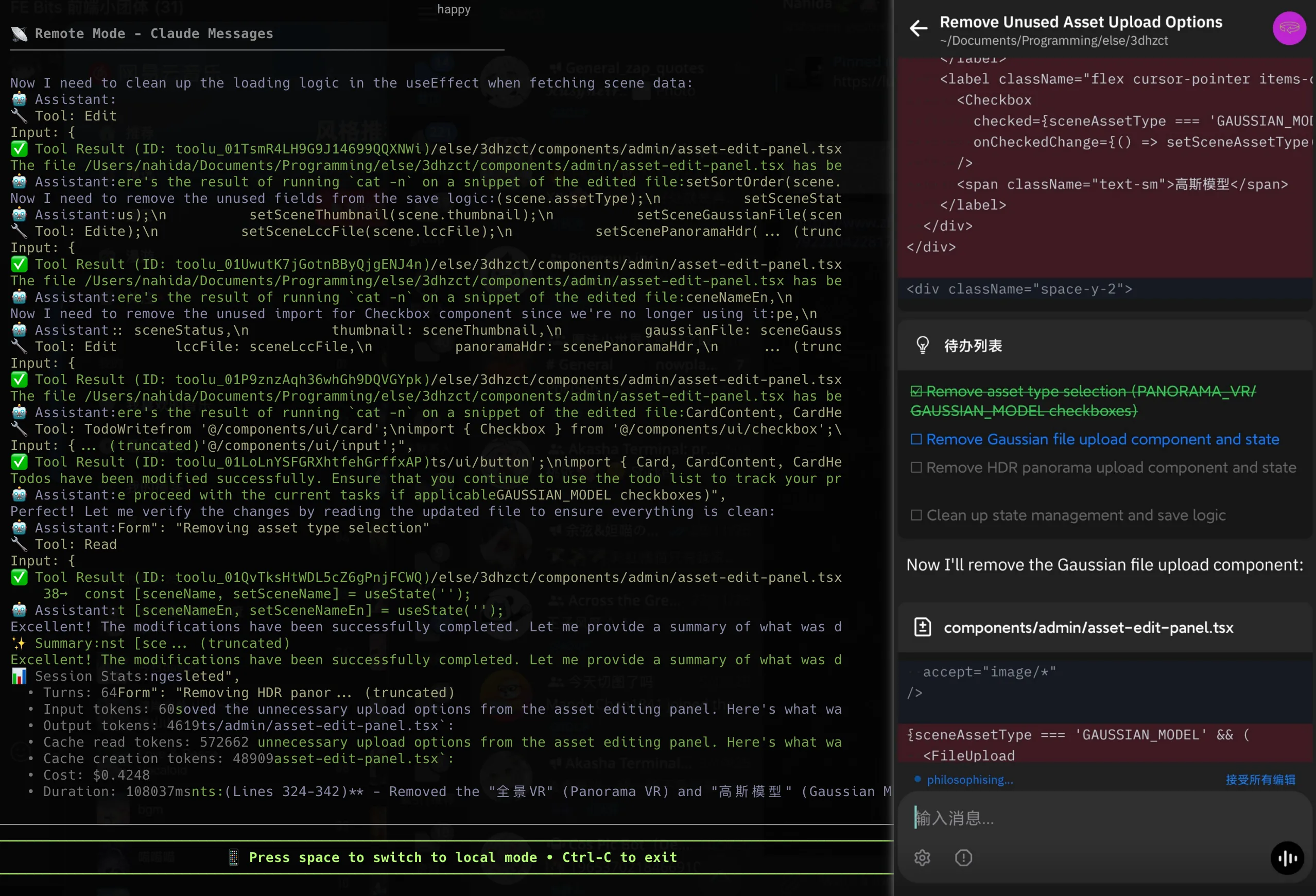
If you care about privacy, you can self-host Happy server to remotely control Claude Code and Codex. The official team also provides tutorials, which is very thoughtful.
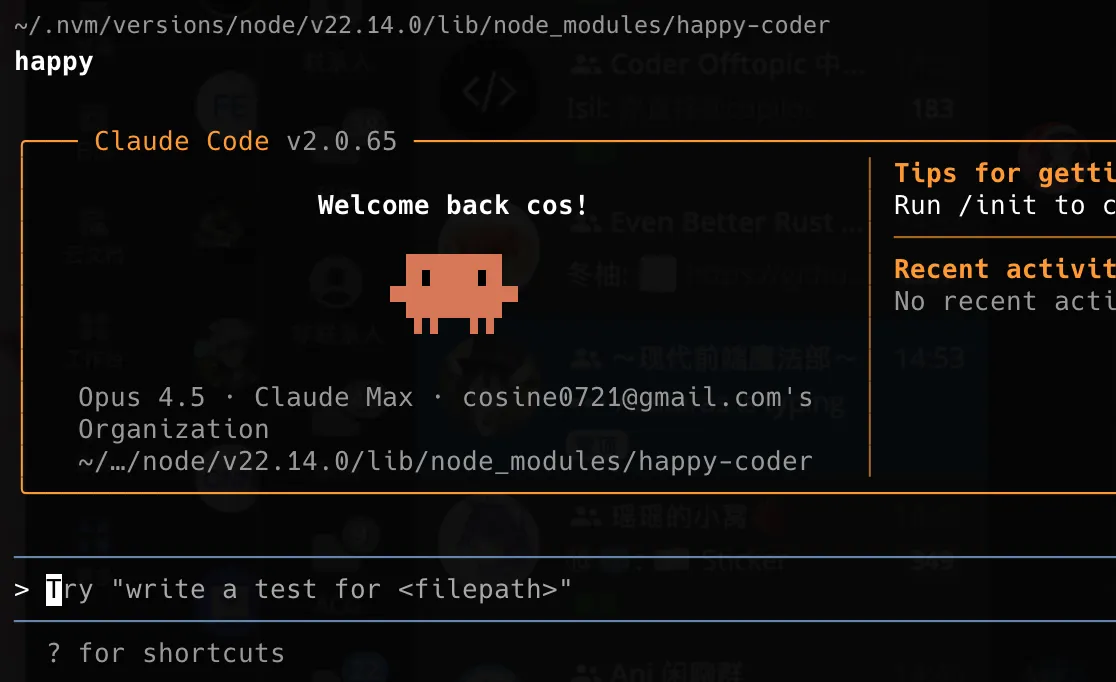
2025.12.11 Update: The version bundled with Happy CLI 0.11.2 only has Opus 4.1 and not Opus 4.5 because it’s outdated. See this issue for reference: https://github.com/slopus/happy-cli/issues/84
cd $(npm root -g)/happy-coder && npm install @anthropic-ai/claude-code@latest --saveAfter updating, you can use Opus 4.5! The same applies for future version updates.
FAQ
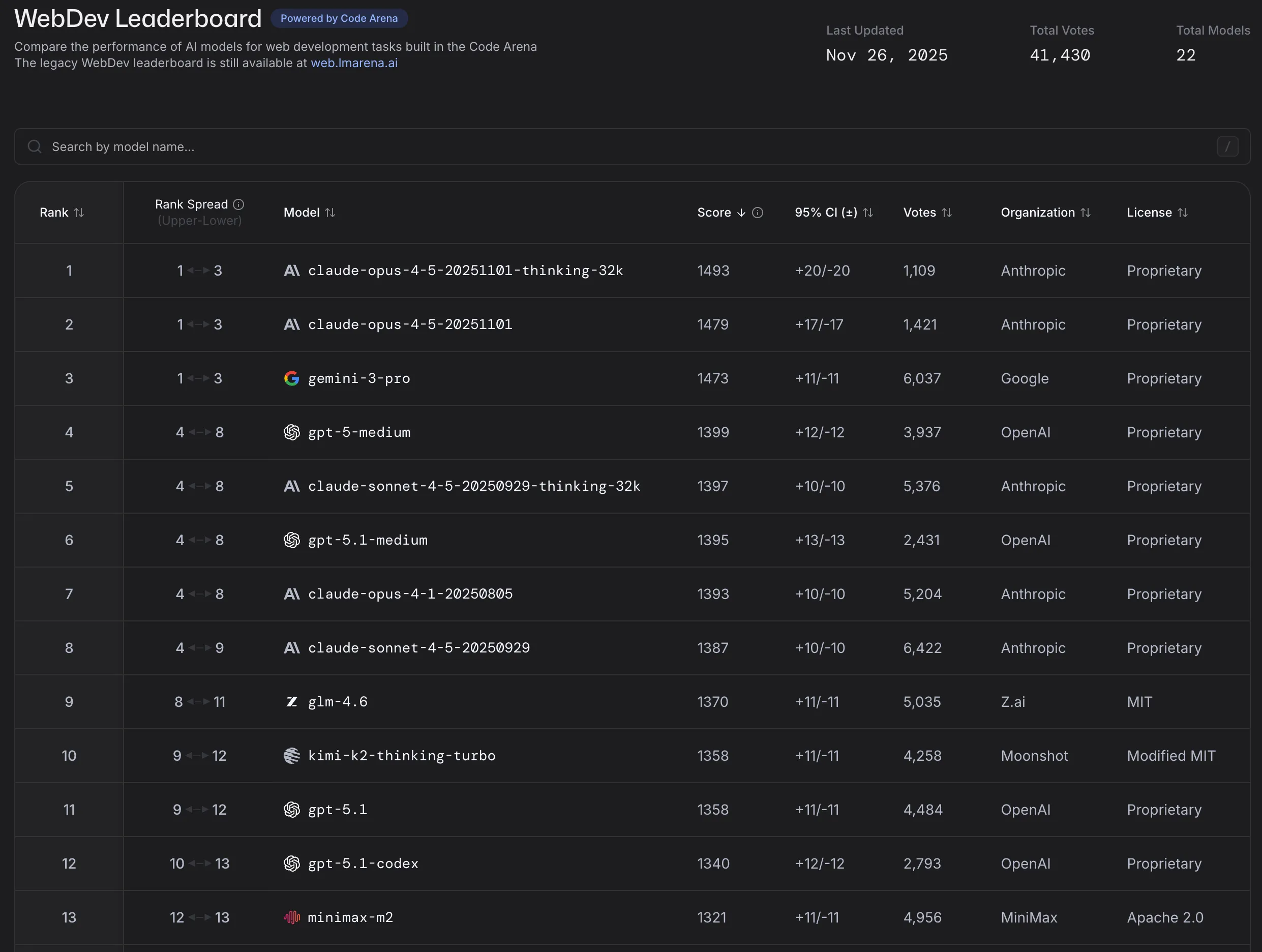
Q: How do I know which model has the best coding performance? A: WebDev Leaderboard | LMArena can serve as a partial reference, but ultimately it comes down to your own considerations of performance and cost.
Q: When should you NOT use AI? A: For large legacy projects with heavy technical debt and scattered logic, you absolutely cannot just say “implement XXX for me.” Instead, you can use AI to first sort through the pitfalls of the legacy project, supplement it yourself, and then proceed with implementation. I strongly recommend reading the articles below.
Recommended Articles
Here are some recommended articles about Claude Code and AI-assisted programming.
-
From “Writing Code” to “Validating Code”: 3 Years of Working with an AI Partner, My Hard-Won Collaboration Roadmap: I came across a great article on Twitter, written for backend / full-stack engineers and technical managers who are already using or preparing to use AI Coding in real production projects. It won’t teach you “where the button is” or “which prompt is most magical.” Instead, in about 15 minutes, it aims to help you figure out three things: which tasks are most “cost-effective” to hand to AI; how to make your project more “AI-friendly” to improve first-attempt success rates; and when generation is no longer the bottleneck, how engineers should design validation workflows to spend their time on what’s truly valuable.
-
Migrating 6000 React tests using AI Agents and ASTs: A great article — a textbook example of using AI for refactoring and migration.
-
My Experience Using Claude Code to Develop Rolldown: Thoughts and experience from heavy real-world use of Claude Code in Rolldown development.
A few months ago, I thought my understanding of AI was fairly accurate — it could write scripts, do web development, but couldn’t handle a project as complex as Rolldown. And now, over the past two weeks, it has written virtually all of my code. There’s no magic in the process — just following the official documentation Claude Code: Best practices for agentic coding in a clumsy way. Just that alone has already overturned my understanding.
-
Weekly Review #102 - How I Use AI: The author shares practical experience on how they frequently use AI tools in development, documentation, and schedule management.
-
On the Evolution of AI Programming Tools and Vibe Coding: The actual meaning of “Vibe Coding” is letting AI handle the entire code-writing process with almost no developer intervention. It has been broadly generalized to mean all forms of AI-assisted programming, but the author argues it should be distinguished from Context Coding.
-
How to Fix Any Bug: A rare article that discusses “how to debug issues in vibe coding” — and of course, it also applies to normal bugfixing.
-
How to write a great agents.md: Lessons from over 2,500 repositories: GitHub analyzed over 2,500 public repositories’ agents.md files and distilled best practices for writing an excellent
agents.md(very useful). -
OpenSpec Usage Tips: Recommends OpenSpec-driven development.
-
Writing a good CLAUDE.md: An article that teaches you how to write a clear and effective CLAUDE.md.
I think this passage from On the Evolution of AI Programming Tools and Vibe Coding is very well put:
Starting from this stage, the number of mediocre programmers will begin to decline until they disappear. Rather than saying AI took their jobs, it’s more accurate to say excellent programmers took their jobs — and the income gap between these two groups will continue to widen during this stage.
The tide of the times is unstoppable. I don’t want to paint the future too pessimistically or make things sound too harsh, but under the roar of industrial machines, no one truly cares about the voices of artisanal craftspeople. Before computers existed, it was hard to imagine how enormous the workforce of ticket sellers and telephone operators was.
Of course, I’m not saying that mediocre programmers have no way out. In fact, with AI’s assistance, a mediocre programmer with decent business sense and some marketing ability can create far more commercial value than being a cog in the machine of social division of labor.
Work that used to require many people collaborating can be greatly reduced in time and headcount through AI leverage. Independent development and small-team collaboration will definitely become more mainstream in the future.
喜欢的话,留下你的评论吧~